
Mastering Mountain Construction Site Monitoring with the Mavic 3 Pro: An Expert Interview with Chris Park
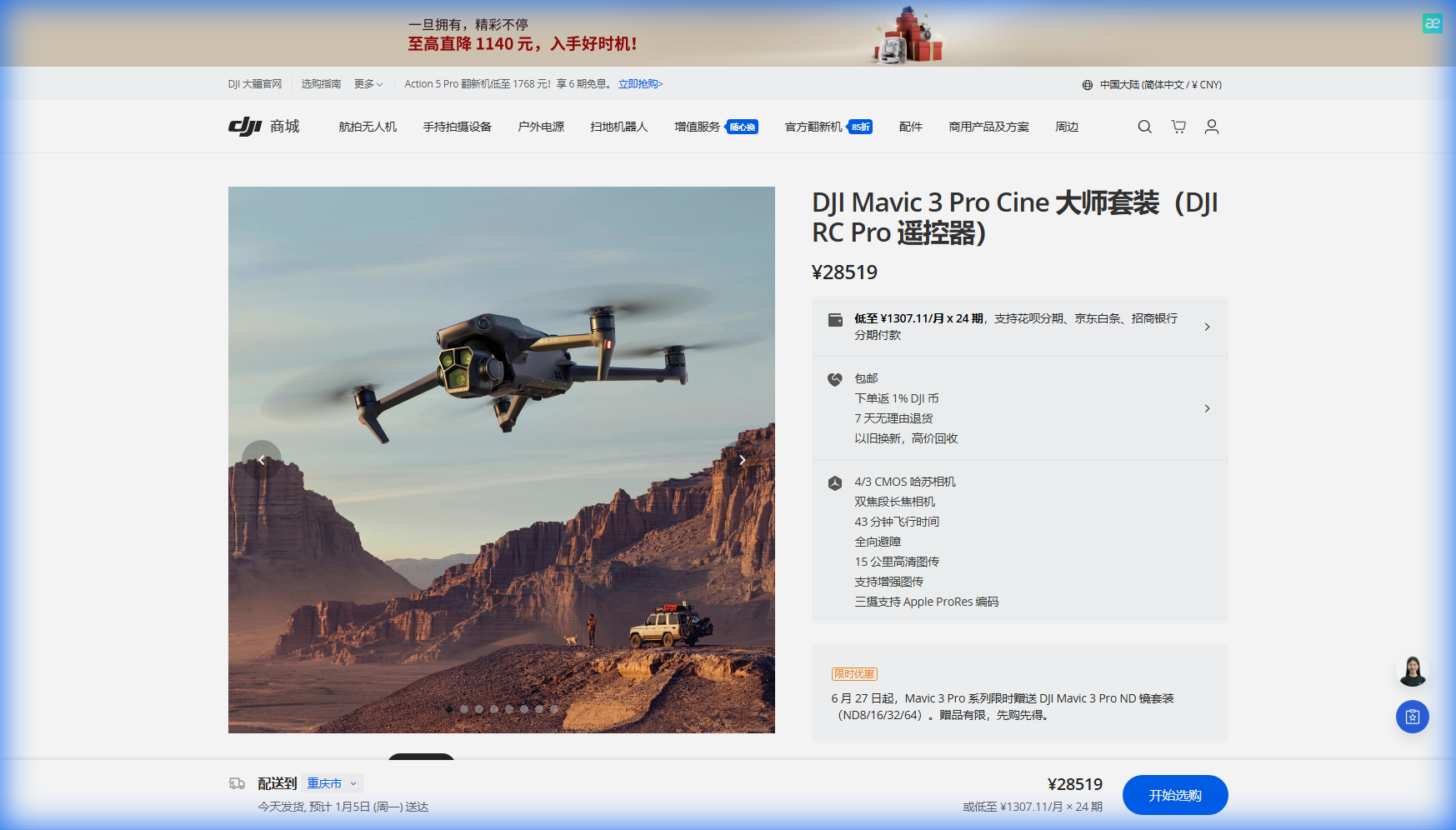
Mastering Mountain Construction Site Monitoring with the Mavic 3 Pro: An Expert Interview with Chris Park
TL;DR
- The Mavic 3 Pro's triple camera system and 43-minute flight time make it exceptionally suited for comprehensive construction monitoring in challenging mountain terrain
- Obstacle avoidance technology proves essential when navigating unpredictable wind patterns and complex topography at elevation
- Waypoint flying capabilities enable consistent, repeatable survey routes that deliver reliable progress documentation
- Proper understanding of D-Log color profile settings ensures footage remains usable across varying mountain lighting conditions
I recently sat down with Chris Park, a content creator who has spent the past three years documenting construction projects across some of North America's most demanding mountain environments. His transition to the Mavic 3 Pro marked a turning point in how he approaches aerial monitoring for his clients.
The Challenge That Changed Everything
"Two years ago, I was working a highway expansion project in the Colorado Rockies," Chris recalls, leaning back in his chair. "We were using older equipment, and the combination of thin air at 9,500 feet, rapidly shifting weather, and complex terrain made every flight feel like a gamble."
That project taught him hard lessons about equipment limitations. Shorter flight times meant constant battery swaps. Limited camera flexibility forced compromises between wide establishing shots and detailed inspection footage. The lack of reliable obstacle avoidance created genuine safety concerns when winds pushed the aircraft toward rock faces.
"When I finally upgraded to the Mavic 3 Pro, it felt like someone had removed a weight from my shoulders. The technology caught up to what the job actually demands."
Why Mountain Construction Sites Demand Premium Equipment
Mountain construction monitoring presents a unique convergence of challenges that separate professional-grade equipment from consumer toys.
Elevation affects battery performance and motor efficiency. Temperature swings between dawn and midday can exceed 40 degrees Fahrenheit. Wind patterns become unpredictable as thermals develop along sun-facing slopes. Electromagnetic interference from heavy machinery and remote communication equipment creates navigation complications.
Expert Insight: "The Mavic 3 Pro's obstacle avoidance system has saved my aircraft at least a dozen times," Chris notes. "Mountain winds don't announce themselves. You'll be flying a steady pattern, and suddenly a gust pushes you toward a crane or excavator. The omnidirectional sensing gives you that critical safety margin."
The Hasselblad camera system addresses another persistent mountain monitoring challenge: dynamic range. Construction sites in valleys often feature deep shadows while equipment on ridgelines sits in harsh direct sunlight. Capturing usable footage of both in a single pass requires exceptional sensor capability.
Breaking Down the Triple Camera Advantage
The Mavic 3 Pro's three-camera configuration transforms how professionals approach site documentation.
Primary Hasselblad Camera
The 4/3 CMOS sensor captures the wide establishing shots that project managers need for progress reports and stakeholder presentations. At 20 megapixels, the resolution supports significant cropping while maintaining detail.
Medium Telephoto
The 70mm equivalent lens bridges the gap between overview and inspection footage. Chris uses this focal length extensively for documenting specific work zones without flying dangerously close to active equipment.
Long Telephoto
The 166mm equivalent enables detailed inspection of structural elements, equipment condition, and safety compliance from safe operating distances.
| Camera | Focal Length Equivalent | Primary Use Case | Resolution |
|---|---|---|---|
| Hasselblad Main | 24mm | Site overviews, progress documentation | 20MP / 5.1K video |
| Medium Tele | 70mm | Zone-specific monitoring, equipment tracking | 48MP / 4K video |
| Long Tele | 166mm | Detailed inspection, safety audits | 48MP / 4K video |
"Before the triple camera setup, I'd have to make multiple passes at different altitudes to get comparable coverage," Chris explains. "Now I can capture everything in a single flight pattern. That matters when you're working with 43 minutes of flight time and need to document a site that spans half a mile of mountain terrain."
Establishing Reliable Monitoring Workflows
Consistency separates professional monitoring from casual documentation. Construction clients need comparable footage across weeks or months of project development.
Waypoint Flying for Repeatable Results
Chris builds custom waypoint routes for each project during his initial site visit. These programmed flight paths ensure every subsequent monitoring session captures identical perspectives.
"I'll spend extra time on that first flight, perfecting the route," he says. "But every visit after that becomes predictable. The client knows exactly what they're getting, and I can focus on identifying changes rather than figuring out camera angles."
The waypoint system also enables safe operation in complex terrain. Once a route is proven clear of obstacles, the aircraft follows it precisely regardless of visibility conditions or operator fatigue.
Subject Tracking for Active Equipment
When documenting specific machinery or work crews, ActiveTrack and Spotlight mode maintain focus without requiring constant manual input.
- ActiveTrack follows moving subjects while the aircraft maintains safe distances
- Spotlight mode keeps the camera locked on a point of interest while the pilot controls aircraft position
- Combined with obstacle avoidance, these features enable dynamic footage that would otherwise require a dedicated camera operator
Pro Tip: "For construction monitoring, I typically use Spotlight mode rather than full ActiveTrack," Chris advises. "It gives me complete control over the aircraft's position while ensuring the camera stays locked on the work zone. That's critical when you're operating near active equipment and need to maintain specific safety buffers."
Capturing Professional-Grade Footage
Raw technical capability means nothing without proper execution. Chris shared his approach to maximizing the Mavic 3 Pro's imaging potential in mountain environments.
D-Log Color Profile Essentials
The D-Log color profile captures maximum dynamic range by recording a flat, desaturated image that preserves highlight and shadow detail for post-processing.
"Mountain light is brutal," Chris explains. "You'll have snow-covered peaks blowing out while equipment in the valley floor disappears into shadow. D-Log gives me the latitude to recover both in editing."
Key D-Log considerations for construction monitoring:
- Requires color grading in post-production
- Preserves approximately 12.8 stops of dynamic range
- Essential for mixed lighting conditions common at mountain sites
- Demands proper exposure to avoid noise in shadows
Hyperlapse for Progress Documentation
Monthly progress reports benefit enormously from Hyperlapse footage that compresses hours of activity into seconds of compelling video.
Chris typically programs waypoint-based Hyperlapse sequences that capture equipment movement, crew activity, and material staging across extended periods.
"A well-executed Hyperlapse tells the project story better than any static report," he notes. "Stakeholders who might skim through photos will watch a thirty-second time-lapse that shows real progress."
QuickShots for Consistent B-Roll
While primarily associated with recreational flying, QuickShots modes provide reliable establishing shots that maintain professional consistency.
The Dronie, Helix, and Rocket patterns create dynamic reveals that work well for project introductions and section transitions in longer documentation videos.
Common Mistakes to Avoid
Even experienced operators make errors that compromise mission success. Chris identified the pitfalls he sees most frequently among professionals new to mountain construction monitoring.
Ignoring Density Altitude
Thin mountain air reduces lift and battery efficiency. A flight time rated at sea level will decrease noticeably at elevation.
"At 10,000 feet, I plan for roughly 15-20% reduced flight time," Chris warns. "That 43-minute rating becomes closer to 35 minutes of practical operation. Plan your routes accordingly."
Underestimating Weather Windows
Mountain weather changes rapidly. A clear morning can become an unflyable afternoon within hours.
- Check forecasts from multiple sources
- Plan primary flights for early morning when conditions are typically calmest
- Always have contingency dates built into project schedules
- Monitor real-time wind speeds at altitude, not just ground level
Neglecting Pre-Flight Compass Calibration
Heavy construction equipment generates electromagnetic interference that affects navigation systems. Calibrating the compass away from machinery before each flight prevents erratic behavior.
Rushing Post-Processing
D-Log footage requires proper color grading. Delivering flat, unprocessed video undermines the professional quality the Mavic 3 Pro is capable of producing.
"Budget time for post-production," Chris emphasizes. "The camera captures incredible data. Respect that by processing it properly."
Building Client Confidence Through Consistency
Professional monitoring relationships depend on reliability. The Mavic 3 Pro's combination of flight endurance, imaging flexibility, and intelligent flight modes enables the consistency that builds long-term client partnerships.
"My construction clients don't care about camera specs," Chris admits. "They care about getting usable documentation on schedule, every time. The Mavic 3 Pro lets me deliver that reliability even when conditions get challenging."
For professionals considering mountain construction monitoring as a service offering, the investment in proper equipment pays dividends through reduced reshoot requirements, expanded weather windows, and the confidence to take on projects that lesser equipment cannot handle.
Frequently Asked Questions
How does high altitude affect Mavic 3 Pro performance during construction monitoring?
Reduced air density at elevation decreases propeller efficiency and battery performance. Expect approximately 15-20% reduction in flight time above 8,000 feet. The aircraft compensates automatically, but operators should plan shorter routes and carry additional batteries. The obstacle avoidance system remains fully functional, which proves especially valuable when altitude-induced fatigue affects pilot reaction times.
What permits are typically required for drone monitoring at mountain construction sites?
Requirements vary by jurisdiction and airspace classification. Most commercial operations require Part 107 certification at minimum. Mountain sites near airports, heliports, or within restricted airspace may require additional waivers. Construction sites on federal land often have specific permitting requirements. Always coordinate with site management and verify airspace restrictions before operations. Contact our team for guidance on navigating regulatory requirements for your specific project.
How do I protect footage quality when weather conditions change rapidly during a monitoring flight?
The Mavic 3 Pro's D-Log color profile provides the dynamic range needed to handle shifting light conditions. Program return-to-home triggers based on wind speed thresholds rather than waiting for visible weather changes. Store the aircraft in a temperature-stable case between flights to prevent condensation on lens elements. For critical documentation, schedule redundant flight windows to ensure weather doesn't compromise delivery timelines.
Ready to elevate your construction monitoring capabilities? Contact our team for personalized consultation on equipment selection and workflow optimization for your specific project requirements.