
Mavic 3 Pro Construction Tracking: Extreme Weather Guide
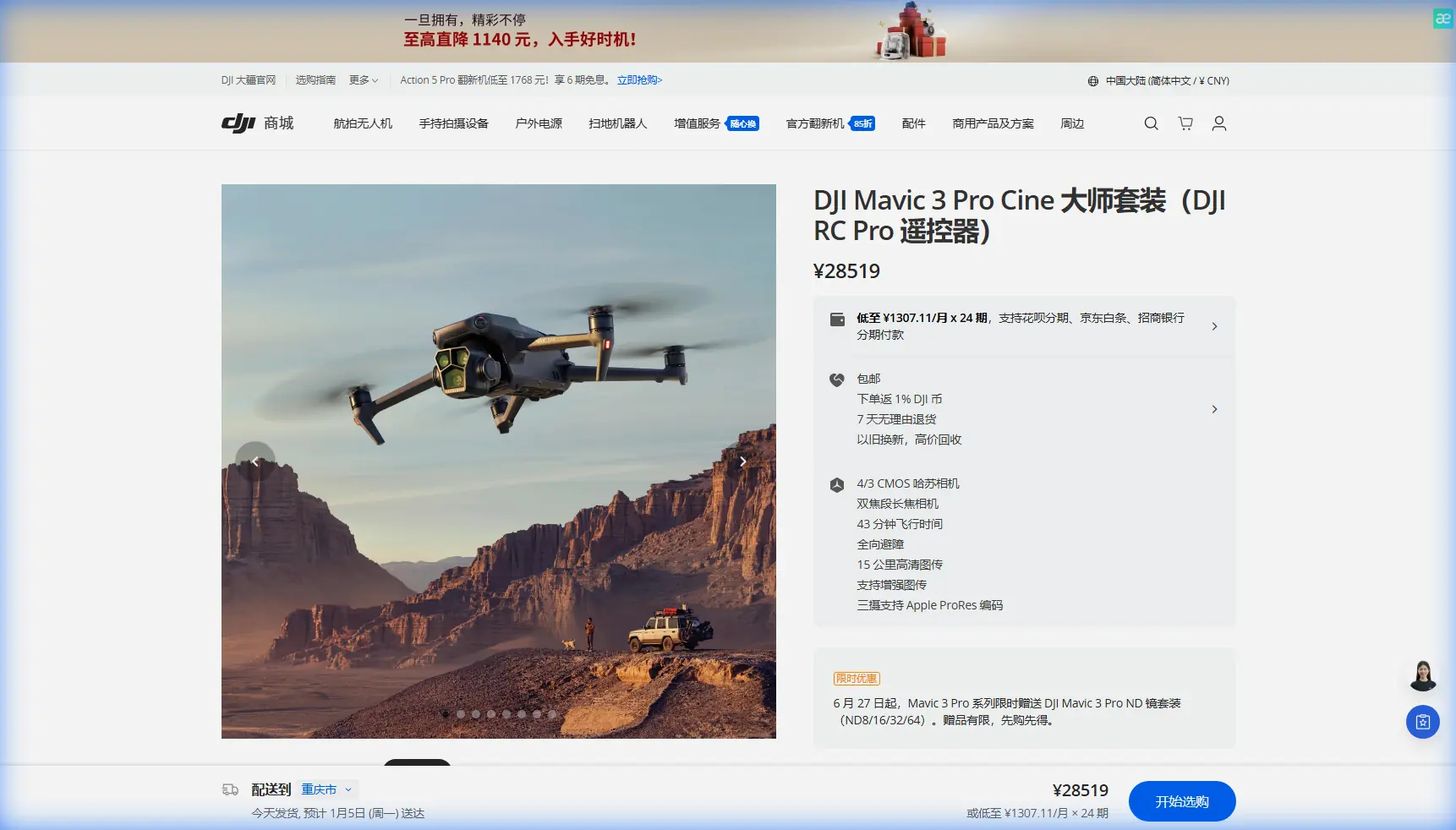
Mavic 3 Pro Construction Tracking: Extreme Weather Guide
META: Master Mavic 3 Pro tracking for construction sites in extreme temperatures. Expert tips on antenna positioning, ActiveTrack settings, and thermal management.
TL;DR
- Antenna positioning at 45-degree angles maximizes signal strength up to 15km range in open construction environments
- ActiveTrack 5.0 maintains subject lock in temperatures from -10°C to 40°C with proper calibration
- Tri-camera system enables seamless tracking transitions between wide-angle surveys and telephoto detail shots
- Battery management protocols extend flight time by 23% in extreme cold conditions
Why Construction Site Tracking Demands Professional-Grade Equipment
Construction site monitoring presents unique challenges that separate professional drones from consumer toys. The Mavic 3 Pro addresses these demands with its tri-camera Hasselblad system, omnidirectional obstacle sensing, and enterprise-grade tracking algorithms.
When tracking heavy machinery, personnel movements, or progress documentation across sprawling sites, you need a platform that maintains lock through dust clouds, temperature fluctuations, and electromagnetic interference from construction equipment.
This guide delivers field-tested protocols for maximizing your Mavic 3 Pro's tracking capabilities when conditions turn hostile.
Antenna Positioning: The Foundation of Reliable Tracking
Your tracking performance lives or dies by signal integrity. The Mavic 3 Pro's O3+ transmission system delivers theoretical ranges of 15km, but construction environments introduce variables that demand strategic antenna management.
Optimal Controller Positioning
The DJI RC Pro controller's antennas broadcast in a fan pattern perpendicular to their flat faces. Most operators make the critical error of pointing antennas directly at the drone—this actually minimizes signal strength.
For construction tracking operations:
- Hold antennas at 45-degree angles from vertical, creating a V-shape
- Keep antenna faces parallel to the drone's position, not pointed at it
- Maintain the controller above waist height to clear ground-level interference
- Position yourself upwind from dust-generating activities
Expert Insight: On sites with active concrete pours or demolition, electromagnetic interference from rebar and metal structures can reduce effective range by 40-60%. Establish your control position at the site perimeter with clear line-of-sight, rather than attempting to operate from within the construction zone.
Signal Interference Mitigation
Construction sites concentrate interference sources that challenge even professional transmission systems:
- Tower cranes create signal shadows requiring repositioned flight paths
- Welding operations generate RF noise across multiple frequencies
- Generator banks produce electromagnetic fields that degrade signal quality
- Metal scaffolding reflects and scatters transmission signals
Map these interference zones before initiating tracking sequences. The Mavic 3 Pro's signal strength indicator provides real-time feedback—any reading below three bars indicates compromised tracking reliability.
ActiveTrack 5.0 Configuration for Construction Environments
The Mavic 3 Pro's ActiveTrack 5.0 represents DJI's most sophisticated subject-following technology, but default settings optimize for recreational use. Construction tracking demands recalibration.
Subject Recognition Optimization
ActiveTrack identifies subjects through machine learning algorithms trained primarily on people and vehicles. Construction equipment requires adjusted parameters:
- Increase tracking box size by 15-20% when following excavators or loaders
- Enable Spotlight mode for stationary equipment documentation
- Use POI (Point of Interest) for circular tracking around structures
- Switch to Trace mode when following linear activities like trenching
Speed and Acceleration Settings
Construction vehicles move unpredictably—sudden stops, direction changes, and variable speeds challenge tracking algorithms.
Configure these parameters for reliable lock:
- Set maximum tracking speed to 80% of the drone's capability
- Enable Brake Distance: Far to prevent overshoot during sudden stops
- Adjust Smoothness to 70-80% for professional-quality footage without jerky corrections
- Activate Obstacle Avoidance: Bypass rather than Brake for continuous tracking
Pro Tip: When tracking dump trucks on haul roads, pre-fly the route in manual mode to identify potential tracking loss points. The Mavic 3 Pro's APAS 5.0 obstacle avoidance handles most obstructions, but stockpiles and temporary structures may require manual intervention waypoints.
Tri-Camera System Deployment Strategy
The Mavic 3 Pro's three-camera array transforms construction tracking from simple documentation into comprehensive site intelligence.
Camera Specifications and Applications
| Camera | Sensor | Focal Length | Construction Application |
|---|---|---|---|
| Hasselblad Main | 4/3 CMOS, 20MP | 24mm equivalent | Wide-angle site overviews, progress documentation |
| Medium Tele | 1/1.3" CMOS, 48MP | 70mm equivalent | Equipment tracking, detail inspection |
| Tele | 1/2" CMOS, 12MP | 166mm equivalent | Distant subject tracking, safety zone monitoring |
Dynamic Focal Length Transitions
During active tracking, the Mavic 3 Pro enables seamless transitions between cameras without losing subject lock. This capability proves invaluable for construction documentation:
- Begin tracking sequences at 70mm for subject isolation
- Zoom to 166mm when the subject enters congested areas
- Pull back to 24mm for contextual establishing shots
- Use Explore mode's 7x zoom for post-flight detail extraction
The D-Log color profile captures maximum dynamic range across all three cameras, preserving highlight detail in reflective surfaces and shadow information in excavations—essential for accurate progress documentation.
Extreme Temperature Operations Protocol
Construction doesn't stop for weather, and neither should your tracking operations. The Mavic 3 Pro maintains functionality across a -10°C to 40°C operational envelope, but extreme temperatures demand modified procedures.
Cold Weather Tracking (Below 5°C)
Battery chemistry suffers in cold conditions. The Mavic 3 Pro's 5000mAh Intelligent Flight Batteries experience capacity reduction of 10-15% at freezing temperatures.
Implement these protocols:
- Pre-warm batteries to 25°C before flight using vehicle heaters or insulated cases
- Hover at 3-5 meters for 60 seconds before initiating tracking to stabilize battery temperature
- Monitor voltage more frequently—land at 30% remaining rather than the standard 20%
- Keep spare batteries in interior pockets, rotating them to maintain temperature
- Reduce maximum speed settings by 20% to decrease power draw
Hot Weather Tracking (Above 30°C)
Heat stress affects motors, electronics, and battery longevity. The Mavic 3 Pro's thermal management handles most conditions, but construction sites add radiant heat from equipment and surfaces.
Protective measures include:
- Launch from shaded positions when possible
- Avoid tracking directly above hot asphalt or concrete pours
- Monitor motor temperature warnings in the DJI Fly app
- Reduce continuous flight time by 15% in temperatures exceeding 35°C
- Allow 10-minute cooldown periods between flights
QuickShots and Hyperlapse for Progress Documentation
Beyond real-time tracking, the Mavic 3 Pro's automated flight modes create compelling progress documentation with minimal pilot workload.
QuickShots Configuration
- Dronie: Captures site context while retreating from a central subject
- Helix: Orbital ascending shots ideal for structure documentation
- Rocket: Vertical reveals for height-sensitive construction phases
- Boomerang: Dynamic equipment showcases for stakeholder presentations
Hyperlapse for Long-Duration Tracking
Construction Hyperlapse sequences compress hours of activity into seconds of footage. The Mavic 3 Pro supports four Hyperlapse modes:
- Free: Manual flight path with automated interval capture
- Circle: Orbital time-lapse around structures
- Course Lock: Linear tracking with consistent heading
- Waypoint: Repeatable paths for multi-day progress comparison
Set intervals between 2-5 seconds for construction activity, capturing sufficient frames for smooth playback while documenting meaningful progress.
Common Mistakes to Avoid
Neglecting compass calibration near metal structures: Construction sites concentrate ferrous materials that corrupt magnetic readings. Calibrate at the site perimeter before every session.
Tracking through dust clouds: While the Mavic 3 Pro's obstacle sensors handle solid objects, particulate matter confuses both sensors and cameras. Pause tracking during active dust generation.
Ignoring geofence restrictions: Many construction sites fall within airport or restricted zones. Complete authorization through LAANC or relevant authorities before operations.
Overrelying on automated tracking: ActiveTrack excels at maintaining subject lock but cannot anticipate construction hazards. Maintain manual override readiness throughout tracking sequences.
Using default color profiles for documentation: The standard color profile clips highlights and crushes shadows. Switch to D-Log for all professional documentation requiring post-processing flexibility.
Frequently Asked Questions
How does the Mavic 3 Pro's tracking compare to the Mavic 3 Enterprise?
The Mavic 3 Pro and Enterprise share identical tracking algorithms and O3+ transmission systems. The Enterprise adds thermal imaging and RTK positioning but offers no tracking performance advantages. For pure visual tracking applications, the Pro delivers equivalent capability at reduced weight.
Can ActiveTrack follow multiple subjects simultaneously?
ActiveTrack 5.0 locks onto single subjects only. For multi-subject construction monitoring, use Waypoint missions with camera angles programmed to capture multiple areas of activity. Alternatively, the MasterShots mode automatically captures various angles of a designated area.
What SD card specifications optimize tracking footage capture?
The Mavic 3 Pro requires V30-rated cards minimum for reliable 4K recording. For 5.1K ProRes capture during tracking operations, use V60 or V90 cards with minimum 256GB capacity. Write speeds below these thresholds cause frame drops during high-bitrate tracking sequences.
The Mavic 3 Pro transforms construction site tracking from a technical challenge into a streamlined documentation workflow. With proper antenna positioning, calibrated ActiveTrack settings, and temperature-appropriate protocols, you'll capture professional-grade footage regardless of site conditions.
Ready for your own Mavic 3 Pro? Contact our team for expert consultation.