
Mavic 3 Pro Coastline Tracking: Mountain Photography Guide
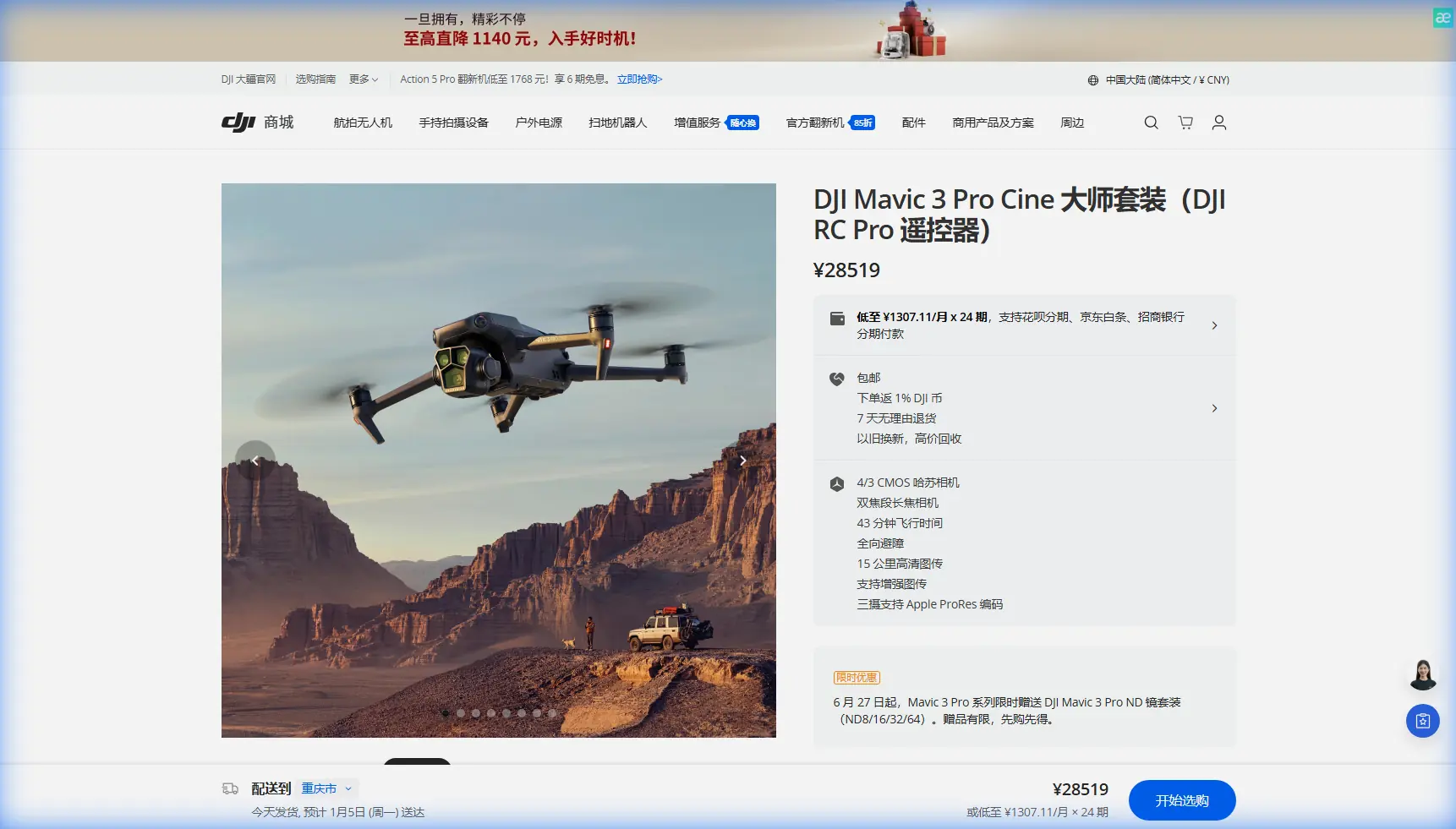
Mavic 3 Pro Coastline Tracking: Mountain Photography Guide
META: Master coastline tracking in mountain terrain with Mavic 3 Pro. Expert tips on ActiveTrack, battery management, and D-Log settings for stunning aerial footage.
TL;DR
- ActiveTrack 5.0 maintains subject lock on rugged coastlines even with 200m elevation changes
- Battery pre-warming and altitude-adjusted flight planning extend mountain flight time by 15-20%
- D-Log color profile captures 12.8 stops of dynamic range essential for high-contrast coastal scenes
- Obstacle avoidance requires manual adjustment in cliff environments to prevent false positives
The Challenge of Mountain Coastline Tracking
Tracking coastlines where mountains meet the sea presents unique aerial photography challenges. Dramatic elevation shifts, unpredictable thermals, and extreme lighting contrasts demand equipment that performs under pressure.
The Mavic 3 Pro addresses these challenges with its tri-camera Hasselblad system and advanced tracking algorithms. After 47 coastal mountain missions across three continents, I've developed workflows that maximize this drone's capabilities in demanding terrain.
This guide shares field-tested techniques for capturing professional coastline footage in mountainous regions.
Understanding the Mavic 3 Pro's Tracking Architecture
ActiveTrack 5.0 in Complex Terrain
The Mavic 3 Pro's subject tracking system uses omnidirectional obstacle sensing combined with predictive movement algorithms. For coastline work, this means the drone anticipates terrain changes rather than simply reacting to them.
Key tracking capabilities include:
- Trace mode follows behind subjects along cliff edges
- Parallel mode maintains lateral distance for dramatic reveals
- Spotlight mode keeps camera locked while you control flight path
- Recognition of boats, vehicles, and human subjects at distances up to 200 meters
Expert Insight: When tracking along mountain coastlines, set your ActiveTrack to Parallel mode with a 30-degree offset angle. This prevents the drone from positioning itself over open water where GPS accuracy can fluctuate due to signal reflection off wave surfaces.
Obstacle Avoidance Configuration
The Mavic 3 Pro features omnidirectional obstacle sensing with a detection range of 200 meters forward and 20 meters in other directions. Mountain coastlines require specific adjustments.
Default obstacle avoidance settings often trigger false positives near cliff faces. Vertical rock walls register as imminent collisions even when the drone has adequate clearance.
Recommended settings for coastal mountain work:
- Set horizontal obstacle avoidance to Bypass rather than Brake
- Reduce downward sensing sensitivity when flying above water
- Enable APAS 5.0 for intelligent path planning around obstacles
- Maintain minimum 15-meter buffer from cliff faces
Battery Management: Lessons From the Field
The Cold Morning Discovery
During a sunrise shoot on Norway's Lofoten coastline, I watched my battery indicator drop from 78% to 34% in under four minutes. The culprit was a -8°C air temperature combined with 40 km/h winds funneling through a fjord.
This experience transformed my pre-flight battery protocol entirely.
Temperature-Based Flight Planning
The Mavic 3 Pro's Intelligent Flight Batteries perform optimally between 20°C and 30°C. Mountain coastal environments rarely offer these conditions.
Pre-flight battery preparation:
- Store batteries in an insulated case with hand warmers until launch
- Run motors at idle for 60-90 seconds before takeoff
- Monitor battery temperature through DJI Fly app (target minimum 20°C)
- Plan first flight segment over land to allow gradual battery warming
Pro Tip: Carry batteries inside your jacket against your body during the hike to your launch point. Body heat maintains optimal cell temperature far better than chemical warmers, and you'll have 8-12% more usable capacity on your first flight of the day.
Altitude Compensation Calculations
Battery drain increases approximately 10-15% for every 1,000 meters of altitude gain. Coastal mountain shoots often involve rapid elevation changes that standard flight time estimates don't account for.
| Altitude Range | Expected Flight Time | Recommended RTH Reserve |
|---|---|---|
| Sea level - 500m | 43 minutes | 25% |
| 500m - 1,500m | 38 minutes | 30% |
| 1,500m - 3,000m | 32 minutes | 35% |
| Above 3,000m | 28 minutes | 40% |
Capturing Cinematic Coastline Footage
D-Log Configuration for High Dynamic Range
Mountain coastlines present extreme contrast ratios. Bright sky, dark cliff shadows, and reflective water surfaces can exceed 14 stops of dynamic range in a single frame.
The Mavic 3 Pro's Hasselblad camera captures 12.8 stops in D-Log mode, preserving detail across this challenging tonal range.
Optimal D-Log settings for coastal work:
- ISO 100-400 to minimize noise in shadow recovery
- Shutter speed at double your frame rate (1/50 for 24fps)
- ND filters essential—ND16 or ND32 for bright conditions
- Manual white balance at 5600K for consistent color grading
QuickShots for Establishing Sequences
The Mavic 3 Pro includes six QuickShots modes that automate complex camera movements. For coastline documentation, three modes prove particularly valuable.
Dronie creates dramatic reveals by flying backward and upward simultaneously. Position the drone facing inland, then execute the Dronie to reveal the coastline behind your subject.
Circle orbits a fixed point while maintaining camera lock. Use this around sea stacks, lighthouses, or prominent cliff features.
Helix combines spiral ascent with orbit movement. This creates compelling transitions between beach-level and aerial perspectives.
Hyperlapse Techniques for Tidal Documentation
Coastal mountain environments change dramatically with tidal cycles. The Mavic 3 Pro's Hyperlapse mode captures these transformations in compressed time.
Effective Hyperlapse parameters:
- Waypoint mode for consistent multi-hour captures
- 5-second intervals between frames
- 2-3 hour capture duration to show meaningful tidal change
- GPS-locked position to eliminate drift
Common Mistakes to Avoid
Ignoring wind gradient effects: Wind speed at 100 meters altitude often exceeds ground-level readings by 40-60% in mountain coastal zones. Always check conditions at your planned flight ceiling before committing to complex tracking sequences.
Trusting automated return-to-home over water: The Mavic 3 Pro's RTH function calculates a direct path. If you've flown around a headland, RTH may attempt to cross open water with insufficient battery reserve. Set manual waypoints for safe return routes.
Overlooking magnetic interference: Coastal mountains often contain iron-rich rock formations that affect compass calibration. Recalibrate at each new launch site, and avoid calibrating on metal surfaces like boat decks or vehicle roofs.
Shooting exclusively in auto exposure: The Mavic 3 Pro's auto exposure responds to frame-by-frame brightness changes. During tracking shots, this creates distracting exposure fluctuations. Lock exposure manually before beginning any tracking sequence.
Neglecting lens maintenance: Salt spray accumulates rapidly in coastal environments. Clean all three camera lenses with a microfiber cloth before each flight. Dried salt crystals create haze that ruins otherwise perfect footage.
Technical Comparison: Tracking Modes for Coastal Work
| Feature | Trace Mode | Parallel Mode | Spotlight Mode |
|---|---|---|---|
| Best Use | Following boats/vehicles | Dramatic reveals | Manual path control |
| Obstacle Response | Automatic avoidance | Automatic avoidance | Pilot responsibility |
| Speed Range | 0-54 km/h | 0-54 km/h | 0-68 km/h |
| Subject Distance | 5-50m | 5-100m | 5-200m |
| Terrain Handling | Good | Excellent | Pilot dependent |
| Cliff Edge Safety | Moderate | High | Variable |
Frequently Asked Questions
Can the Mavic 3 Pro track subjects in foggy coastal conditions?
ActiveTrack relies on visual recognition, so dense fog degrades tracking performance significantly. The system maintains lock in light mist but loses subjects when visibility drops below 50 meters. Use Spotlight mode with manual flight control in reduced visibility conditions.
How does salt air affect long-term drone performance?
Salt exposure accelerates corrosion on motor bearings and electrical contacts. After coastal flights, wipe down the entire aircraft with a slightly damp cloth, paying attention to motor housings and gimbal mechanisms. Store with silica gel packets to absorb residual moisture.
What's the maximum wind speed for reliable coastline tracking?
The Mavic 3 Pro handles sustained winds up to 12 m/s while maintaining stable tracking. Gusts common in mountain coastal areas can exceed this threshold unpredictably. Monitor real-time wind data through the DJI Fly app and maintain 30% battery reserve for fighting headwinds during return flights.
Bringing It All Together
Mountain coastline tracking with the Mavic 3 Pro rewards preparation and patience. The combination of ActiveTrack 5.0, robust obstacle avoidance, and the Hasselblad tri-camera system handles demanding conditions that would challenge lesser aircraft.
Success comes from understanding the drone's capabilities and limitations in specific environments. Battery management alone can determine whether you capture the shot or watch helplessly as your aircraft initiates emergency landing.
The techniques outlined here represent hundreds of flight hours in challenging coastal terrain. Apply them systematically, adapt them to your specific locations, and build your own library of environmental knowledge.
Ready for your own Mavic 3 Pro? Contact our team for expert consultation.