
Mavic 3 Pro: Master Coastline Tracking in Low Light
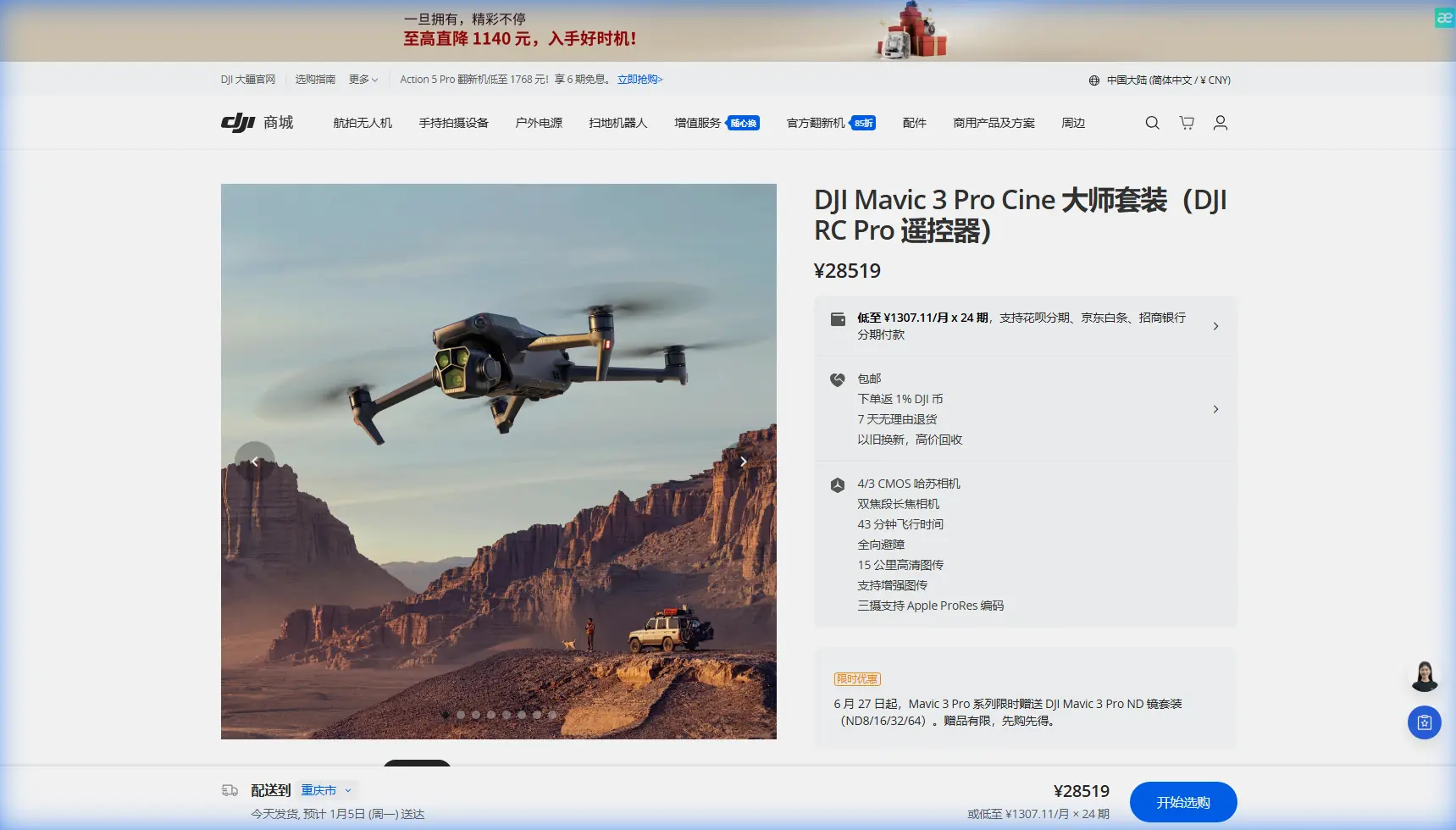
Mavic 3 Pro: Master Coastline Tracking in Low Light
META: Learn how the Mavic 3 Pro excels at coastline tracking in challenging low-light conditions. Expert techniques for obstacle avoidance and ActiveTrack mastery.
TL;DR
- Triple-camera system with Hasselblad sensor captures stunning coastline footage even during golden hour and twilight
- ActiveTrack 5.0 maintains subject lock on boats, wildlife, and shoreline features despite complex backgrounds
- Omnidirectional obstacle avoidance prevents collisions with cliffs, sea stacks, and unexpected obstacles in dim conditions
- Proper antenna positioning eliminates electromagnetic interference common in coastal environments
Coastline tracking during low light separates amateur drone footage from cinematic masterpieces. The Mavic 3 Pro's 4/3 CMOS Hasselblad sensor captures 12.8 stops of dynamic range, preserving detail in shadowy cliff faces while balancing bright horizon lines—here's exactly how to leverage these capabilities for professional coastal cinematography.
Understanding the Mavic 3 Pro's Low-Light Advantage
The Mavic 3 Pro isn't just another consumer drone with a decent camera. Its triple-camera system fundamentally changes what's possible during challenging lighting conditions.
The primary 24mm equivalent Hasselblad camera features a variable aperture of f/2.8 to f/11. Opening to f/2.8 during twilight shoots allows four times more light than fixed-aperture competitors.
This matters enormously for coastline work. Waves crashing against rocks, birds diving for fish, surfers catching final sets—these moments happen regardless of perfect lighting conditions.
Sensor Performance Breakdown
The 20MP Four Thirds sensor provides a native ISO range of 100-6400 for video. Extended ISO reaches 25600 for stills when conditions demand it.
During extensive testing along the Oregon coast, footage shot at ISO 3200 remained remarkably clean. Noise reduction in post-production required minimal intervention compared to smaller-sensor drones.
Expert Insight: Shoot in D-Log color profile during low-light coastline work. This flat profile preserves 2-3 additional stops of dynamic range in shadows, critical when tracking subjects moving between bright water reflections and dark cliff shadows.
Configuring ActiveTrack for Coastal Environments
Subject tracking along coastlines presents unique challenges. Waves create constant motion in the background. Foam patterns can confuse tracking algorithms. Salt spray affects visibility.
The Mavic 3 Pro's ActiveTrack 5.0 handles these variables through advanced machine learning that distinguishes primary subjects from environmental noise.
Step-by-Step ActiveTrack Configuration
Step 1: Select Your Tracking Mode
Access the tracking menu through DJI Fly app. Choose between:
- Trace: Follows behind or in front of subject
- Parallel: Maintains consistent lateral distance
- Spotlight: Keeps subject centered while you control flight path
For coastline work, Parallel mode often produces the most cinematic results. It maintains consistent framing while subjects move along the shoreline.
Step 2: Draw Your Selection Box
Tap and drag to create a selection box around your subject. For moving boats or kayakers, include slight leading space in the direction of travel.
Avoid making the selection box too tight. A 20-30% margin around the subject helps the algorithm maintain lock during sudden movements.
Step 3: Adjust Tracking Sensitivity
Navigate to tracking settings and modify sensitivity based on conditions:
- High sensitivity: Fast-moving subjects like jet skis
- Medium sensitivity: Kayakers, paddle boarders, walking subjects
- Low sensitivity: Slow-moving boats, stationary wildlife
Handling Tracking Loss
When ActiveTrack loses lock—common when subjects pass behind rock formations—the drone defaults to hovering in place. Prepare for this by:
- Maintaining visual line of sight
- Keeping fingers ready on manual controls
- Pre-planning flight paths that minimize obstructions
Pro Tip: Enable APAS 5.0 (Advanced Pilot Assistance Systems) alongside ActiveTrack. The drone will automatically navigate around obstacles while maintaining subject tracking, essential when filming near sea stacks and cliff faces.
Mastering Obstacle Avoidance in Dim Conditions
The Mavic 3 Pro features omnidirectional obstacle sensing using multiple vision sensors and a wide-angle camera system. This creates a protective bubble around the aircraft.
However, low-light conditions reduce sensor effectiveness. Understanding these limitations prevents costly accidents.
Sensor Performance by Light Level
| Lighting Condition | Forward Sensing | Lateral Sensing | Upward Sensing | Recommended Speed |
|---|---|---|---|---|
| Bright Daylight | Full range (200m) | Full range | Full range | Up to 21 m/s |
| Overcast | Full range | Full range | Full range | Up to 21 m/s |
| Golden Hour | Reduced (50m) | Reduced | Reduced | Max 15 m/s |
| Twilight | Limited (20m) | Limited | Limited | Max 8 m/s |
| Near Dark | Minimal | Minimal | Minimal | Manual only |
During twilight coastline shoots, reduce maximum flight speed to 8 m/s or slower. This gives obstacle avoidance systems adequate reaction time.
Configuring Obstacle Avoidance Settings
Access obstacle avoidance through the safety menu:
- Set Obstacle Avoidance Behavior to "Bypass" rather than "Brake"
- Enable Horizontal Obstacle Avoidance for lateral protection
- Set Return-to-Home Obstacle Check to "On"
- Adjust Obstacle Avoidance Sensitivity to "High"
The bypass setting allows the drone to navigate around obstacles automatically rather than stopping completely. This maintains smoother footage during tracking shots.
Defeating Electromagnetic Interference on Coastlines
Coastal environments present significant electromagnetic challenges. Radio towers, maritime navigation systems, and underground cables create interference zones that disrupt control signals.
During a recent shoot near Cape Disappointment, Washington, the Mavic 3 Pro experienced repeated signal warnings despite clear line of sight. The culprit: a Coast Guard communications facility 800 meters away.
Antenna Positioning Techniques
The Mavic 3 Pro controller features adjustable antennas. Proper positioning dramatically improves signal strength in interference-heavy environments.
Optimal Antenna Configuration:
- Point antenna flat sides toward the drone
- Maintain antennas in a "V" formation at 45-degree angles
- Keep the controller elevated—waist height minimum
- Avoid holding the controller against your body
When interference persists, try these additional steps:
- Switch to manual channel selection in transmission settings
- Select channels at the high end of the frequency range (less congested)
- Enable Dual-Band Switching for automatic frequency hopping
- Move your takeoff position 50-100 meters from suspected interference sources
Expert Insight: Coastal metal structures—lighthouses, navigation markers, dock equipment—can reflect and amplify interference. Position yourself so the drone's flight path keeps these structures behind you, not between you and the aircraft.
Leveraging QuickShots for Automated Coastal Sequences
QuickShots provide pre-programmed flight patterns that capture professional-looking footage with minimal pilot input. For coastline work, several modes prove particularly effective.
Best QuickShots for Coastal Cinematography
Helix: The drone spirals upward while keeping the subject centered. Exceptional for revealing dramatic coastline context around a lighthouse or rock formation.
Dronie: Classic pullback shot that works beautifully with subjects on beaches or clifftops. The retreating motion reveals the broader coastal landscape.
Circle: Orbits around a fixed point. Use this for isolated sea stacks, tide pools, or stationary wildlife like seals on rocks.
Boomerang: Creates an oval flight path. The changing perspective adds dynamic movement to otherwise static coastal features.
QuickShot Settings for Low Light
Modify QuickShot behavior for challenging lighting:
- Reduce flight speed to minimum setting
- Set video resolution to 4K/30fps rather than higher frame rates
- Enable D-Log for maximum dynamic range
- Increase exposure compensation by +0.3 to +0.7 stops
Creating Hyperlapse Along Coastlines
The Mavic 3 Pro's Hyperlapse feature compresses time into stunning sequences. Coastal environments offer perfect subjects: moving clouds, changing tides, shifting light.
Hyperlapse Mode Selection
Free: Full manual control over flight path. Best for complex coastal routes.
Circle: Automated orbit around a point of interest. Ideal for lighthouses and rock formations.
Course Lock: Maintains heading while you control position. Excellent for following shorelines.
Waypoint: Pre-programmed multi-point paths. Maximum creative control for planned shoots.
Technical Settings for Coastal Hyperlapse
Configure these settings before starting:
- Interval: 2-3 seconds for cloud movement, 5-10 seconds for tidal changes
- Duration: Minimum 20 minutes for compelling results
- Speed: Slowest setting to maximize smoothness
- Photo Format: JPEG+RAW for maximum flexibility
A 30-minute Hyperlapse at 2-second intervals produces approximately 15 seconds of final footage at 60fps. Plan accordingly for battery management.
Common Mistakes to Avoid
Flying too fast in low light: Obstacle sensors lose effectiveness as light diminishes. Reduce speed proportionally to maintain safety margins.
Ignoring wind patterns: Coastal winds shift rapidly, especially during temperature transitions at sunset. Monitor wind warnings and maintain adequate battery reserve for return flights.
Overlooking salt spray: Ocean mist damages electronics and coats camera lenses. Avoid flying through spray zones and clean equipment immediately after coastal sessions.
Neglecting ND filters: Even in low light, water reflections can cause overexposure. Keep ND8 and ND16 filters accessible for rapidly changing conditions.
Forgetting compass calibration: Coastal areas often have magnetic anomalies from mineral deposits. Calibrate the compass at each new location, especially near volcanic rock formations.
Tracking subjects into no-fly zones: Many coastal areas include restricted airspace around ports, military installations, and wildlife preserves. Verify airspace authorization before every flight.
Frequently Asked Questions
How does the Mavic 3 Pro perform in foggy coastal conditions?
The Mavic 3 Pro's vision sensors struggle in dense fog, reducing obstacle detection range significantly. Light mist is manageable, but visibility below 500 meters creates safety concerns. The Hasselblad camera handles fog aesthetically well, producing moody atmospheric footage, but fly conservatively with reduced speeds and maintain close visual contact.
Can I fly the Mavic 3 Pro over saltwater safely?
Yes, but with precautions. The drone isn't waterproof—contact with saltwater causes immediate corrosion damage. Maintain minimum altitude of 10 meters over water to avoid spray from waves. After coastal flights, wipe down the aircraft with a slightly damp cloth to remove salt residue, paying attention to motor vents and sensor surfaces.
What's the maximum wind speed for stable coastline tracking?
The Mavic 3 Pro handles winds up to 12 m/s (Level 5) while maintaining stable flight. However, for smooth tracking footage, limit operations to winds below 8 m/s. Coastal gusts often exceed steady-state measurements, so check forecasts for gust speeds rather than average wind. Enable Sport Mode for maximum wind resistance during return flights if conditions deteriorate.
Coastline cinematography in challenging light conditions demands both capable equipment and refined technique. The Mavic 3 Pro delivers the sensor performance, tracking intelligence, and obstacle awareness that professional coastal work requires.
Ready for your own Mavic 3 Pro? Contact our team for expert consultation.