
Mavic 3 Pro Guide: Wildlife Surveys in Extreme Temps
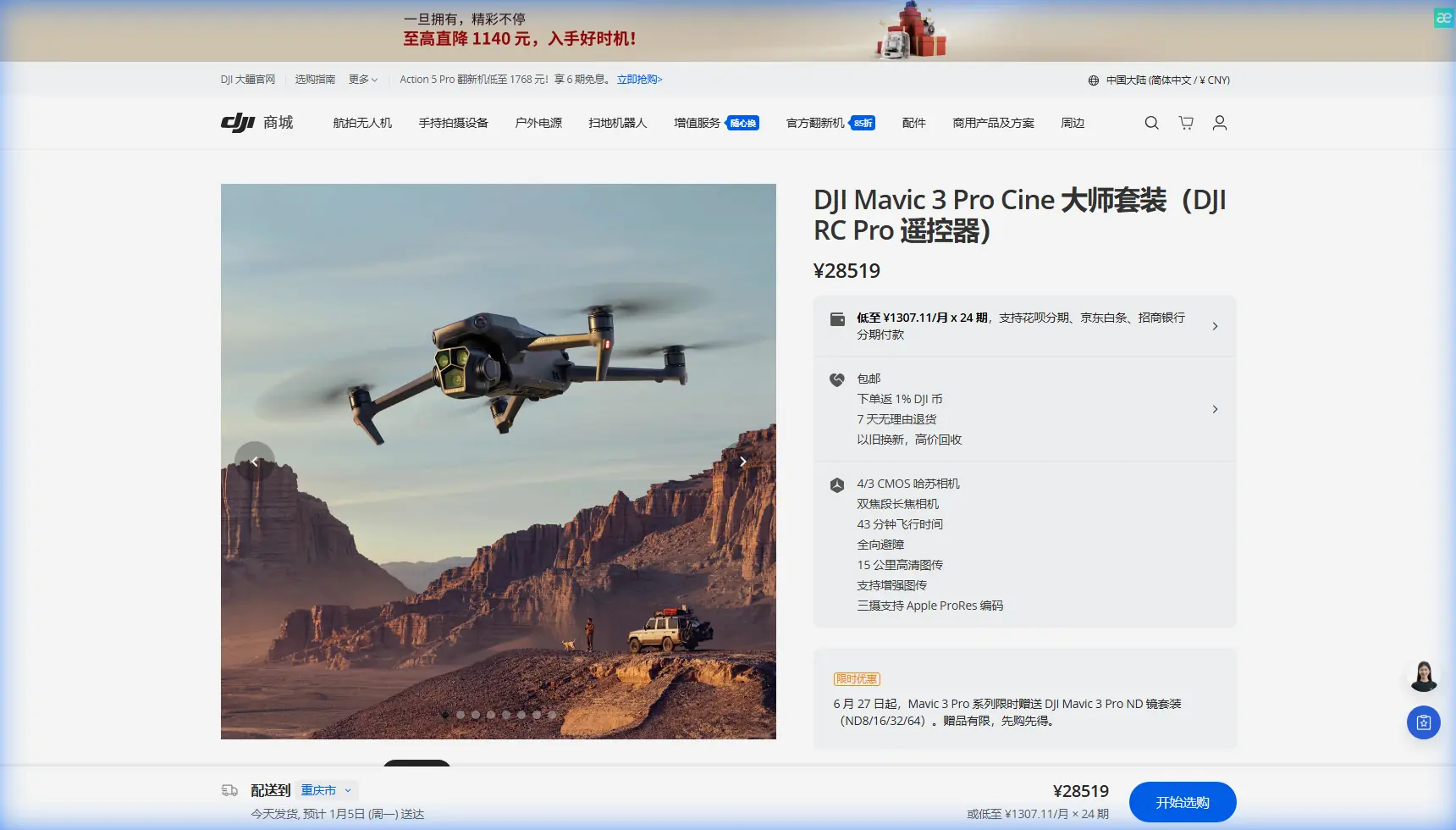
Mavic 3 Pro Guide: Wildlife Surveys in Extreme Temps
META: Master wildlife surveying with the Mavic 3 Pro in extreme temperatures. Expert tips on battery management, tracking, and thermal challenges for field success.
TL;DR
- Triple-camera system enables wildlife identification from safe distances without disturbing animals
- Battery performance drops 30-40% in temperatures below freezing—pre-warming is essential
- ActiveTrack 5.0 maintains subject lock on moving wildlife across challenging terrain
- D-Log color profile preserves detail in high-contrast environments like snow or desert
Wildlife surveying pushes drone technology to its limits. The Mavic 3 Pro's triple-camera system and advanced tracking capabilities make it a powerful tool for researchers and conservationists working in harsh conditions—but only if you understand how to manage its performance when temperatures turn extreme.
I've spent three years conducting aerial wildlife surveys across environments ranging from Arctic tundra to scorching desert basins. This guide shares the field-tested techniques that keep the Mavic 3 Pro operational and productive when conditions get brutal.
Understanding the Mavic 3 Pro's Wildlife Survey Capabilities
The Mavic 3 Pro distinguishes itself through optical versatility. Its Hasselblad 4/3 CMOS main camera captures 20MP stills with exceptional dynamic range, while the 70mm medium tele and 166mm tele cameras allow species identification without close approach.
This matters enormously for wildlife work. Getting too close triggers stress responses, alters natural behavior, and compromises data integrity. The 7x optical zoom combined with 28x hybrid zoom means you can document a wolf pack's hunting patterns from 800 meters while maintaining broadcast-quality footage.
Key Specifications for Field Surveys
| Feature | Specification | Wildlife Survey Benefit |
|---|---|---|
| Max Flight Time | 43 minutes | Extended transect coverage |
| Transmission Range | 15km | Survey remote areas safely |
| Obstacle Sensing | Omnidirectional | Navigate forest canopy edges |
| Video Resolution | 5.1K/50fps | Detailed behavioral analysis |
| Operating Temp | -10°C to 40°C | Official extreme range |
The obstacle avoidance system deserves special attention. When tracking wildlife through mixed terrain, the omnidirectional sensors prevent collisions with branches, rock outcroppings, and other hazards that would end a survey prematurely.
Battery Management in Extreme Temperatures
Here's what the manual won't tell you: that -10°C to 40°C operating range assumes ideal conditions. Real-world performance degrades well before you hit those limits.
During a caribou migration survey in northern Manitoba last February, I learned this lesson expensively. Ambient temperature sat at -8°C—technically within spec. My first battery lasted 11 minutes instead of the expected 35-40. The cold had sapped 70% of its capacity before I even launched.
Expert Insight: Keep batteries inside your jacket, against your body, until launch time. In sub-zero conditions, I rotate through three batteries—one flying, one warming against my chest, one in an insulated pouch with a hand warmer. This rotation extends effective survey time by 200% compared to cold-starting each battery.
Cold Weather Battery Protocol
Follow this sequence for temperatures below 5°C:
- Store batteries at 25-30°C before field deployment
- Hover at 2 meters for 60-90 seconds before ascending—this warms the cells through discharge
- Monitor voltage more frequently; land when you see 30% remaining, not the usual 20%
- Never charge batteries that feel cold to the touch
- Allow 30 minutes of warming before recharging after cold flights
For hot environments, the challenges flip. Desert surveys above 35°C cause thermal throttling that reduces flight time and processing power. I schedule flights for the two hours after sunrise and two hours before sunset when surveying in extreme heat.
Mastering Subject Tracking for Wildlife Documentation
ActiveTrack 5.0 transforms wildlife surveying efficiency. The system uses machine learning to predict animal movement, maintaining lock even when subjects briefly disappear behind vegetation or terrain features.
Configuring ActiveTrack for Different Species
Not all wildlife moves the same way. Adjust your tracking parameters based on subject behavior:
Large Mammals (Elk, Moose, Bears)
- Set tracking sensitivity to Medium
- Enable Spotlight mode for predictable movement patterns
- Maintain 50-100 meter following distance
Fast-Moving Predators (Wolves, Coyotes)
- Increase sensitivity to High
- Use Trace mode to follow behind the subject
- Prepare for sudden direction changes with Sport flight mode enabled
Bird Flocks
- ActiveTrack struggles with multiple similar subjects
- Switch to manual control with Tripod mode for smooth panning
- Use the 166mm tele to isolate individuals from the group
Pro Tip: When tracking animals near water, disable downward obstacle sensing temporarily. The sensors often misread reflective surfaces as obstacles, causing the drone to climb unexpectedly and lose your subject. Re-enable immediately after passing the water feature.
Leveraging QuickShots and Hyperlapse for Survey Documentation
While these features seem oriented toward creative content, they serve legitimate survey purposes.
QuickShots Dronie creates consistent reveal shots that document habitat context around observed wildlife. Starting tight on a subject and pulling back to wide establishes spatial relationships between animals and environmental features—valuable data for habitat use studies.
Hyperlapse in Free mode documents landscape changes over extended periods. I've used this to capture grazing pattern shifts across a 4-hour observation window, compressed into 30 seconds of reviewable footage.
The key is consistency. When conducting repeat surveys of the same area, save your QuickShots parameters. This ensures comparable footage across seasons, making behavioral and population changes easier to identify.
Optimizing Video Settings for Scientific Documentation
D-Log color profile isn't just for filmmakers chasing cinematic looks. For wildlife surveys, it preserves critical detail in challenging lighting conditions.
When to Use D-Log
Snow-covered environments present extreme contrast challenges. Standard color profiles clip highlights on bright snow while crushing shadows on dark-furred animals. D-Log captures 12+ stops of dynamic range, preserving detail across the entire scene for later analysis.
Similarly, dense forest canopy creates dappled lighting that confuses automatic exposure. D-Log's flat profile maintains information in both sun-dappled clearings and shadowed understory.
Recommended Settings for Survey Work
| Condition | Profile | Resolution | Frame Rate |
|---|---|---|---|
| Open terrain, good light | HLG | 5.1K | 30fps |
| Mixed lighting, forest | D-Log | 4K | 60fps |
| Fast-moving subjects | Normal | 4K | 120fps |
| Low light, dawn/dusk | D-Log | 4K | 24fps |
Higher frame rates enable slow-motion review of rapid behaviors—predator strikes, flight takeoffs, social interactions. The 120fps option at 4K resolution provides 5x slow-motion while maintaining analytical image quality.
Common Mistakes to Avoid
Ignoring Wind Chill Effects Ground-level temperature readings don't reflect conditions at survey altitude. Wind speeds increase with height, and wind chill can push effective temperature 10-15°C below ambient. A comfortable 2°C day at ground level might mean -8°C conditions at 120 meters.
Over-Relying on Obstacle Avoidance The omnidirectional sensors excel at detecting solid objects but struggle with thin branches, power lines, and fishing line. In forested environments, maintain manual awareness rather than trusting the system completely.
Neglecting Compass Calibration Extreme latitudes and areas with magnetic anomalies (iron deposits, volcanic rock) cause compass errors that degrade GPS positioning and return-to-home accuracy. Calibrate before every session in new locations.
Approaching Wildlife Too Quickly Even with zoom capabilities, the temptation to get closer persists. Rapid approach triggers flight responses. Ascend to survey altitude before approaching horizontally, and move at walking pace or slower when closing distance.
Forgetting Backup Power for the Controller The RC Pro controller's battery depletes faster in cold conditions too. Carry a USB power bank and keep the controller connected during extended surveys.
Frequently Asked Questions
How close can I fly to wildlife without causing disturbance?
Distance requirements vary by species, but research suggests most large mammals tolerate drones at 100+ meters horizontal distance when approached slowly from the side rather than directly overhead. Birds are more sensitive—maintain 150+ meters for raptors and waterfowl. Always prioritize animal welfare over footage quality.
Can the Mavic 3 Pro detect animals automatically?
The drone doesn't include automatic wildlife detection, but ActiveTrack can lock onto animals once you manually identify them on screen. Third-party software solutions can analyze footage post-flight to identify and count animals using machine learning, which many researchers find more reliable than real-time detection.
What's the best way to transport the Mavic 3 Pro to remote survey sites?
Use a hard case with foam inserts for protection, but remove batteries for transport in extreme temperatures. Keep batteries in an insulated container separate from the drone. In cold environments, transport batteries inside your clothing during the final approach to the survey site to maintain warmth.
Wildlife surveying with the Mavic 3 Pro rewards preparation and patience. The technology handles the heavy lifting—stabilization, tracking, image quality—but field success depends on understanding how environmental extremes affect performance and planning accordingly.
Master battery management first. It's the foundation that makes everything else possible. Then build your skills with tracking modes and camera settings until they become instinctive. The wildlife won't wait while you fumble through menus.
Ready for your own Mavic 3 Pro? Contact our team for expert consultation.