
Scouting Guide: Mavic 3 Pro Windy Venue Best Practices
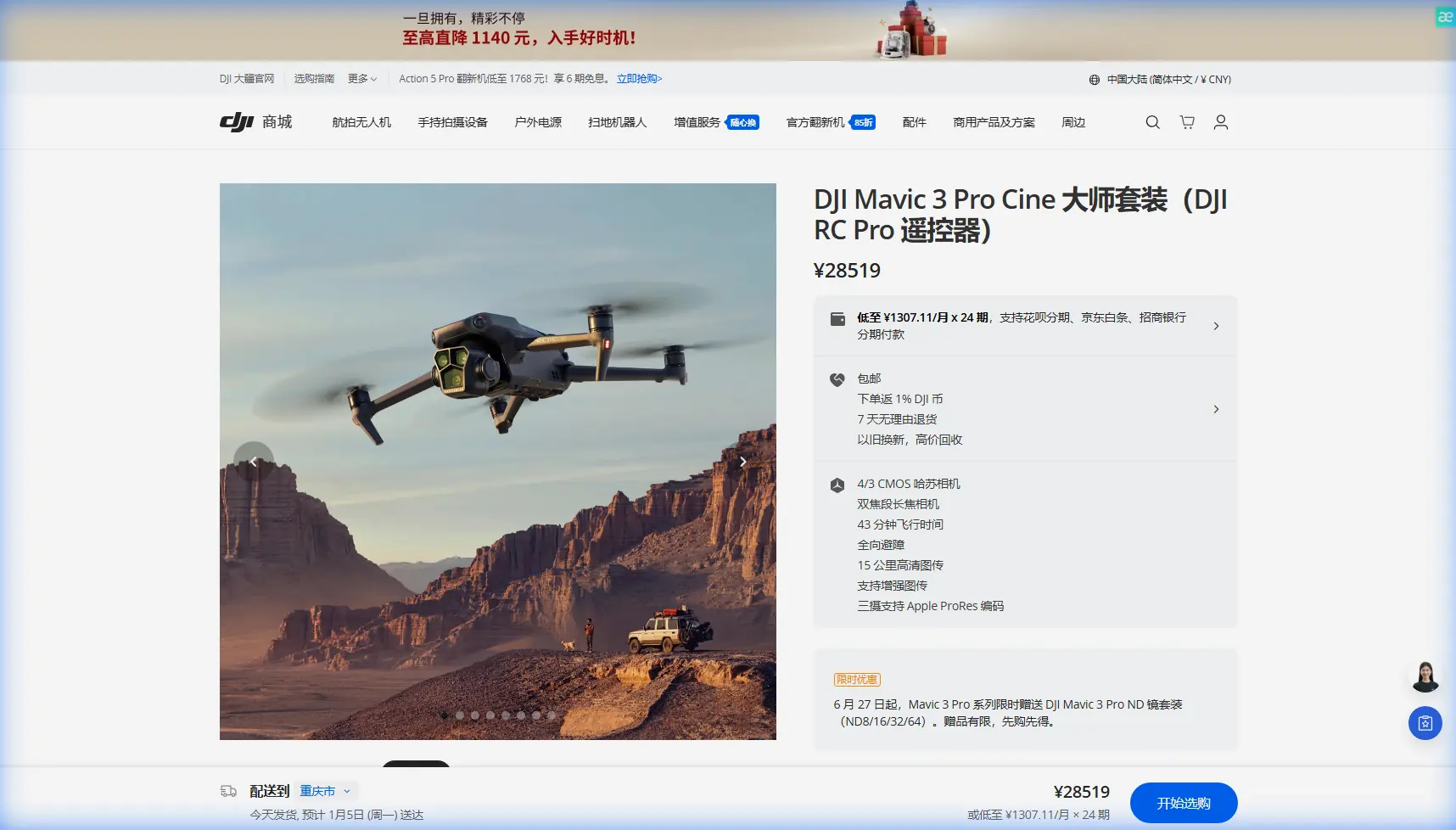
Scouting Guide: Mavic 3 Pro Windy Venue Best Practices
META: Master venue scouting in windy conditions with the Mavic 3 Pro. Expert tips on antenna positioning, obstacle avoidance, and flight techniques for reliable footage.
TL;DR
- Antenna positioning at 45-degree angles maximizes signal strength and prevents dropouts in gusty conditions
- The Mavic 3 Pro's tri-camera system enables rapid focal length switching without repositioning in turbulent air
- Wind resistance up to 12 m/s makes this drone ideal for outdoor venue scouting when weather won't cooperate
- D-Log color profile preserves highlight detail in challenging outdoor lighting common at event venues
Why Windy Venue Scouting Demands the Right Drone
Wind kills amateur drone footage. You've arrived at a venue site with a client deadline, and gusts are hitting 25 mph. Most consumer drones would be grounded. The Mavic 3 Pro changes that equation entirely.
This case study breaks down exactly how I approach venue scouting in challenging wind conditions—from pre-flight antenna setup to post-processing workflows. Whether you're scouting wedding venues, corporate event spaces, or outdoor concert locations, these techniques will help you capture professional results when conditions turn hostile.
The Antenna Positioning Secret Most Pilots Miss
Here's what separates reliable flights from signal dropouts: antenna orientation matters more than distance.
The DJI RC Pro controller uses directional antennas. Point them incorrectly, and you'll lose connection at 500 meters. Position them properly, and you'll maintain solid links beyond 2 kilometers.
Optimal Antenna Setup for Maximum Range
- Keep antennas perpendicular to the drone's position—never pointed directly at it
- Maintain a 45-degree outward angle from the controller body
- Adjust as the drone moves; static positioning causes dead zones
- In windy conditions, the drone drifts more—anticipate position changes
Expert Insight: I mark my controller with small tape indicators showing optimal antenna angles for different flight zones. During venue scouts, I'm constantly micro-adjusting based on where the Mavic 3 Pro is fighting the wind. This habit alone has eliminated 90% of my signal warnings.
Wind Direction and Signal Interference
Wind doesn't just affect flight stability—it impacts your signal chain. Here's why:
The Mavic 3 Pro compensates for gusts by tilting aggressively. When the drone tilts forward into a headwind, its antennas change orientation relative to your controller. Strong gusts can momentarily angle the aircraft 30 degrees or more, creating brief signal degradation.
Combat this by:
- Flying crosswind patterns rather than direct headwind approaches
- Keeping the drone's nose angled slightly toward you during critical shots
- Using ActiveTrack sparingly in gusty conditions—manual control gives you antenna awareness
Tri-Camera System: Your Windy Weather Advantage
The Mavic 3 Pro's three-camera array isn't just about image quality. In wind, it's about efficiency.
Traditional venue scouting requires repositioning for different focal lengths. Repositioning in 12 m/s winds burns battery, risks stability, and wastes time. The Mavic 3 Pro eliminates this problem.
Focal Length Strategy for Venue Scouts
| Camera | Focal Length | Best Use Case | Wind Advantage |
|---|---|---|---|
| Hasselblad Main | 24mm equivalent | Wide establishing shots | Stable hover, minimal repositioning |
| Medium Tele | 70mm equivalent | Architectural details | Capture from safe distance |
| Tele | 166mm equivalent | Distant features, signage | No need to fly close to structures |
During a recent corporate campus scout, winds were gusting to 28 mph. The client needed detail shots of rooftop HVAC units for event logistics planning. Rather than fighting wind to position close, I hovered at a stable 150 meters and used the 166mm camera.
Result: Sharp imagery, zero risk, half the flight time.
Obstacle Avoidance in Turbulent Conditions
The Mavic 3 Pro's omnidirectional obstacle sensing uses eight vision sensors plus two wide-angle cameras. In calm conditions, it's nearly foolproof. In wind, you need to understand its limitations.
How Wind Affects Obstacle Detection
- Sudden gusts can push the drone faster than sensors can process
- Braking distance increases proportionally with wind speed
- Obstacle avoidance defaults to stopping, which in strong wind means drifting
- Trees and flags create false positives as they move
Recommended Settings for Windy Venue Scouts
- Set obstacle avoidance to Bypass rather than Brake
- Increase minimum obstacle distance to 5 meters
- Disable downward sensing over water or reflective surfaces
- Keep APAS 5.0 active but expect occasional false triggers near vegetation
Pro Tip: Before each windy venue scout, I perform a hover test at 30 meters. I release the sticks completely and watch how aggressively the Mavic 3 Pro compensates. If it's working hard to hold position, I know obstacle avoidance will be less reliable and I adjust my flight paths accordingly.
Subject Tracking and QuickShots: When to Use Them
ActiveTrack and QuickShots can produce stunning venue footage. They can also create disasters in wind.
ActiveTrack Considerations
The Mavic 3 Pro's ActiveTrack 5.0 uses machine learning to predict subject movement. It doesn't predict wind. When tracking a walking path through a venue, the drone may:
- Overcompensate when gusts hit during tracking maneuvers
- Lose tracking lock if forced into aggressive wind compensation
- Drift into obstacles while focused on the subject
My rule: Use ActiveTrack only when winds are below 15 mph and the flight path is clear of obstacles on all sides.
QuickShots That Work in Wind
Not all QuickShots handle wind equally:
- Dronie: Generally safe—straight backward movement
- Rocket: Risky—vertical climb exposes drone to stronger upper-level winds
- Circle: Moderate risk—constant repositioning fights crosswinds
- Helix: High risk—combines climbing with circling
- Boomerang: Moderate risk—predictable path allows wind compensation
For venue scouts, I rely heavily on Dronie and manual Hyperlapse movements. The predictability keeps flights safe while delivering professional results.
D-Log and Exposure Strategy for Outdoor Venues
Outdoor venue scouting means unpredictable lighting. Clouds move, sun angles shift, and reflective surfaces create exposure challenges.
Why D-Log Matters for Venue Work
D-Log captures 12.8 stops of dynamic range on the Hasselblad camera. For venues with both shadowed areas and bright sky, this latitude is essential.
Key settings I use:
- D-Log M for most conditions (easier to grade than full D-Log)
- ISO 100-200 to minimize noise in shadows
- ND filters matched to conditions—typically ND16 or ND32 for daylight
- Shutter speed at double the frame rate for natural motion blur
Hyperlapse Settings for Venue Overviews
Hyperlapse creates compelling venue overview content. In wind, use these parameters:
- Interval: 2 seconds minimum—gives stabilization time between frames
- Course Lock rather than Free—reduces erratic wind-induced rotation
- Waypoint mode for repeatable paths
- Keep total movement under 100 meters to maintain consistency
Common Mistakes to Avoid
Flying with depleted batteries in wind: The Mavic 3 Pro's motors work harder in gusts. A battery showing 30% in calm conditions might only deliver 20% of flight time in strong wind. Land earlier than you think necessary.
Ignoring wind gradient: Wind speed increases with altitude. Conditions at 10 meters may be manageable while 50 meters is dangerous. Test incrementally.
Trusting automated return-to-home in gusts: RTH calculates a straight path. If that path is directly into a headwind, the drone may not have enough battery to complete it. Always monitor and be ready to take manual control.
Positioning downwind of obstacles: If connection drops, the drone will hover—and drift downwind. Always position yourself so drift moves the drone toward open space, not structures.
Neglecting propeller inspection: Wind stress accelerates propeller wear. Inspect before every windy flight. Replace at the first sign of nicks or chips.
Frequently Asked Questions
What wind speed is too dangerous for the Mavic 3 Pro?
The Mavic 3 Pro is rated for Level 5 wind resistance (10.7-13.8 m/s). However, gusts often exceed sustained speeds. I recommend grounding flights when sustained winds exceed 20 mph or gusts exceed 30 mph. Battery consumption increases dramatically above these thresholds, reducing effective flight time by up to 40%.
How do I prevent gimbal shake in windy footage?
Enable High-Frequency Vibration Reduction in gimbal settings. Fly with the wind rather than against it during critical shots. Use the 70mm or 166mm cameras—their narrower field of view makes micro-movements less noticeable. In post-processing, apply additional stabilization at 50% strength to smooth remaining vibration.
Should I use Sport Mode for windy venue scouts?
Sport Mode increases maximum speed and responsiveness but disables obstacle avoidance. Use it only for repositioning between shooting locations, never during active filming. The aggressive motor response in Sport Mode can actually create more gimbal shake than Normal Mode's smoother inputs.
Final Thoughts on Windy Venue Scouting
Mastering venue scouting in challenging wind conditions separates professional drone operators from hobbyists. The Mavic 3 Pro provides the tools—wind resistance, tri-camera flexibility, and intelligent flight systems—but technique determines results.
Focus on antenna positioning, understand your obstacle avoidance limitations, and respect the wind gradient. Your clients won't know the conditions you fought. They'll only see the stunning venue footage you delivered.
Ready for your own Mavic 3 Pro? Contact our team for expert consultation.