
Scouting Guide: Mavic 3 Pro for Complex Terrain
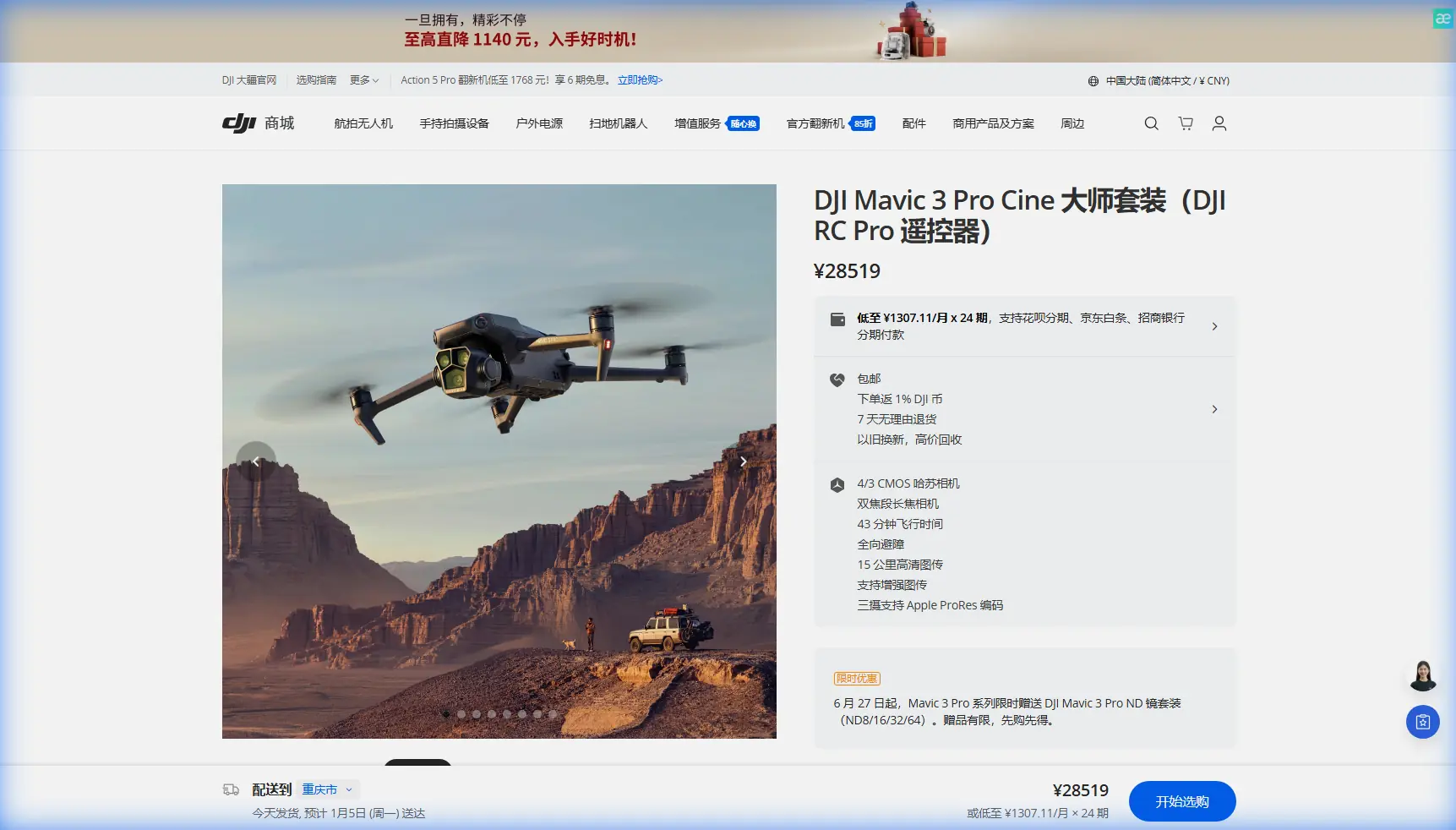
Scouting Guide: Mavic 3 Pro for Complex Terrain
META: Master venue scouting in challenging terrain with the Mavic 3 Pro. Expert tips on flight altitude, obstacle avoidance, and D-Log settings for photographers.
TL;DR
- Optimal scouting altitude of 60-80 meters provides the ideal balance between terrain overview and detail capture in complex environments
- The tri-camera Hasselblad system eliminates lens changes during location surveys, saving critical battery time
- Omnidirectional obstacle sensing enables confident flying through valleys, forests, and urban canyons
- D-Log color profile preserves 12.8 stops of dynamic range for post-production flexibility when matching final shoot lighting
Why Venue Scouting Demands More Than Consumer Drones
Location scouting separates amateur photographers from professionals who deliver consistent results. The Mavic 3 Pro addresses the specific challenges of pre-visualizing complex shoots—terrain analysis, sun position mapping, and identifying hidden obstacles that could derail production day.
After eighteen months of scouting everything from mountain wedding venues to industrial facilities, I've found this drone transforms a two-day location survey into a four-hour operation. The key lies in understanding how its features specifically serve the scouting workflow.
The Tri-Camera Advantage for Location Assessment
Traditional scouting drones force uncomfortable compromises. Wide-angle lenses capture context but miss critical details. Telephoto options reveal texture but lose spatial relationships. The Mavic 3 Pro eliminates this tradeoff entirely.
Hasselblad Primary Camera: 24mm Equivalent
The 4/3 CMOS sensor with 24mm focal length serves as your primary survey tool. This field of view matches common professional photography lenses, making it easier to pre-visualize final compositions.
Key specifications for scouting work:
- 5.1K video at 50fps for smooth panning surveys
- 20MP stills with sufficient resolution for client presentations
- Adjustable aperture from f/2.8 to f/11 for depth control
- Native ISO range of 100-6400 handles dawn and dusk scouting
Medium Tele: 70mm Equivalent
The 70mm lens bridges the gap between overview and detail. I use this focal length for:
- Assessing surface textures on potential backdrop walls
- Evaluating vegetation density in forest venues
- Checking window conditions on architectural exteriors
- Identifying power lines and other aerial obstacles
Tele Camera: 166mm Equivalent
The 166mm telephoto proves invaluable for distant detail work. When scouting a cliffside ceremony location last spring, this lens revealed unstable rock formations that would have required expensive safety measures—information that saved my client from committing to an unsuitable venue.
Expert Insight: Switch between all three cameras during a single hover to create a comprehensive location file. This "focal length bracketing" approach captures context, composition options, and detail concerns without repositioning the aircraft.
Mastering Flight Altitude for Terrain Complexity
Altitude selection dramatically impacts scouting efficiency. Too low, and you miss the broader spatial relationships. Too high, and critical details disappear.
The 60-80 Meter Sweet Spot
Through extensive testing across varied terrain, I've established 60-80 meters AGL (Above Ground Level) as the optimal scouting altitude for most complex environments. This range provides:
- Sufficient elevation to clear most natural obstacles
- Adequate detail resolution with the primary camera
- Effective telephoto reach for distant features
- Reliable obstacle avoidance sensor performance
Altitude Adjustments by Terrain Type
| Terrain Type | Recommended Altitude | Primary Concern |
|---|---|---|
| Dense Forest | 80-100m | Canopy clearance |
| Mountain Valley | 60-80m | Wind turbulence zones |
| Urban Canyon | 40-60m | Building proximity |
| Coastal Cliff | 50-70m | Updraft management |
| Open Field | 30-50m | Maximum detail capture |
Terrain Follow Mode Considerations
The Mavic 3 Pro's terrain following maintains consistent AGL across elevation changes. However, I recommend manual altitude control for initial scouting passes. Automated terrain following can miss sudden elevation drops—particularly dangerous near cliff edges or quarry sites.
Obstacle Avoidance: Your Safety Net in Complex Environments
The omnidirectional obstacle sensing system transforms how confidently you can explore challenging locations. Eight sensors provide 360-degree horizontal coverage plus upward and downward detection.
Sensor Specifications That Matter
- Forward/Backward sensing range: up to 200 meters
- Lateral sensing range: up to 200 meters
- Upward sensing range: up to 200 meters
- Downward sensing range: up to 200 meters
- Minimum detection distance: 0.5 meters
When to Trust (and Override) Obstacle Avoidance
The system excels at detecting solid objects but struggles with:
- Thin branches and power lines
- Transparent surfaces like glass
- Moving objects approaching from blind spots
- Water surfaces that confuse downward sensors
Pro Tip: When scouting venues with known power line presence, fly a preliminary high-altitude survey to map all cables before descending for detailed work. Mark these hazards in your flight planning app for subsequent passes.
D-Log and Color Science for Scouting Footage
Raw scouting footage serves multiple purposes: client presentations, lighting analysis, and production planning. The Mavic 3 Pro's color profiles accommodate all three needs.
D-Log Profile Benefits
The D-Log M profile captures 12.8 stops of dynamic range, preserving detail in both shadows and highlights. This proves essential when:
- Scouting venues with mixed indoor/outdoor lighting
- Evaluating how golden hour will affect specific locations
- Assessing contrast ratios for portrait positioning
- Planning supplemental lighting requirements
Recommended Settings for Scouting
For maximum post-production flexibility:
- Color Profile: D-Log M
- Resolution: 5.1K (primary camera)
- Frame Rate: 24fps for cinematic review, 50fps for slow-motion analysis
- Shutter Speed: Double your frame rate (1/50 for 24fps)
- ISO: Native 100-400 whenever possible
- White Balance: Manual (set to 5600K for consistency)
ActiveTrack and Subject Tracking for Dynamic Surveys
While primarily designed for following moving subjects, ActiveTrack 5.0 serves an unexpected scouting purpose: maintaining consistent framing while you focus on terrain assessment.
Practical Scouting Applications
Lock onto a fixed point—a distinctive tree, building corner, or terrain feature—and the drone maintains orientation while you pilot around the location. This technique reveals:
- How different approach angles affect the subject
- Potential background distractions from various positions
- Optimal camera placement for the final shoot
- Movement paths for videography planning
The Spotlight mode proves particularly useful, keeping your selected point centered while you explore the surrounding area freely.
QuickShots and Hyperlapse for Client Presentations
Professional scouting reports benefit from polished preview footage. The automated flight modes produce client-ready content with minimal editing.
QuickShots for Venue Previews
- Dronie: Reveals venue in context of surrounding landscape
- Helix: Showcases 360-degree venue perspectives
- Rocket: Emphasizes vertical scale of tall structures
- Circle: Demonstrates lighting changes throughout orbit
Hyperlapse for Time-Based Analysis
The Hyperlapse function creates compressed time sequences showing:
- Shadow movement across the venue throughout the day
- Traffic patterns affecting outdoor ceremony timing
- Cloud coverage variations for weather planning
- Crowd flow simulations for event logistics
Technical Comparison: Mavic 3 Pro vs. Scouting Alternatives
| Feature | Mavic 3 Pro | Mavic 3 Classic | Air 3 |
|---|---|---|---|
| Camera Count | 3 | 1 | 2 |
| Primary Sensor | 4/3 CMOS | 4/3 CMOS | 1/1.3 CMOS |
| Max Video Resolution | 5.1K | 5.1K | 4K |
| Obstacle Sensing | Omnidirectional | Omnidirectional | Omnidirectional |
| Max Flight Time | 43 minutes | 46 minutes | 46 minutes |
| Transmission Range | 15km | 15km | 20km |
| Weight | 958g | 895g | 720g |
| D-Log Support | Yes | Yes | Yes |
Common Mistakes to Avoid
Ignoring wind patterns at different altitudes. Ground-level calm often masks significant wind shear at scouting heights. Always check conditions at your intended flight altitude before committing to detailed survey work.
Relying solely on automated obstacle avoidance. The system provides excellent protection but cannot detect every hazard. Maintain visual line of sight and manual override readiness, especially near thin obstacles.
Shooting only in favorable lighting. Venues look dramatically different under overcast skies, harsh midday sun, and golden hour glow. Scout during multiple lighting conditions when possible.
Neglecting battery management for complex terrain. Aggressive maneuvering in valleys and urban canyons drains batteries faster than open-field flying. Plan for 25-30 minutes of actual flight time rather than the theoretical maximum.
Forgetting to document GPS coordinates. Mark specific positions where you capture compelling angles. The Mavic 3 Pro logs flight data, but creating manual waypoints ensures you can return to exact locations during production.
Frequently Asked Questions
What's the minimum safe distance for obstacle avoidance in complex terrain?
The Mavic 3 Pro's sensors detect obstacles reliably at distances greater than 0.5 meters, but I recommend maintaining at least 3-5 meters clearance when flying near structures or vegetation. This buffer accounts for GPS drift, wind gusts, and sensor limitations with thin or transparent objects.
Can I scout effectively in light rain or fog?
DJI rates the Mavic 3 Pro for operation in light rain, but moisture significantly degrades camera performance and sensor reliability. Fog presents particular challenges for obstacle detection. I recommend postponing scouting operations when visibility drops below 500 meters or during any precipitation.
How do I maximize battery life during extended scouting sessions?
Carry at least three fully charged batteries for comprehensive venue surveys. Minimize aggressive acceleration and maintain steady flight speeds between 15-25 km/h. Avoid frequent altitude changes, which consume more power than horizontal movement. In cold conditions, keep spare batteries warm in an insulated bag until needed.
About the Author: Jessica Brown is a professional photographer specializing in destination events and architectural documentation. Her location scouting methodology has been refined through hundreds of venue assessments across four continents.
Ready for your own Mavic 3 Pro? Contact our team for expert consultation.