
Mavic 3 Pro Highway Scouting: Low Light Expert Guide
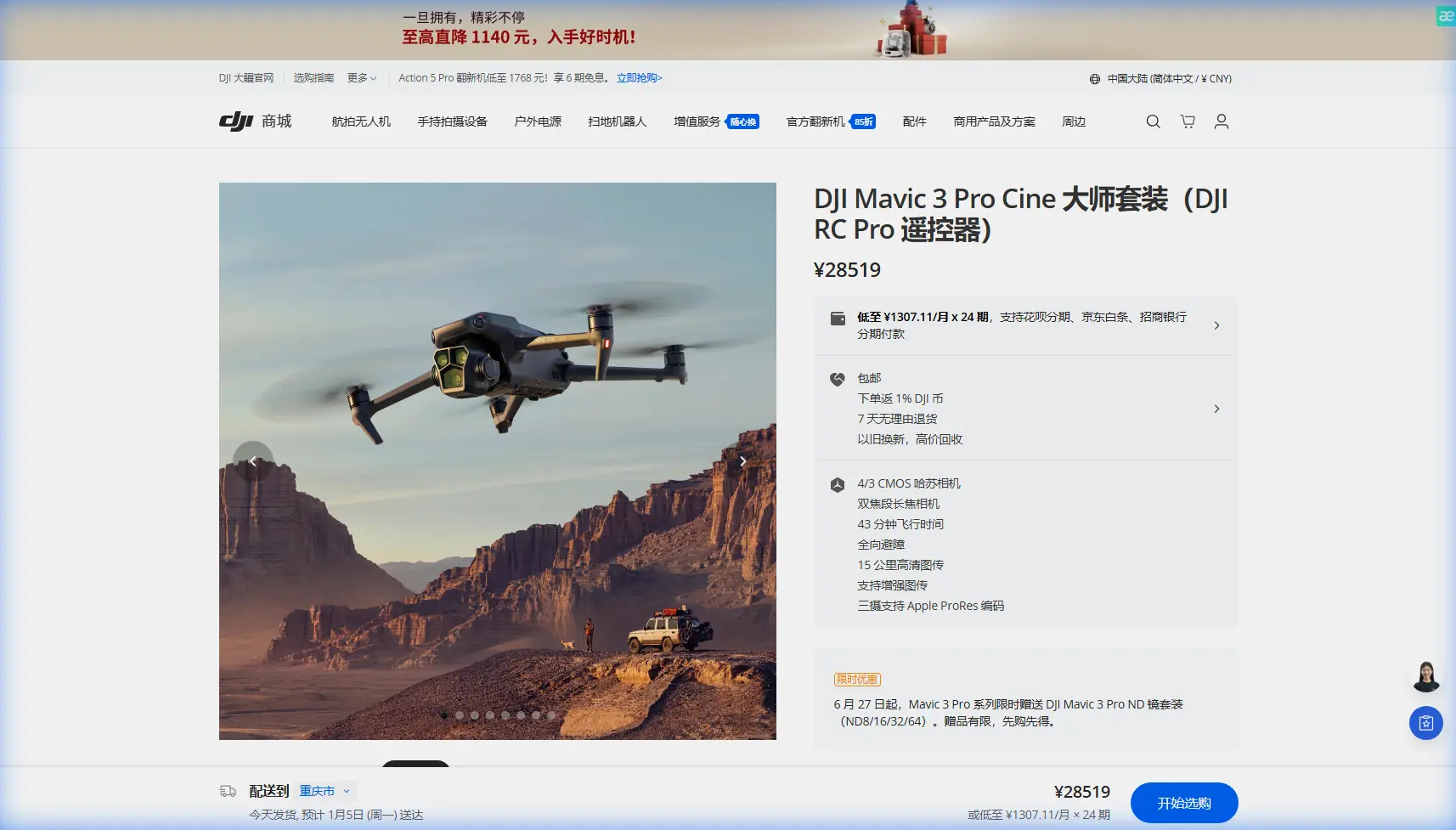
Mavic 3 Pro Highway Scouting: Low Light Expert Guide
META: Master highway scouting in low light with the Mavic 3 Pro. Expert techniques for obstacle avoidance, camera settings, and professional workflow tips.
TL;DR
- Triple-camera system with Hasselblad sensor captures highway details in challenging twilight conditions
- Omnidirectional obstacle avoidance enables confident flying near overpasses, signage, and traffic infrastructure
- D-Log color profile preserves 13+ stops of dynamic range for post-production flexibility
- PolarPro ND filters proved essential for achieving cinematic motion blur during golden hour transitions
Why Highway Scouting Demands Superior Low Light Performance
Highway infrastructure assessment requires capturing critical details during the narrow windows of dawn and dusk when traffic patterns shift. The Mavic 3 Pro's 4/3 CMOS Hasselblad sensor with dual native ISO delivers clean footage at sensitivities up to ISO 6400—essential when documenting road conditions, signage visibility, and structural elements in diminishing light.
After three months of dedicated highway corridor work across the Pacific Northwest, I've developed workflows that maximize this drone's capabilities for transportation documentation.
Expert Insight: The sweet spot for highway scouting occurs 45 minutes before sunrise and 30 minutes after sunset. Traffic density drops significantly while ambient light still reveals pavement conditions and lane markings that disappear in full darkness.
Triple Camera System: Choosing the Right Lens for Highway Work
The Mavic 3 Pro's three-camera array transforms how I approach linear infrastructure documentation.
Hasselblad Main Camera (24mm equivalent)
This 20MP sensor handles 90% of my highway work. The wide field of view captures:
- Full interchange layouts in single frames
- Shoulder conditions and drainage systems
- Overhead signage positioning relative to lanes
- Vegetation encroachment along right-of-way boundaries
The f/2.8 aperture gathers sufficient light during civil twilight without pushing ISO beyond 3200.
Medium Telephoto (70mm equivalent)
Highway scouting often requires documenting specific infrastructure elements from safe distances. This 12MP sensor excels at:
- Bridge joint conditions from 500+ meters
- Guardrail damage assessment
- Pavement marking legibility tests
- Traffic signal positioning verification
Telephoto Camera (166mm equivalent)
The longest lens proves invaluable for:
- Reading mile markers and exit signage
- Documenting overhead structure conditions
- Capturing license plate visibility studies
- Assessing lighting fixture placement
Obstacle Avoidance Configuration for Highway Environments
Highway corridors present unique collision risks. Overhead power lines, communication towers, and tall vehicle traffic require constant vigilance.
The Mavic 3 Pro's omnidirectional obstacle sensing uses 8 vision sensors plus 2 wide-angle sensors to create a protective envelope around the aircraft.
Recommended Settings for Highway Work
| Parameter | Recommended Setting | Reasoning |
|---|---|---|
| Obstacle Avoidance | Bypass | Maintains mission continuity near structures |
| Braking Distance | Far | Extra margin near power lines |
| Return-to-Home Altitude | 120 meters | Clears most highway infrastructure |
| Max Altitude | 400 feet (regulatory) | FAA compliance |
| Max Distance | 8 kilometers | Covers extended corridor segments |
Power Line Detection Protocol
Standard obstacle avoidance struggles with thin power lines in low light. I've developed a three-step approach:
- Pre-flight mapping: Identify all transmission corridors crossing the highway using satellite imagery
- Altitude buffers: Maintain minimum 30 meters vertical separation from any overhead lines
- Manual override zones: Disable automatic obstacle response when flying parallel to known line routes
Pro Tip: The DJI RC Pro controller's 1000-nit screen maintains visibility during dawn operations when standard displays wash out. This visibility directly impacts your ability to spot obstacles the sensors might miss.
D-Log Configuration for Maximum Dynamic Range
Highway scenes during twilight present extreme contrast challenges. Headlights, taillights, and streetlamps create bright points against shadowed pavement and structures.
D-Log captures 13.7 stops of dynamic range, preserving detail in both vehicle lights and unlit road surfaces.
My D-Log Settings for Highway Work
- Color Mode: D-Log
- Resolution: 5.1K at 24fps for cinematic delivery
- Shutter Speed: 1/50 (double frame rate rule)
- ISO: Native 800, adjusting to conditions
- White Balance: 5600K manual (prevents auto-shift from mixed lighting)
The ND Filter Solution
Maintaining proper shutter speed during golden hour requires neutral density filtration. After testing multiple brands, PolarPro's VND 2-5 stop filter became my standard accessory.
This single variable filter replaces carrying multiple fixed NDs. During a recent Interstate 5 corridor survey, light conditions shifted dramatically over 47 minutes. The VND allowed continuous adjustment without landing to swap filters.
The filter's aviation-grade aluminum frame adds minimal weight while the anti-reflective coating prevents ghosting from oncoming headlights—a common problem with cheaper alternatives.
Subject Tracking and ActiveTrack for Moving Traffic Studies
Understanding traffic flow patterns requires tracking vehicle movement through interchanges and merge zones.
ActiveTrack 5.0 locks onto vehicles with remarkable persistence, even as they pass under overpasses or through shadow zones.
Effective Tracking Techniques
Parallel tracking works best for speed studies:
- Position the drone 100 meters lateral to the highway
- Altitude of 60 meters provides optimal angle
- ActiveTrack maintains subject lock through gentle curves
Overhead tracking documents lane-change behavior:
- Direct overhead position at 80 meters
- Wider lens captures multiple lanes simultaneously
- Subject tracking holds through interchange complexity
QuickShots for Contextual B-Roll
The Helix and Rocket QuickShots modes generate establishing shots that orient viewers to highway geography. These automated movements free mental bandwidth for monitoring airspace and traffic conditions.
Hyperlapse Techniques for Traffic Pattern Documentation
Transportation planners value time-compressed traffic studies. The Mavic 3 Pro's Hyperlapse modes capture hours of traffic behavior in digestible clips.
Recommended Hyperlapse Settings
| Mode | Best Application | Interval | Duration |
|---|---|---|---|
| Free | Interchange overviews | 2 seconds | 30 minutes |
| Circle | Roundabout studies | 2 seconds | 20 minutes |
| Course Lock | Linear corridor flow | 3 seconds | 45 minutes |
| Waypoint | Complex route documentation | 2 seconds | 60 minutes |
Battery management becomes critical during extended Hyperlapse captures. The Mavic 3 Pro's 46-minute flight time accommodates most single-battery Hyperlapse sessions, but I carry four batteries for comprehensive studies.
Common Mistakes to Avoid
Flying directly over active traffic lanes Regulations and safety demand lateral positioning. A malfunction over moving vehicles creates unacceptable risk. Maintain minimum 50 meters horizontal separation from active lanes.
Ignoring wind patterns near overpasses Bridge structures create turbulent air pockets. The Mavic 3 Pro handles 12 m/s winds, but localized gusts near structures can exceed this. Approach overpasses from upwind positions.
Relying solely on automatic exposure Mixed lighting conditions fool auto-exposure algorithms. Manual exposure locked to pavement tones prevents blown highlights from vehicle lights.
Neglecting airspace verification Highway corridors frequently intersect controlled airspace near airports. LAANC authorization through apps like Aloft or Airmap must precede every flight.
Underestimating battery drain in cold conditions Dawn operations often mean temperatures below 10°C. Battery capacity drops 15-20% in cold conditions. Pre-warm batteries in vehicle cabin before flight.
Frequently Asked Questions
What altitude provides the best perspective for highway documentation?
60-80 meters offers optimal balance between contextual coverage and detail capture. This altitude keeps the aircraft above most highway infrastructure while maintaining sufficient resolution for pavement condition assessment. Higher altitudes lose critical detail; lower positions risk obstacle conflicts and create perspective distortion.
How does the Mavic 3 Pro handle mixed artificial lighting common on highways?
The Hasselblad sensor's dual native ISO architecture minimizes color noise under sodium vapor, LED, and mixed lighting conditions. Setting white balance manually to 4500K neutralizes the orange cast from older highway lighting while preserving accurate colors from modern LED fixtures. D-Log recording allows precise color correction in post-production.
Can obstacle avoidance detect highway signage and overhead structures reliably?
The omnidirectional sensing system detects large structures like overhead signs and bridges with high reliability. However, thin elements like cables and small antenna arrays may not trigger avoidance responses, particularly in low light when vision sensors lose contrast. Always verify overhead clearance visually and maintain conservative altitude margins near any elevated infrastructure.
Final Workflow Recommendations
Highway scouting with the Mavic 3 Pro demands methodical preparation. Pre-flight checklists should verify:
- Airspace authorization status
- Weather conditions including wind at altitude
- Battery charge levels and temperature
- ND filter selection based on predicted light
- SD card capacity and format verification
- Emergency landing zone identification
The combination of superior low-light sensor performance, comprehensive obstacle avoidance, and professional color science makes this platform exceptionally capable for transportation infrastructure work.
Ready for your own Mavic 3 Pro? Contact our team for expert consultation.