
How to Monitor Forests with Mavic 3 Pro Drones
How to Monitor Forests with Mavic 3 Pro Drones
META: Learn expert techniques for monitoring forests in complex terrain using the Mavic 3 Pro. Discover antenna positioning, obstacle avoidance settings, and flight strategies.
TL;DR
- Position your remote controller antenna perpendicular to the drone for maximum signal penetration through forest canopy
- Enable all obstacle avoidance sensors and set APAS to "Bypass" mode when navigating dense tree coverage
- Use D-Log color profile to capture maximum shadow detail under forest canopy conditions
- Plan flights during golden hour when thermal currents stabilize and wildlife activity peaks
Forest monitoring presents unique challenges that ground-based surveys simply cannot address. The Mavic 3 Pro transforms how forestry professionals, conservationists, and researchers collect critical canopy data across rugged, inaccessible terrain. This guide delivers proven techniques for maximizing your aerial forest monitoring operations.
Why the Mavic 3 Pro Excels in Forest Environments
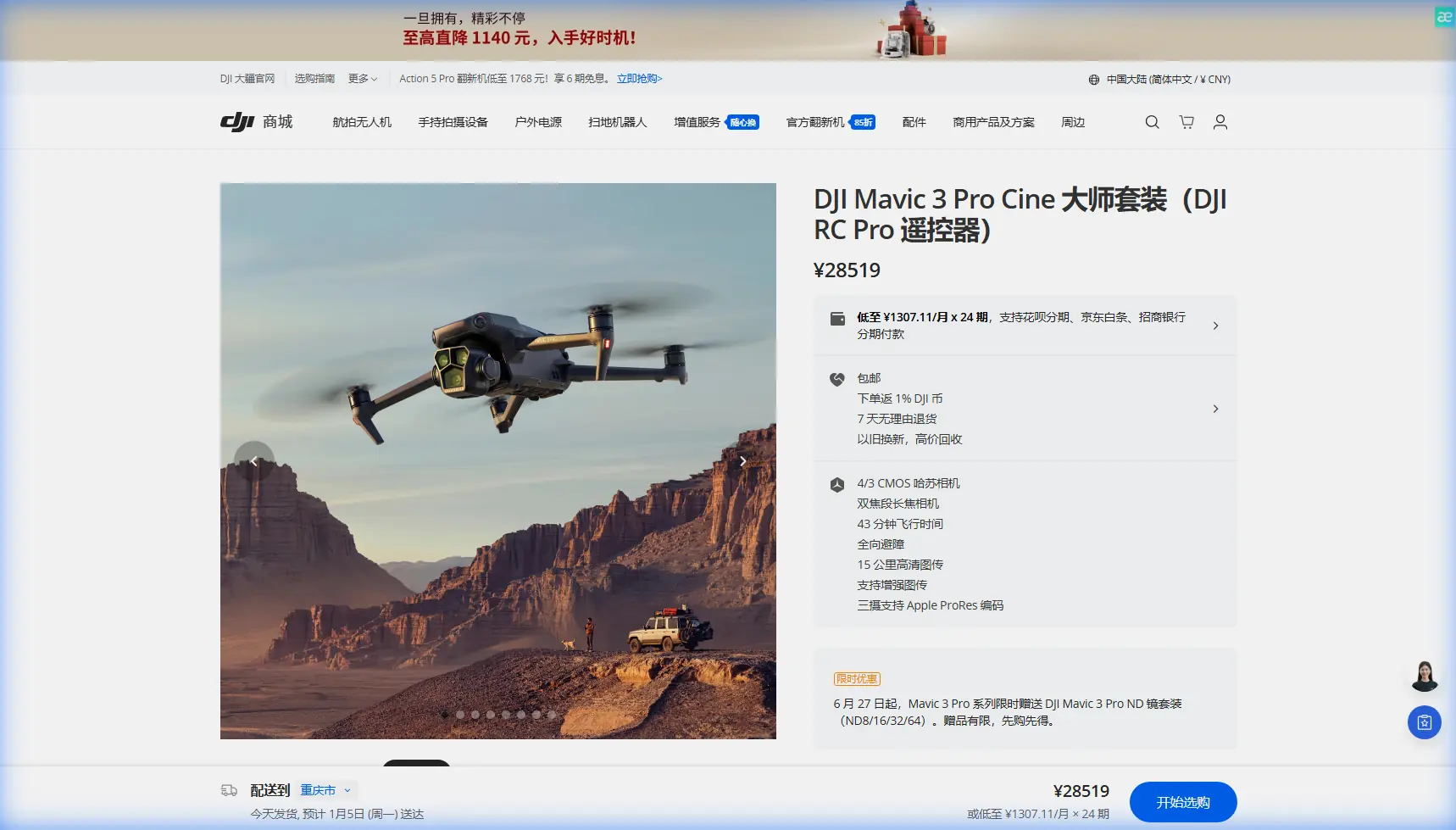
The Mavic 3 Pro brings a triple-camera system that fundamentally changes forest data collection. Its 4/3 CMOS Hasselblad sensor captures exceptional detail in the challenging light conditions found beneath and around tree canopies.
The 7x optical zoom on the tele camera allows operators to inspect individual trees, identify disease markers, or observe wildlife from distances that prevent disturbance. This capability proves invaluable when monitoring protected species or assessing pest damage without physical access.
Key Specifications for Forest Work
| Feature | Specification | Forest Monitoring Benefit |
|---|---|---|
| Flight Time | 43 minutes maximum | Cover larger survey areas per battery |
| Transmission Range | 15 km O3+ | Maintain signal through partial canopy |
| Obstacle Sensing | Omnidirectional | Navigate safely near branches and trunks |
| Video Resolution | 5.1K/50fps | Capture fine detail for species ID |
| Photo Resolution | 20 MP (main) | High-resolution mapping data |
| Zoom Range | 3x and 7x optical | Remote wildlife observation |
Antenna Positioning for Maximum Forest Range
Signal penetration through forest environments demands proper antenna technique. Most operators lose connection unnecessarily due to incorrect controller positioning.
Expert Insight: Hold your remote controller so the antennas point straight up, perpendicular to the ground—not aimed at the drone. The antennas emit signal from their flat sides, not their tips. This orientation creates a wide signal "disc" that better penetrates foliage gaps.
When operating in valleys or on hillsides, maintain line-of-sight to the highest point of your flight path. Forest terrain often creates signal shadows behind ridgelines.
Signal Optimization Checklist
- Elevate your position by standing on vehicles, rocks, or elevated clearings
- Avoid metal structures near your launch point that cause interference
- Keep the controller screen facing you with antennas vertical
- Monitor signal strength and establish return-to-home altitude above the tallest trees
- Set RTH altitude to at least 50 meters above the highest canopy in your survey area
Configuring Obstacle Avoidance for Dense Terrain
The Mavic 3 Pro's omnidirectional obstacle avoidance system becomes your primary safety tool in forest environments. Proper configuration prevents costly crashes while maintaining operational efficiency.
Navigate to your safety settings and enable all sensing directions. Set the Advanced Pilot Assistance System (APAS) to "Bypass" mode rather than "Brake." This allows the drone to automatically navigate around detected obstacles rather than stopping completely.
Recommended Safety Settings
- Obstacle avoidance: All directions enabled
- APAS mode: Bypass
- Downward sensing: Always on
- Horizontal obstacle avoidance distance: Maximum setting
- Return-to-home obstacle check: Enabled
Pro Tip: When flying below canopy level for trunk inspections or understory surveys, reduce your maximum speed to 5 m/s. This gives the obstacle avoidance system adequate reaction time in cluttered environments.
Subject Tracking for Wildlife Monitoring
ActiveTrack technology enables autonomous wildlife following without constant manual control. This proves essential when documenting animal behavior or tracking species through forest corridors.
The ActiveTrack 5.0 system on the Mavic 3 Pro uses machine learning to predict subject movement. For wildlife applications, select "Trace" mode to follow behind moving animals, minimizing disturbance while capturing natural behavior.
Wildlife Tracking Protocol
- Acquire your subject from maximum zoom distance using the 7x tele camera
- Draw a selection box around the animal on your screen
- Select Trace mode for following or Parallel for side-angle footage
- Set following distance to at least 30 meters for large mammals
- Monitor battery levels closely during extended tracking sequences
The system maintains lock even when subjects temporarily disappear behind trees, re-acquiring them as they emerge. This capability dramatically improves success rates for behavioral documentation.
Capturing Cinematic Forest Footage
Forest environments offer extraordinary visual opportunities when approached with proper technique. The Mavic 3 Pro's automated flight modes simplify complex shots.
QuickShots for Forest Cinematography
QuickShots automate professional camera movements with single-button activation:
- Dronie: Reveals forest scale by pulling back and up from a subject
- Rocket: Vertical ascent through canopy gaps creates dramatic reveals
- Circle: Orbits individual specimen trees for documentation
- Helix: Combines spiral ascent with orbit for comprehensive coverage
Each mode works with obstacle avoidance active, though operators should pre-scout flight paths for overhanging branches.
Hyperlapse for Environmental Change
Hyperlapse mode captures time-compressed footage ideal for documenting:
- Cloud shadow movement across canopy
- Seasonal color transitions during autumn surveys
- Fog and mist dynamics in mountain forests
- Wildlife activity patterns at feeding sites
Set your interval based on subject movement speed. For cloud shadows, 2-second intervals work well. For subtle seasonal changes, consider waypoint hyperlapse repeated across multiple survey days.
D-Log Color Profile for Forest Conditions
Forest canopy creates extreme contrast between sunlit crowns and shadowed understory. The D-Log color profile preserves maximum dynamic range for post-processing flexibility.
D-Log captures approximately 12.8 stops of dynamic range, retaining detail in both bright sky gaps and dark forest floor simultaneously. This flat color profile requires color grading but delivers superior results for professional applications.
D-Log Settings for Forest Work
- Color profile: D-Log
- ISO: 100-400 for daylight conditions
- Shutter speed: Double your frame rate (1/100 for 50fps)
- White balance: Manual, set to match conditions
- Exposure compensation: -0.3 to -0.7 to protect highlights
Standard color profiles often clip highlights in canopy gaps or crush shadows beneath dense cover. D-Log prevents both issues.
Flight Planning for Complex Terrain
Successful forest monitoring requires systematic flight planning that accounts for terrain variation, canopy height, and survey objectives.
Pre-Flight Assessment
Before each mission, evaluate:
- Canopy height variation across your survey area
- Clearing locations for emergency landing options
- Wind patterns influenced by terrain and tree lines
- Wildlife activity that might affect flight timing
- Legal restrictions including protected area regulations
Optimal Flight Timing
Forest conditions change dramatically throughout the day:
| Time Period | Conditions | Best Applications |
|---|---|---|
| Dawn (first light) | Calm winds, active wildlife | Species surveys, behavioral documentation |
| Morning (7-10 AM) | Good light, moderate thermals | Canopy mapping, health assessment |
| Midday | Harsh shadows, strong thermals | Avoid if possible |
| Afternoon (3-5 PM) | Softening light, declining thermals | General surveys, infrastructure inspection |
| Golden hour | Warm light, calm conditions | Cinematic footage, wildlife observation |
Common Mistakes to Avoid
Flying too fast near obstacles: The obstacle avoidance system needs reaction time. Maintain speeds under 8 m/s when operating near trees.
Ignoring return-to-home altitude: Setting RTH below canopy height guarantees a collision during automated return. Always add 20 meters minimum buffer above the tallest trees.
Launching from poor signal locations: Starting from valleys or behind terrain features limits your operational range. Seek elevated, clear launch points.
Neglecting battery temperature: Forest shade keeps batteries cool, but cold batteries deliver reduced capacity. Pre-warm batteries to 20°C minimum before flight.
Overlooking wind at altitude: Calm conditions at ground level often mask significant wind above the canopy. Check forecasts for conditions at your planned flight altitude.
Using automatic exposure in mixed lighting: Canopy gaps cause exposure fluctuations. Lock exposure manually for consistent footage.
Frequently Asked Questions
How do I maintain GPS lock under heavy forest canopy?
The Mavic 3 Pro requires clear sky view for reliable GPS positioning. Launch from clearings and maintain altitude above canopy level whenever possible. When flying below canopy, the drone relies more heavily on its vision positioning system. Ensure adequate ground lighting and texture for the downward sensors to function properly.
What zoom level works best for tree health assessment?
The 3x medium tele camera provides the optimal balance between detail and field of view for general health surveys. Use the 7x tele camera when inspecting specific damage, disease symptoms, or pest infestations on individual trees. The main wide camera works best for overall canopy mapping and area coverage.
Can I fly the Mavic 3 Pro in light rain during forest surveys?
The Mavic 3 Pro lacks official weather sealing. Light mist or brief drizzle may not cause immediate damage, but moisture accumulation risks motor and electronics failure. Forest environments often trap humidity, increasing condensation risk. Avoid flying when rain threatens and allow the drone to dry completely if exposed to moisture.
Ready for your own Mavic 3 Pro? Contact our team for expert consultation.