
Mavic 3 Pro Guide: Inspecting Coastlines in Wind
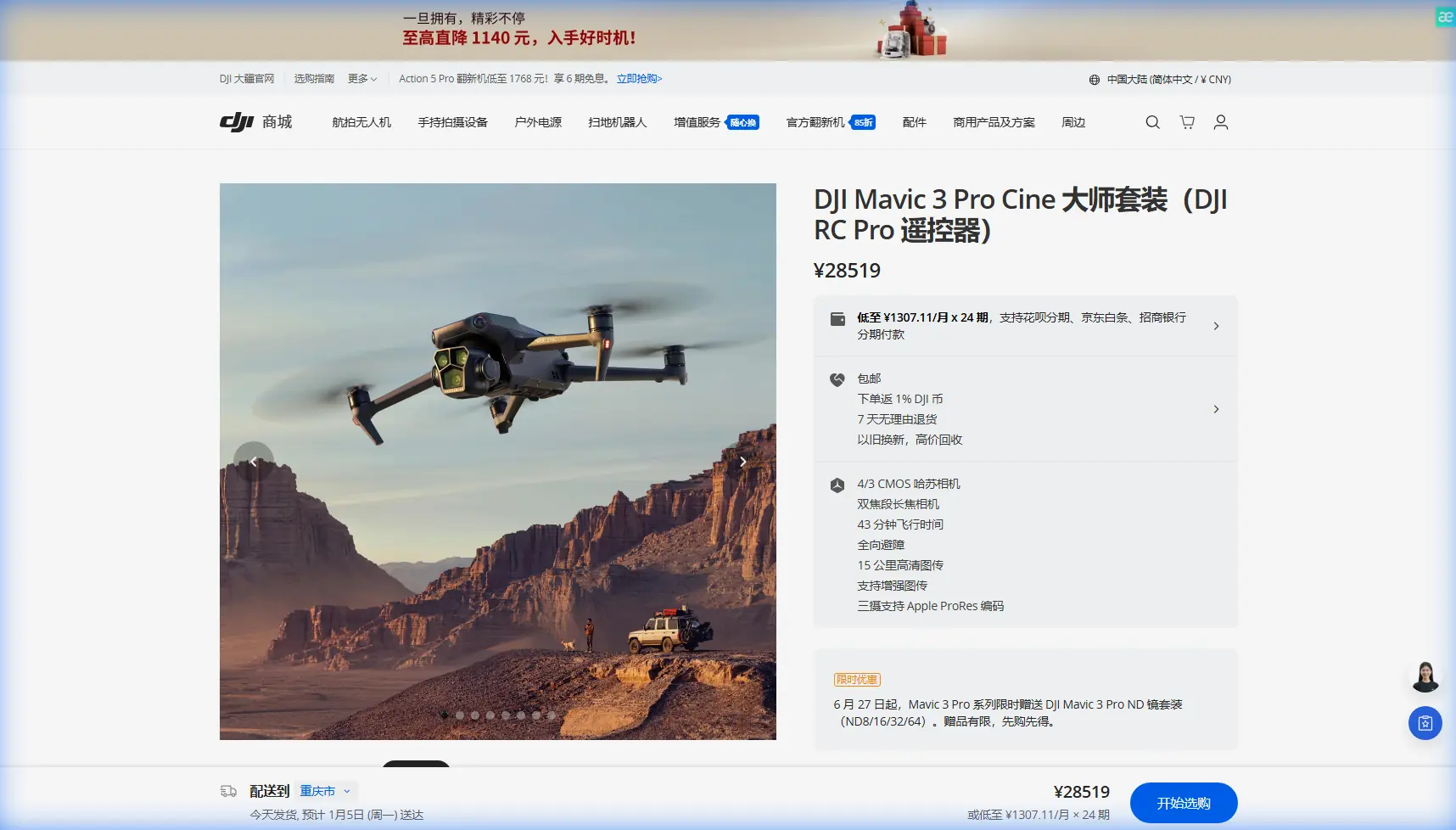
Mavic 3 Pro Guide: Inspecting Coastlines in Wind
META: Discover how the DJI Mavic 3 Pro handles coastal inspections in high winds. Expert tips on battery management, obstacle avoidance, and D-Log footage.
TL;DR
- The Mavic 3 Pro's triple-camera system lets you switch between wide, medium, and tele focal lengths without repositioning in gusty coastal conditions
- Obstacle avoidance sensors on all sides keep the drone safe near cliffs, sea stacks, and unpredictable wind shear zones
- Battery management in cold, windy environments is the single biggest factor separating a successful coastal inspection from a lost drone
- D-Log color profile preserves critical detail in high-contrast shoreline scenes where bright surf meets dark rock
The Real Problem With Coastal Inspections
Coastline work punishes weak drones. Salt spray, unpredictable gusts exceeding 30 mph, and vast stretches of terrain with zero safe landing zones create a hostile operating environment that most consumer platforms simply cannot handle. If you've ever watched a drone fight a crosswind above a sea cliff and wondered whether it was coming back, you understand the stakes.
This guide breaks down exactly how the Mavic 3 Pro addresses every major challenge of coastal inspection flying, from wind resistance and camera versatility to the battery management strategy that has saved my shoots more times than I can count. Whether you're surveying erosion patterns, documenting wildlife habitats, or inspecting coastal infrastructure, the techniques here will keep your aircraft safe and your data sharp.
Why Coastal Environments Demand a Triple-Camera System
The Inspection Challenge Most Pilots Underestimate
Coastal inspections aren't just about flying along a shoreline and pressing record. You need wide establishing shots to document erosion boundaries, medium-range frames to assess structural damage on seawalls, and tight telephoto views to inspect cracks, nesting sites, or vegetation health—all in a single flight window that wind and battery life are constantly shrinking.
With a single-camera drone, you'd need to physically reposition the aircraft for each focal length. Every repositioning burns battery, exposes the drone to additional wind stress, and eats into your already limited flight time.
The Mavic 3 Pro solves this with three lenses:
- 24mm equivalent (4/3 CMOS Hasselblad) — wide-angle for mapping and establishing context
- 70mm equivalent (1/1.3-inch CMOS) — medium telephoto for structural detail
- 166mm equivalent (1/2-inch CMOS) — tight telephoto for close inspection without risky proximity flying
Switching between them takes less than one second. You hold position in a stable hover and cycle through focal lengths, capturing everything you need without burning precious battery on repositioning flights.
D-Log: Saving Detail in High-Contrast Coastal Light
Coastlines are a nightmare for dynamic range. You're shooting bright white surf against dark volcanic rock, or sun-bleached sand next to shadowed cliff faces. Standard color profiles clip highlights or crush shadows, destroying the very detail your inspection depends on.
Shooting in D-Log on the Mavic 3 Pro preserves approximately 12.8 stops of dynamic range on the primary Hasselblad sensor. This flat color profile looks washed out in raw footage, but it retains recoverable detail in both the brightest highlights and deepest shadows.
Pro Tip: When shooting D-Log footage over coastlines, slightly overexpose by +0.3 to +0.7 EV. The Mavic 3 Pro's sensor handles highlight recovery better than shadow recovery, so protecting your shadow detail with a slight push in exposure yields cleaner inspection footage with less noise in the dark areas.
Battery Management: The Field Lesson That Changed Everything
Here's the tip that came from losing a battery to the ocean—almost along with the drone.
Early in my coastal survey work, I treated battery percentage as a linear metric. 30% remaining meant roughly 30% of my flight time was left. That assumption nearly cost me a Mavic 3 Pro on a windy bluff in Oregon.
What I learned: wind resistance dramatically accelerates discharge below 40%. The drone's motors work exponentially harder to maintain position in gusts, and cold ocean air compounds the drain by reducing cell efficiency. A battery that drops from 50% to 40% in three minutes might drop from 40% to 25% in ninety seconds during a sustained gust.
My rule now is the 40-30-20 Protocol:
- At 40% — begin your return-to-home sequence, no exceptions
- At 30% — you should already be within 200 meters of your landing zone
- At 20% — the drone should be on the ground or in your hands
This buffer sounds conservative until you factor in the reality that a 15 mph headwind on the return leg can cut your ground speed by nearly half, doubling the time and energy needed to fly back.
Additional battery practices for coastal environments:
- Pre-warm batteries inside your jacket or vehicle before flight; cold cells below 15°C lose up to 12% effective capacity
- Carry at least three Intelligent Flight Batteries per session; coastal work rarely allows repeat visits
- Never charge batteries in salt air if avoidable; moisture accelerates terminal corrosion
- Log actual flight times vs. estimated times for each battery to catch degrading cells early
Expert Insight: I label each battery with a number and track its real-world performance in a simple spreadsheet. After 80+ cycles, I noticed Battery #2 consistently delivered 3 minutes less flight time than the others in windy conditions. That data point let me retire it before it became a liability over open water.
Obstacle Avoidance and ActiveTrack Along the Coast
The Mavic 3 Pro features omnidirectional obstacle sensing with sensors covering forward, backward, upward, downward, and lateral directions. In coastal environments, this system earns its keep in three specific scenarios:
- Cliff-face proximity flying — the forward and lateral sensors prevent drift into rock walls during gusts
- Sea stack navigation — omnidirectional sensing allows you to orbit isolated rock formations without blind-spot collisions
- Low-altitude surf zone passes — downward sensors maintain safe altitude above unpredictable wave surges
ActiveTrack 5.0 and Subject tracking capabilities allow the drone to autonomously follow moving targets like boats, vehicles on coastal roads, or even wildlife along the shoreline. For inspection purposes, this frees the pilot to focus on camera settings and data quality rather than manual stick inputs.
QuickShots and Hyperlapse for Documentation
While primarily associated with creative content, QuickShots modes like Orbit and Helix produce remarkably useful inspection documentation. An automated orbit around a lighthouse or jetty captures every angle at a consistent distance and speed, creating a baseline visual record that can be compared across seasons.
Hyperlapse mode, specifically the Waypoint variant, lets you program a repeatable flight path along a coastline. Running the same Hyperlapse route quarterly produces time-compressed erosion documentation that is immediately understandable to non-technical stakeholders.
Technical Comparison: Mavic 3 Pro vs. Common Inspection Alternatives
| Feature | Mavic 3 Pro | Mavic 3 Classic | Air 3 |
|---|---|---|---|
| Camera System | Triple-lens (24/70/166mm) | Single Hasselblad (24mm) | Dual-lens (24/70mm) |
| Max Wind Resistance | 12 m/s | 12 m/s | 12 m/s |
| Max Flight Time | 43 minutes | 46 minutes | 46 minutes |
| Obstacle Sensing | Omnidirectional | Omnidirectional | Omnidirectional |
| Video Max Resolution | 5.1K/50fps (main) | 5.1K/50fps | 4K/100fps |
| D-Log Support | Yes (all cameras) | Yes | Yes (D-Log M) |
| ActiveTrack Version | 5.0 | 5.0 | 5.0 |
| Sensor Size (Main) | 4/3 CMOS | 4/3 CMOS | 1/1.3-inch CMOS |
| Telephoto Reach | 166mm equivalent | None | 70mm equivalent |
| Weight | 958g | 895g | 720g |
The critical differentiator for coastal inspection work is the 166mm telephoto. It allows you to inspect structures, nesting birds, or erosion detail from a safe 100+ meter standoff distance, keeping the drone out of the most turbulent air near cliff faces and structures.
Common Mistakes to Avoid
1. Ignoring wind gradient near cliffs Wind accelerates as it funnels over cliff edges. Conditions at your launch site might be calm while the air 30 meters above the cliff lip is turbulent enough to overwhelm stabilization. Always check wind speed at altitude before committing to a cliff-edge flight path.
2. Relying on automatic white balance over water Ocean surfaces confuse auto white balance algorithms. Lock your white balance to 5500K–6000K manually before takeoff to ensure consistent color across your inspection footage.
3. Flying with obstacle avoidance disabled Some pilots disable obstacle avoidance for "smoother" footage. In coastal environments with gusty crosswinds, a single unexpected gust can push the drone laterally into a cliff face in under a second. Leave it on.
4. Neglecting ND filters Bright coastal light pushes shutter speeds well above the 180-degree rule threshold. Without an ND8 or ND16 filter, your inspection video will exhibit harsh rolling shutter artifacts and jittery motion that makes frame-by-frame analysis difficult.
5. Launching from unstable surfaces Sandy beaches shift, rocky outcrops are uneven, and wet surfaces can cause the drone's downward sensors to misread the ground plane. Carry a portable launch pad and ensure it's weighted or staked against rotor wash and wind.
Frequently Asked Questions
Can the Mavic 3 Pro handle sustained coastal winds safely?
Yes. The Mavic 3 Pro is rated for wind resistance up to 12 m/s (approximately 27 mph). In my field experience, it maintains stable hover and controlled flight in sustained gusts of 20–25 mph along exposed coastlines. Above that range, the aircraft remains controllable but battery drain accelerates significantly, so the 40-30-20 Protocol becomes essential.
Which camera should I use for most coastal inspection work?
Start with the 70mm medium telephoto as your default inspection lens. It offers the best balance between detail resolution and field of view, using a 1/1.3-inch sensor that handles coastal lighting well. Switch to the 24mm Hasselblad for wide context shots and mapping, and reach for the 166mm telephoto only when you need close detail from a safe distance.
How do I protect the Mavic 3 Pro from salt spray?
Salt spray is corrosive and conductive. After every coastal flight, wipe down the entire aircraft body—especially gimbal contacts, battery terminals, and sensor windows—with a lightly dampened microfiber cloth followed by a dry wipe. Store batteries separately in a dry environment. If you flew through visible spray, remove the propellers and inspect the motor bells for salt residue. A quick blast of compressed air around the sensor housings prevents long-term corrosion buildup.
Ready for your own Mavic 3 Pro? Contact our team for expert consultation.