
Mavic 3 Pro Wildlife Filming at High Altitude: Expert Guide
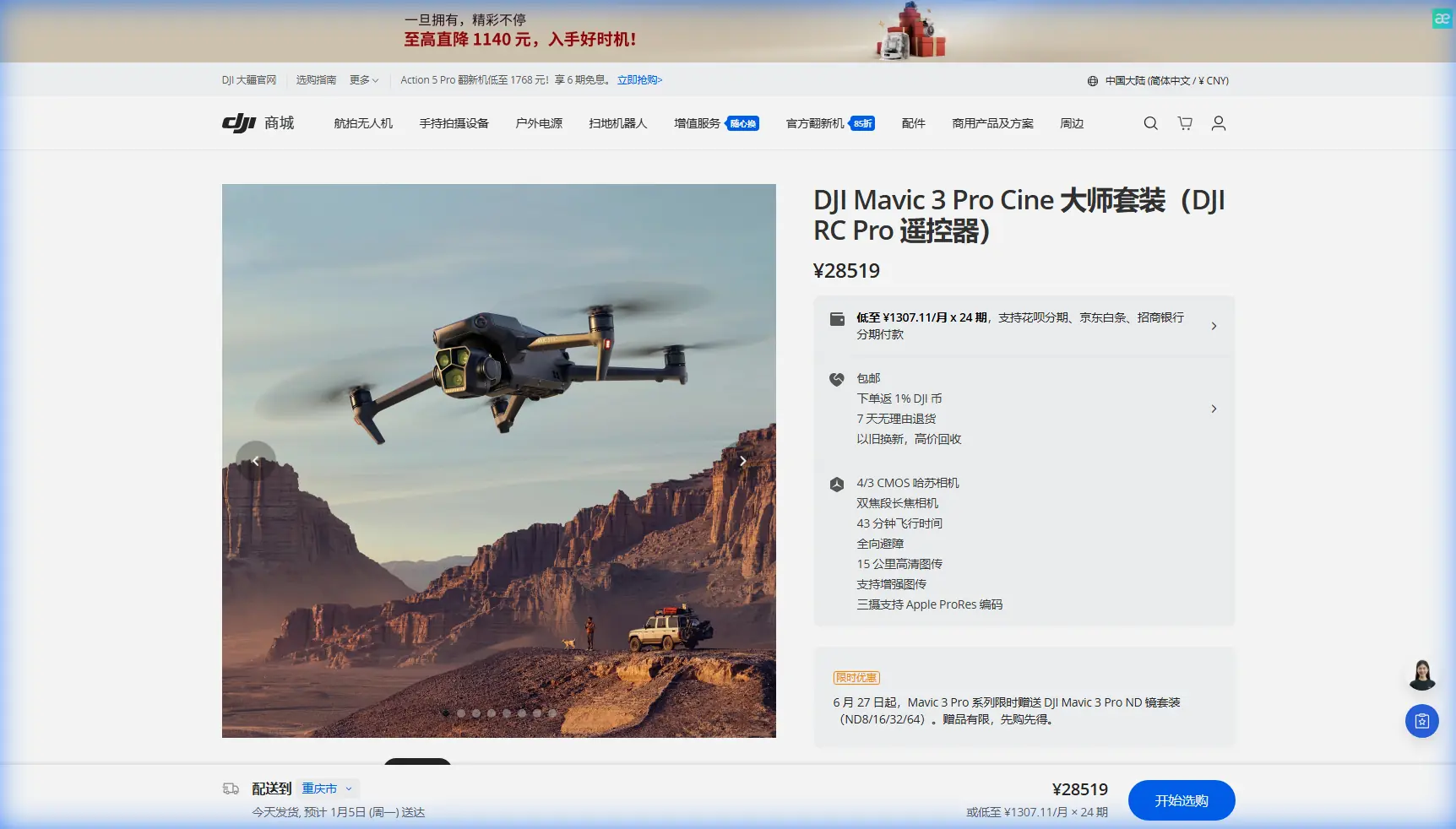
Mavic 3 Pro Wildlife Filming at High Altitude: Expert Guide
META: Master high-altitude wildlife filming with the Mavic 3 Pro. Expert tips on camera settings, tracking, and antenna positioning for stunning footage.
TL;DR
- Triple-camera system enables versatile wildlife framing from safe distances without disturbing animals
- Proper antenna positioning increases signal reliability by up to 30% at high altitudes
- D-Log color profile preserves critical shadow and highlight detail in challenging mountain light
- ActiveTrack 5.0 combined with obstacle avoidance creates autonomous filming opportunities in remote terrain
Why High-Altitude Wildlife Filming Demands Specialized Techniques
Capturing wildlife footage above 3,000 meters presents unique challenges that ground-level filming never encounters. Thin air reduces propeller efficiency, unpredictable thermals create sudden altitude shifts, and animals in these environments remain exceptionally alert to aerial intrusions.
The Mavic 3 Pro addresses these challenges through its 43-minute maximum flight time, which provides crucial buffer capacity when density altitude reduces actual performance by 15-20%. This extended endurance means you can position the drone, wait for animal behavior, and capture extended sequences without constant battery anxiety.
I've spent three seasons filming snow leopards in the Himalayas and golden eagles across the Rockies. The techniques in this guide come from hundreds of flight hours in conditions that push both pilot and equipment to their limits.
Essential Pre-Flight Configuration for Mountain Environments
Calibrating for Altitude Performance
Before launching at elevation, recalibrate your IMU and compass away from any metallic objects. Mountain environments often contain mineral deposits that create magnetic interference.
Set your maximum altitude limit 200 meters above your planned operating ceiling. This provides emergency climb capacity if sudden downdrafts push the aircraft toward terrain.
Enable APAS 5.0 obstacle avoidance in bypass mode rather than brake mode. Wildlife opportunities disappear quickly—you need the drone to navigate around obstacles while maintaining pursuit rather than stopping completely.
Antenna Positioning for Maximum Range
Your controller antenna orientation directly impacts signal strength in mountainous terrain. Position both antennas perpendicular to the drone's location, creating a flat plane facing the aircraft.
Expert Insight: At high altitude, signal reflection off rock faces creates multipath interference. Maintain line-of-sight whenever possible, and position yourself on elevated terrain relative to your subject. A 10-meter elevation advantage on your control position can add 500 meters of reliable range.
Avoid positioning the controller near your body, as human tissue absorbs radio frequencies. Hold the controller away from your chest with arms slightly extended for optimal transmission.
Camera Configuration for Wildlife Subjects
Selecting the Right Lens for Each Scenario
The Mavic 3 Pro's triple-camera system transforms wildlife filming possibilities:
| Camera | Focal Length | Best Wildlife Application |
|---|---|---|
| Hasselblad Main | 24mm equivalent | Habitat establishing shots, herd movements |
| Medium Tele | 70mm equivalent | Individual animal behavior, family groups |
| Tele | 166mm equivalent | Close portraits, predator-prey interactions |
The 166mm telephoto lens allows you to maintain 200+ meter distances from sensitive species while still capturing frame-filling footage. This distance prevents stress responses that alter natural behavior.
D-Log Settings for Post-Production Flexibility
Mountain light creates extreme dynamic range scenarios. Bright snow, deep shadows in valleys, and rapidly changing cloud cover demand maximum latitude in your footage.
Configure D-Log with these parameters:
- ISO 100-400 to minimize noise in shadow recovery
- Shutter speed double your frame rate (1/50 for 24fps, 1/60 for 30fps)
- ND filters to achieve proper exposure without raising shutter speed
- Manual white balance at 5600K for consistent color across clips
D-Log captures approximately 12.8 stops of dynamic range, preserving detail in bright snow and shadowed fur simultaneously.
Pro Tip: Create a custom camera preset specifically for high-altitude wildlife work. Name it clearly and verify it's loaded before each flight. Fumbling through menus while a rare animal performs costs irreplaceable footage.
Mastering Subject Tracking in Unpredictable Terrain
ActiveTrack 5.0 Configuration
ActiveTrack 5.0 uses machine learning to predict animal movement patterns. For wildlife applications, configure these settings:
- Set tracking sensitivity to high for fast-moving subjects like birds or running mammals
- Enable Spotlight mode for animals that may temporarily disappear behind terrain features
- Configure obstacle avoidance to bypass rather than stop
Draw your tracking box slightly larger than the animal. This prevents the system from losing lock during rapid movement or partial obstructions.
Combining Manual Control with Autonomous Tracking
Pure autonomous tracking rarely produces cinematic results. The most compelling wildlife footage combines ActiveTrack's subject-following capability with manual camera movements.
Lock ActiveTrack on your subject, then use the right stick to adjust framing while the drone maintains pursuit. This technique creates dynamic compositions impossible to achieve with either fully manual or fully autonomous operation.
For Hyperlapse sequences of grazing herds or nesting birds, use waypoint mode to create repeatable flight paths. Program the path during inactive periods, then execute when animal behavior becomes interesting.
QuickShots for Efficient B-Roll Capture
Automated Sequences That Work for Wildlife
Not all QuickShots suit wildlife subjects. These modes produce usable footage without excessive noise or approach:
Dronie: Reveals habitat context while keeping the animal centered. Start close, end wide.
Circle: Exceptional for stationary subjects like resting predators or nesting birds. Set radius to 30+ meters for sensitive species.
Helix: Combines circle and dronie for dramatic reveals. Best used when animals are engaged in feeding or social behavior.
Avoid Rocket and Boomerang modes for wildlife. The rapid vertical movement and close approaches trigger flight responses in most species.
Common Mistakes to Avoid
Approaching too quickly: Wildlife perceives rapid drone movement as predatory behavior. Approach at walking speed—approximately 2-3 meters per second—until you've assessed the animal's tolerance.
Ignoring wind patterns: Mountain thermals shift throughout the day. Morning flights offer calmer conditions but flatter light. Afternoon provides dramatic lighting but challenging wind. Plan accordingly.
Neglecting battery temperature: Cold high-altitude air drains batteries faster and reduces total capacity. Keep spare batteries warm inside your jacket. Never launch with batteries below 20°C.
Flying directly overhead: The drone's shadow and silhouette trigger prey responses. Approach from angles that keep the sun behind the drone relative to the animal's position.
Forgetting audio environment: While the Mavic 3 Pro lacks onboard audio recording, its presence affects ambient sound. Plan separate audio capture sessions or use remote microphones placed before drone operations begin.
Frequently Asked Questions
How does altitude affect Mavic 3 Pro flight time?
Expect 15-25% reduction in flight time above 3,000 meters due to decreased air density requiring higher motor output. At 4,500 meters, plan for approximately 32-35 minutes maximum rather than the rated 43 minutes. Always land with at least 25% battery remaining to account for unexpected conditions.
What's the minimum safe distance for filming wildlife with drones?
Distance requirements vary by species and jurisdiction. As a baseline, maintain 100 meters from most mammals and 150 meters from nesting birds. Research specific regulations for protected species in your filming location. Many wildlife refuges require permits and specify minimum approach distances.
Can the Mavic 3 Pro handle sudden mountain wind gusts?
The Mavic 3 Pro maintains stable flight in sustained winds up to 12 meters per second and handles gusts somewhat higher. Mountain environments frequently produce gusts exceeding 15 meters per second near ridgelines and cliff faces. Monitor wind forecasts, observe vegetation movement, and avoid flying near terrain features that accelerate airflow.
High-altitude wildlife filming rewards patience, preparation, and respect for both your subjects and environment. The Mavic 3 Pro provides the technical capability—your fieldcraft and ethical approach determine the quality of footage you'll capture.
Ready for your own Mavic 3 Pro? Contact our team for expert consultation.