
Mavic 3 Pro Filming Guide: Urban Vineyard Mastery
Mavic 3 Pro Filming Guide: Urban Vineyard Mastery
META: Master urban vineyard filming with the Mavic 3 Pro. Learn pro techniques for stunning aerial footage, obstacle avoidance tips, and antenna positioning secrets.
TL;DR
- Triple-camera system captures vineyard rows with cinematic precision across wide, medium, and telephoto focal lengths
- Antenna positioning at 45 degrees maximizes signal strength in urban environments with RF interference
- D-Log color profile preserves 12.8 stops of dynamic range for professional color grading flexibility
- ActiveTrack 5.0 maintains smooth subject tracking through complex vineyard terrain and structures
Why Urban Vineyards Demand Professional Drone Techniques
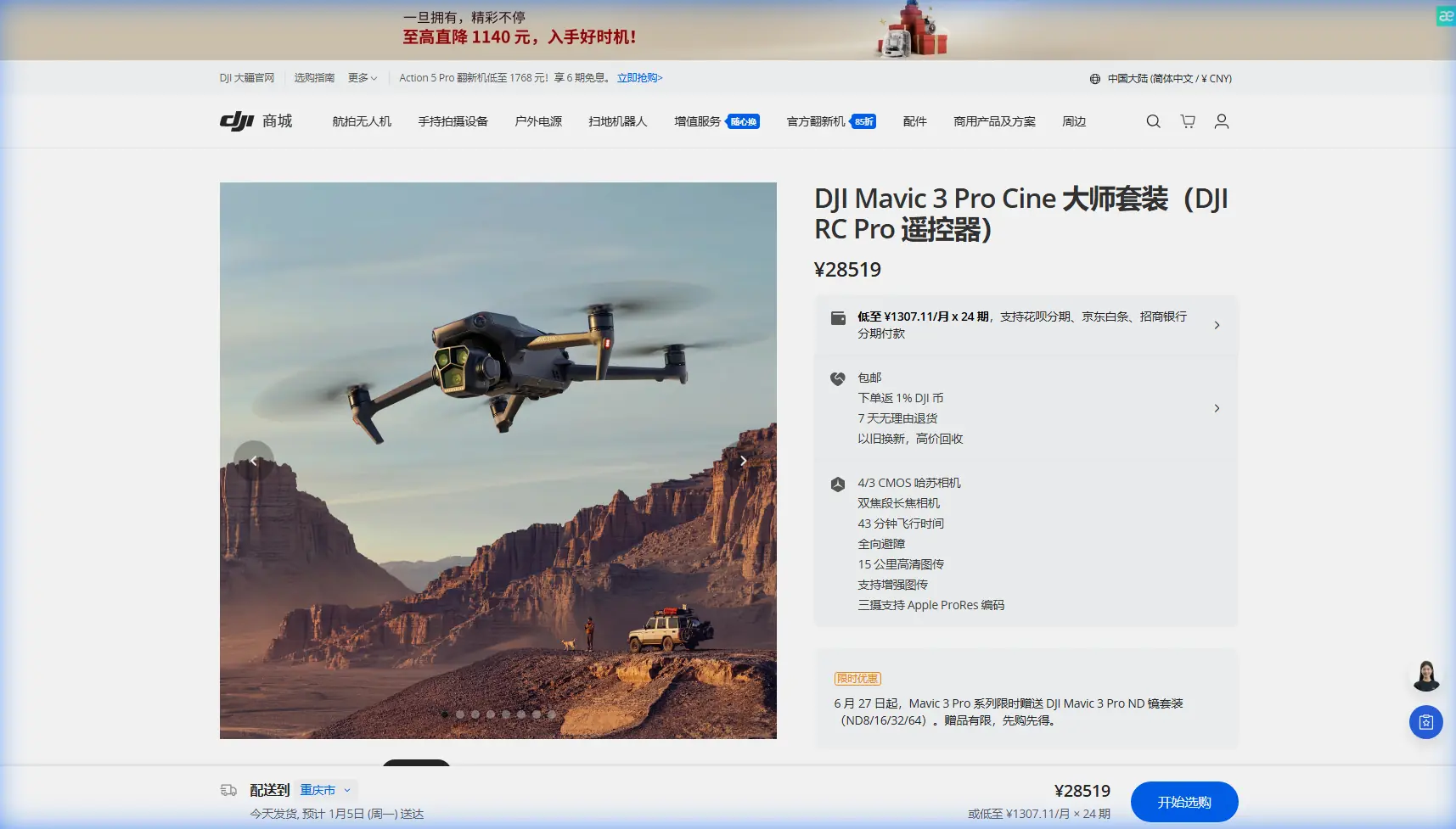
Urban vineyard filming presents unique challenges that separate amateur footage from professional productions. The Mavic 3 Pro's tri-camera Hasselblad system addresses these challenges directly—delivering 5.1K video at 50fps on the main sensor while offering instant access to 70mm and 166mm equivalent telephoto options.
City vineyards introduce obstacles that rural locations simply don't have. Power lines, neighboring buildings, and unpredictable RF interference require both technical knowledge and the right equipment. This guide walks you through every setting, technique, and positioning strategy to capture breathtaking vineyard footage in challenging urban environments.
Understanding Your Mavic 3 Pro Camera System
The Hasselblad Triple-Camera Advantage
The main 4/3 CMOS sensor captures 20MP stills with exceptional low-light performance. For vineyard work, this translates to usable footage during golden hour when shadows stretch across vine rows.
Your three focal length options serve distinct purposes:
- 24mm equivalent (main): Establishing shots showing vineyard layout against city skyline
- 70mm equivalent (medium tele): Individual row details and worker activity
- 166mm equivalent (telephoto): Grape cluster close-ups and architectural details
D-Log Settings for Maximum Flexibility
Shooting in D-Log M unlocks the sensor's full 12.8-stop dynamic range. Urban vineyards often feature extreme contrast between sunlit vines and shadowed building faces.
Configure these settings before launch:
- Color Mode: D-Log M
- Resolution: 5.1K/50fps or 4K/120fps for slow motion
- Shutter Speed: Double your frame rate (1/100 for 50fps)
- ISO: 100-400 for cleanest footage
- White Balance: Manual at 5600K for consistency
Expert Insight: Never trust auto white balance in urban environments. Reflective building surfaces and mixed lighting create unpredictable color shifts. Lock your white balance before each flight session and adjust only when lighting conditions fundamentally change.
Antenna Positioning for Maximum Urban Range
Signal interference defines urban flying. Buildings reflect and absorb radio frequencies, creating dead zones that can trigger RTH (Return to Home) unexpectedly.
The 45-Degree Rule
Position your controller antennas at 45-degree angles pointing toward your aircraft. This orientation creates an overlapping signal pattern that maintains connection through moderate obstacles.
Avoid these common antenna mistakes:
- Pointing directly at the drone: Creates a narrow signal cone that loses contact during banking turns
- Flat horizontal position: Minimizes effective transmission area
- Crossed antennas: Causes signal interference between the two transmitters
Urban-Specific Signal Strategies
When filming near buildings, position yourself to maintain line-of-sight whenever possible. The Mavic 3 Pro's O3+ transmission delivers 15km range in ideal conditions, but urban environments typically reduce this to 2-4km of reliable connection.
Strategic positioning tips:
- Stand on elevated surfaces when available
- Keep the controller above waist height
- Face the drone's general direction throughout the flight
- Monitor signal strength bars continuously
Mastering Obstacle Avoidance in Vineyard Environments
APAS 5.0 Configuration
The Mavic 3 Pro features omnidirectional obstacle sensing across all six directions. For vineyard work, configure APAS (Advanced Pilot Assistance System) to Bypass mode rather than Brake mode.
Bypass mode allows the drone to navigate around obstacles while maintaining forward momentum—essential for smooth tracking shots along vine rows.
When to Disable Obstacle Avoidance
Certain shots require manual control without sensor interference:
- Flying between tight vine rows (sensors may trigger false positives)
- Low-altitude passes under 2 meters
- Shooting through gaps in trellising systems
- Proximity shots near irrigation equipment
Pro Tip: Create a custom flight mode specifically for vineyard work. Disable downward sensors while keeping forward and lateral sensing active. This prevents ground-reflection false readings from grape leaves while maintaining collision protection from posts and wires.
Subject Tracking and ActiveTrack Techniques
ActiveTrack 5.0 for Vineyard Workers
Capturing workers among the vines creates compelling narrative footage. ActiveTrack 5.0 uses machine learning to maintain subject lock even when targets temporarily disappear behind obstacles.
Effective tracking setup:
- Ascend to 8-12 meters altitude before initiating tracking
- Draw a box around your subject on the controller screen
- Select Trace mode for following shots or Parallel for side-angle tracking
- Set maximum speed to 8 m/s for smooth, cinematic movement
Spotlight Mode for Static Subjects
When filming stationary elements—a historic press, architectural features, or specific vine sections—Spotlight mode keeps the camera locked while you control aircraft position manually.
This technique produces professional reveal shots where the subject remains centered as the drone rises, backs away, or orbits.
QuickShots and Hyperlapse for Efficient Coverage
QuickShots That Work in Vineyards
Not all automated flight modes suit vineyard environments. These QuickShots deliver reliable results:
| QuickShot Mode | Best Vineyard Application | Recommended Settings |
|---|---|---|
| Dronie | Establishing shots with city backdrop | Distance: 40m, Speed: Medium |
| Circle | Individual vine or equipment features | Radius: 8m, Speed: Slow |
| Helix | Dramatic reveals of entire vineyard | Distance: 60m, Speed: Medium |
| Rocket | Vertical reveals showing row patterns | Height: 50m, Speed: Fast |
Avoid Boomerang and Asteroid in urban vineyards—these modes require significant horizontal clearance that buildings often prevent.
Hyperlapse for Seasonal Documentation
Vineyard owners value time-lapse content showing seasonal changes. The Mavic 3 Pro's Hyperlapse modes capture 8K resolution time-lapses with movement.
For consistent results across multiple sessions:
- Save waypoint missions for exact repeatability
- Shoot during the same 2-hour window each session
- Use Course Lock to maintain identical camera angles
- Export at 4K for manageable file sizes with room to crop
Technical Comparison: Filming Modes for Vineyard Work
| Feature | Manual Flight | ActiveTrack | QuickShots | Waypoint Mission |
|---|---|---|---|---|
| Creative Control | Maximum | Moderate | Minimal | High |
| Consistency | Variable | Good | Excellent | Excellent |
| Obstacle Risk | Operator-dependent | Low | Medium | Low |
| Best For | Complex shots | Following subjects | Quick coverage | Repeat documentation |
| Skill Required | Advanced | Intermediate | Beginner | Intermediate |
| Post-Processing | Heavy | Moderate | Light | Moderate |
Common Mistakes to Avoid
Technical Errors
Ignoring ND filters: Urban vineyards in daylight require ND16 or ND32 filters to achieve proper shutter speeds. Without filtration, you'll capture jittery footage with insufficient motion blur.
Launching without compass calibration: Urban environments contain magnetic interference from underground utilities and building structures. Calibrate before every session, even at familiar locations.
Forgetting to format SD cards: The Mavic 3 Pro writes massive 5.1K files that fragment quickly. Format cards in-camera before each shoot to prevent write errors.
Creative Mistakes
Flying too high: Vineyard texture disappears above 40 meters. The most compelling footage comes from 5-20 meter altitudes where row patterns and plant details remain visible.
Rushing movements: Professional vineyard footage uses slow, deliberate movements. Set your gimbal speed to 15-20% and flight speed to 4-6 m/s for cinematic results.
Ignoring the background: Urban vineyards offer unique juxtaposition opportunities. Frame shots to include city elements—they're features, not distractions.
Regulatory Oversights
Skipping airspace checks: Urban areas frequently contain controlled airspace, temporary flight restrictions, and local ordinances. Verify authorization through official channels before every flight.
Neglecting privacy concerns: Neighboring properties may have legitimate privacy expectations. Angle cameras away from residential windows and avoid capturing identifiable individuals without consent.
Frequently Asked Questions
What's the best time of day to film urban vineyards with the Mavic 3 Pro?
Golden hour—one hour after sunrise or one hour before sunset—provides ideal lighting conditions. The low sun angle creates long shadows that emphasize vine row patterns while the warm color temperature complements green foliage. The Mavic 3 Pro's large sensor handles this challenging light exceptionally well, capturing detail in both highlights and shadows simultaneously.
How do I prevent the Mavic 3 Pro from losing signal in urban environments?
Maintain line-of-sight positioning, keep antennas at 45-degree angles, and avoid flying directly behind large structures. Monitor your signal strength indicator continuously and establish a personal minimum threshold—typically two bars—below which you immediately return the aircraft closer. The O3+ system provides warnings, but proactive monitoring prevents emergencies.
Can I use ActiveTrack through vineyard rows without hitting posts or wires?
ActiveTrack 5.0 detects and avoids most obstacles, but vineyard infrastructure presents edge cases. Fly above post height (typically 2.5-3 meters) when tracking subjects through rows. For ground-level tracking shots, switch to manual control with obstacle avoidance set to Bypass mode, maintaining constant visual contact with potential hazards.
Bringing Your Vision to Life
Urban vineyard filming rewards preparation and patience. The Mavic 3 Pro provides professional-grade tools—but stunning footage comes from understanding how to deploy them effectively in challenging environments.
Start with establishing shots from safe altitudes. Build confidence with the location's obstacles and signal characteristics. Then progressively attempt more ambitious shots as you learn the space.
Your footage will improve dramatically when you commit to D-Log capture, proper ND filtration, and deliberate slow movements. These fundamentals matter more than any automated feature.
Ready for your own Mavic 3 Pro? Contact our team for expert consultation.