
Filming Venues in Wind: Mavic 3 Pro Mastery Guide
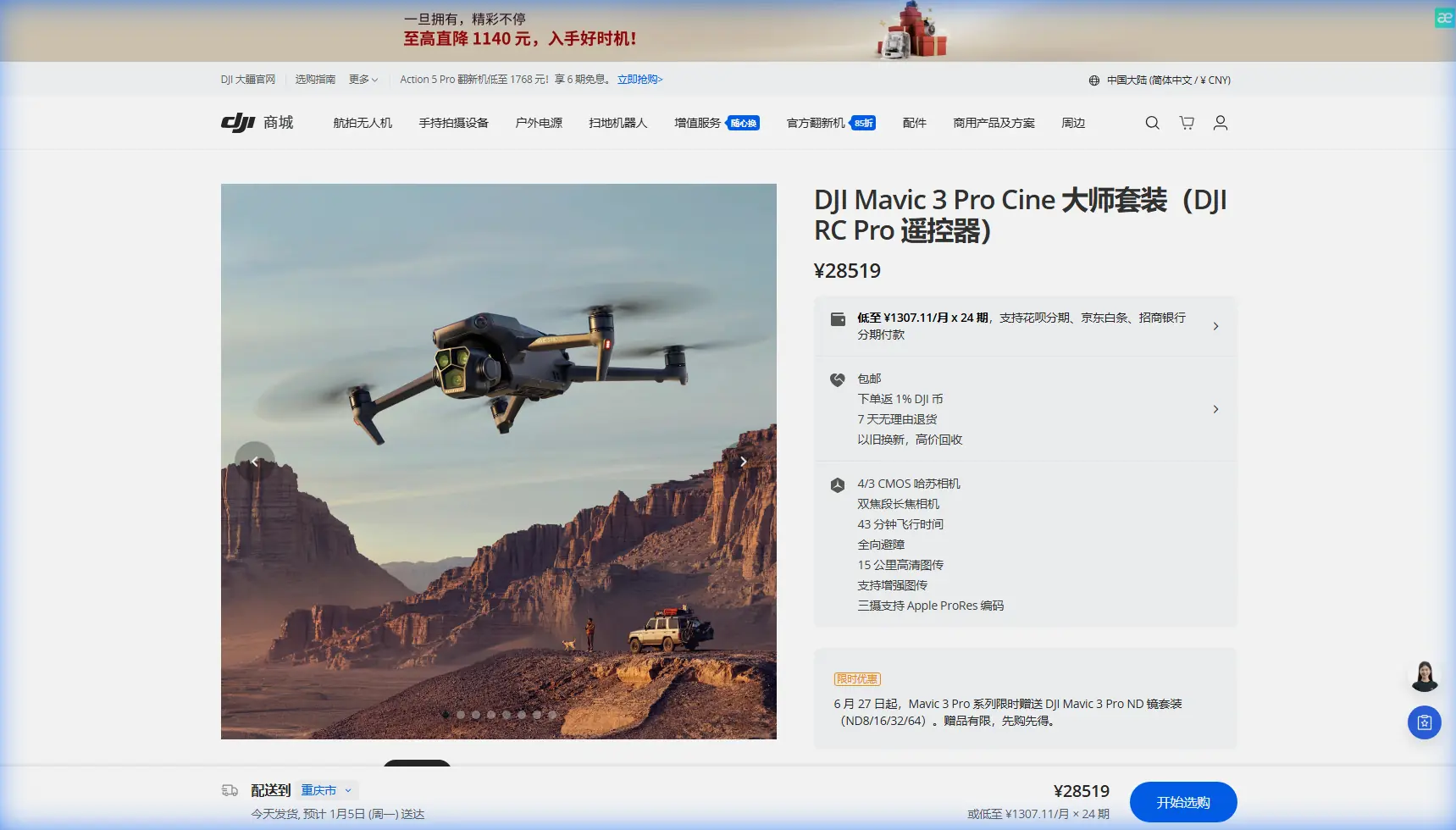
Filming Venues in Wind: Mavic 3 Pro Mastery Guide
META: Master venue filming in windy conditions with the Mavic 3 Pro. Learn stabilization techniques, camera settings, and pro workflows from expert Chris Park.
TL;DR
- The Mavic 3 Pro maintains stable footage in winds up to 12 m/s thanks to its advanced gimbal and flight control systems
- D-Log color profile preserves 12.8 stops of dynamic range for flexible post-production in challenging lighting
- ActiveTrack 5.0 combined with obstacle avoidance enables smooth subject tracking even when gusts shift your flight path
- Strategic use of Sport mode and manual gimbal control compensates for wind-induced drift during cinematic movements
Why Wind Challenges Venue Filmmakers
Capturing sweeping aerial footage of stadiums, amphitheaters, and outdoor event spaces requires battling unpredictable atmospheric conditions. Wind doesn't just threaten your drone's stability—it introduces micro-vibrations, forces constant position corrections, and creates inconsistent movement that ruins otherwise perfect shots.
The Mavic 3 Pro addresses these challenges through a combination of hardware engineering and intelligent software. Understanding how to leverage these systems transforms windy days from shoot cancellations into opportunities for dynamic, atmospheric footage.
Essential Pre-Flight Configuration for Windy Conditions
Calibrating Your Expectations and Equipment
Before launching at any venue, check real-time wind data at your planned flight altitude. Ground-level readings often underestimate conditions 50-100 meters up where you'll be filming. Apps like UAV Forecast provide altitude-specific wind predictions.
Configure these settings before takeoff:
- Set Return-to-Home altitude 20 meters above the tallest venue structure
- Enable Forward, Backward, and Downward obstacle sensing
- Switch flight mode to Normal (not Cine) for responsive wind compensation
- Activate High Wind Warning in safety settings
- Verify battery temperature sits between 20-40°C for optimal performance
Gimbal and Camera Preparation
The Mavic 3 Pro's three-axis mechanical gimbal provides ±0.007° stabilization accuracy. Maximize this capability by:
- Performing gimbal calibration on a level surface before each session
- Setting gimbal mode to FPV for intentional movement or Follow for locked horizon
- Adjusting gimbal pitch speed to 15-20 for smooth tilts that mask wind corrections
- Enabling Gimbal Lock when you need absolute horizon stability during gusts
Camera Settings That Combat Wind Artifacts
Shutter Speed Strategy
Wind creates two competing problems: drone movement and subject movement. Your shutter speed must balance both.
For venue exteriors with flags, banners, or crowds:
- Maintain the 180-degree rule (shutter at double your frame rate)
- Shooting 4K/60p means 1/120s shutter speed
- Use ND filters (ND16-ND64) to achieve proper exposure without raising shutter speed
Expert Insight: When filming a coastal amphitheater last spring, sudden offshore gusts hit mid-shot during a sweeping reveal. The Mavic 3 Pro's gimbal absorbed the turbulence, but I noticed subtle horizon drift. Switching to FPV gimbal mode and reducing my orbital speed by half produced footage indistinguishable from calm-day shooting.
D-Log Configuration for Maximum Flexibility
Windy conditions often bring dramatic skies—exactly the dynamic range challenge D-Log handles brilliantly.
Configure D-Log with these parameters:
- ISO 100-400 to minimize noise in shadows
- Color Profile: D-Log (not HLG) for maximum grading latitude
- Sharpness: -1 to -2 (add in post to avoid wind-vibration artifacts)
- Contrast: -2 for recoverable highlights in bright sky/dark venue scenarios
The 12.8 stops of dynamic range in D-Log mode captures both shadowed seating areas and bright sky without clipping either.
Flight Techniques for Stable Venue Coverage
The Wind Compensation Workflow
Professional venue footage requires predictable, repeatable movements. Wind makes this challenging but not impossible.
Step 1: Identify wind direction using the drone's telemetry or observe flags/trees at the venue.
Step 2: Plan your flight paths to work with or directly against the wind—never perpendicular. Crosswinds create the most visible drift.
Step 3: For reveals and orbits, fly into the wind during the money shot. The drone works harder but maintains precise positioning.
Step 4: Use waypoint missions for repeatable shots. The Mavic 3 Pro's flight controller automatically compensates for wind between points.
Leveraging QuickShots in Challenging Conditions
QuickShots automate complex movements, but wind affects each mode differently:
| QuickShot Mode | Wind Suitability | Best Use Case |
|---|---|---|
| Dronie | Excellent | Venue entrance reveals |
| Circle | Good (reduce radius) | Stadium overviews |
| Helix | Moderate | Architectural details |
| Rocket | Excellent | Straight vertical lifts |
| Boomerang | Poor in high wind | Avoid above 8 m/s |
| Asteroid | Moderate | Parking area establishing shots |
Pro Tip: Reduce QuickShot radius and speed settings by 30-40% in winds above 6 m/s. The automated movements become smoother when the drone isn't fighting to maintain aggressive positioning.
ActiveTrack and Subject Tracking in Wind
When Weather Changes Mid-Flight
ActiveTrack 5.0 uses machine learning to predict subject movement and maintain framing. Wind introduces an additional variable: your drone's position constantly shifts relative to the subject.
During a recent stadium shoot, clear morning conditions deteriorated within minutes. Cloud cover rolled in, wind jumped from 4 m/s to 9 m/s, and I was mid-sequence tracking a facilities manager walking the perimeter.
The Mavic 3 Pro's response impressed me:
- ActiveTrack maintained subject lock despite 3-meter lateral drift corrections
- Obstacle avoidance triggered twice, smoothly routing around light poles
- Gimbal compensation kept the subject centered while the aircraft repositioned
- Battery consumption increased by approximately 15% due to constant motor adjustments
This adaptability meant usable footage despite conditions that would have grounded lesser aircraft.
Optimizing Tracking Settings
For reliable subject tracking in wind:
- Select Trace mode rather than Parallel (reduces crosswind exposure)
- Set tracking distance to 10-15 meters minimum (gives the system reaction time)
- Enable APAS 5.0 for automatic obstacle routing
- Reduce maximum tracking speed to 8 m/s in gusty conditions
Hyperlapse Techniques for Venue Storytelling
Creating Stable Time-Compressed Sequences
Hyperlapse footage compresses hours into seconds, revealing venue activity patterns. Wind during these extended shoots requires specific approaches.
Free Mode Hyperlapse: Avoid in winds above 5 m/s. Manual control over extended periods amplifies positioning errors.
Circle Hyperlapse: Works well in moderate wind. Set radius to 30+ meters for smoother arcs.
Course Lock Hyperlapse: Best wind performance. The drone maintains heading regardless of drift compensation.
Waypoint Hyperlapse: Optimal for professional venue work. Pre-program positions and let the flight controller handle wind automatically.
Configure hyperlapse intervals based on conditions:
- Calm conditions: 2-second intervals
- Light wind (3-5 m/s): 3-second intervals
- Moderate wind (6-9 m/s): 4-5 second intervals
Longer intervals give the drone time to stabilize between captures.
Technical Comparison: Wind Performance Factors
| Specification | Mavic 3 Pro | Impact on Wind Filming |
|---|---|---|
| Max Wind Resistance | 12 m/s | Safe operation ceiling |
| Gimbal Stabilization | ±0.007° | Micro-vibration elimination |
| Max Flight Time | 43 minutes | Extended shooting despite higher consumption |
| Obstacle Sensing | Omnidirectional | Safe repositioning in gusts |
| Video Bitrate | 200 Mbps | Detail retention in complex scenes |
| Sensor Size | 4/3 CMOS | Low-light capability for overcast conditions |
| ActiveTrack Version | 5.0 | Predictive tracking through drift |
Common Mistakes to Avoid
Fighting the wind with aggressive stick inputs: Let the flight controller do its job. Over-correction creates jerky footage that even the gimbal cannot smooth.
Ignoring battery temperature: Cold, windy conditions drain batteries faster. Land at 30% remaining rather than the usual 20% to maintain safe return capability.
Using Cine mode in gusty conditions: Cine mode's dampened controls feel smooth but reduce your ability to correct sudden drift. Stick with Normal mode.
Forgetting ND filters: Bright, windy days tempt filmmakers to raise shutter speed instead of using filtration. This creates stuttery footage that screams "amateur."
Positioning perpendicular to wind for orbits: Your drone fights hardest when wind hits from the side. Reposition your orbit starting point to minimize crosswind exposure.
Neglecting post-flight gimbal inspection: Wind-blown debris and hard landings in gusty conditions can damage gimbal motors. Check for unusual sounds or resistance after each session.
Frequently Asked Questions
Can the Mavic 3 Pro fly safely in rain combined with wind?
The Mavic 3 Pro lacks an official IP rating for water resistance. Light mist combined with wind poses minimal risk, but visible rain droplets should ground your flight. Water on the camera lens ruins footage, and moisture in motor bearings causes long-term damage. Wind alone is manageable; wind plus precipitation is not.
How does obstacle avoidance perform when wind pushes the drone toward objects?
APAS 5.0 actively compensates for wind-induced drift toward obstacles. The system detects objects up to 200 meters away and begins avoidance maneuvers well before collision risk. However, obstacle avoidance disables in Sport mode, so avoid that setting near structures in high wind.
Should I adjust my composition to account for wind movement?
Frame slightly wider than your intended final crop. Wind causes subtle position variations that may clip subjects at frame edges. A 10-15% wider frame provides reframing flexibility in post-production without visible quality loss when shooting in 5.1K resolution.
Capture Stunning Venue Footage Regardless of Conditions
Mastering wind filming with the Mavic 3 Pro separates professional results from amateur attempts. The combination of robust stabilization, intelligent flight systems, and flexible camera settings means weather becomes a creative element rather than a limitation.
Apply these techniques progressively. Start with moderate conditions, build confidence in the drone's capabilities, and gradually push into more challenging environments. The Mavic 3 Pro's engineering supports ambitious filmmaking—your skill development should match its potential.
Ready for your own Mavic 3 Pro? Contact our team for expert consultation.