
Mavic 3 Pro Guide: Filming Urban Forests Like a Pro
Mavic 3 Pro Guide: Filming Urban Forests Like a Pro
META: Master urban forest filming with the Mavic 3 Pro. Learn essential techniques for capturing stunning woodland footage in city environments with expert tips.
TL;DR
- Triple-camera system enables seamless transitions from wide canopy shots to intimate wildlife details without changing position
- Obstacle avoidance sensors prove essential when navigating dense tree coverage and unpredictable urban forest conditions
- D-Log color profile captures 12.8 stops of dynamic range, preserving shadow detail under heavy forest canopy
- ActiveTrack 5.0 maintains subject lock even when weather conditions shift dramatically mid-flight
Why Urban Forests Present Unique Filming Challenges
Urban forests demand more from your drone than open landscapes ever will. You're dealing with GPS interference from nearby buildings, unpredictable wind tunnels created by surrounding structures, and canopy density that blocks satellite signals.
The Mavic 3 Pro addresses these challenges through its omnidirectional obstacle sensing and advanced return-to-home algorithms. During my recent shoot in Portland's Forest Park—one of the largest urban forests in the United States—these features transformed what could have been a frustrating experience into a productive eight-hour filming session.
Tree coverage in urban forests typically ranges from 70-90% canopy density. This creates lighting conditions that shift dramatically within seconds as clouds pass overhead or wind moves branches.
Essential Pre-Flight Setup for Forest Environments
Calibrating Your Sensors
Before launching under any tree canopy, complete a full IMU and compass calibration at least 50 meters away from large metal structures. Urban forests often sit near parking lots, bridges, or underground utilities that can throw off magnetic readings.
Set your return-to-home altitude to at least 40 meters above the tallest trees in your filming area. The Mavic 3 Pro's downward vision sensors work effectively up to 11 meters, but dense undergrowth can confuse them during landing sequences.
Camera Settings for Canopy Work
Lock in these settings before takeoff:
- ISO: 100-400 (native range for cleanest footage)
- Shutter Speed: Double your frame rate (1/50 for 24fps, 1/60 for 30fps)
- Aperture: f/2.8-f/5.6 on the Hasselblad main camera
- Color Profile: D-Log for maximum post-production flexibility
- White Balance: Manual at 5600K for consistent woodland tones
The 4/3 CMOS sensor handles the extreme contrast between sunlit canopy tops and shadowed forest floors better than any previous Mavic generation. I've recovered usable detail from shadows that appeared completely black on the monitor.
Expert Insight: When filming in D-Log, your footage will look flat and desaturated on screen. This is intentional—you're capturing maximum color data for grading later. Trust the histogram, not your eyes.
Mastering the Triple-Camera System in Woodland Settings
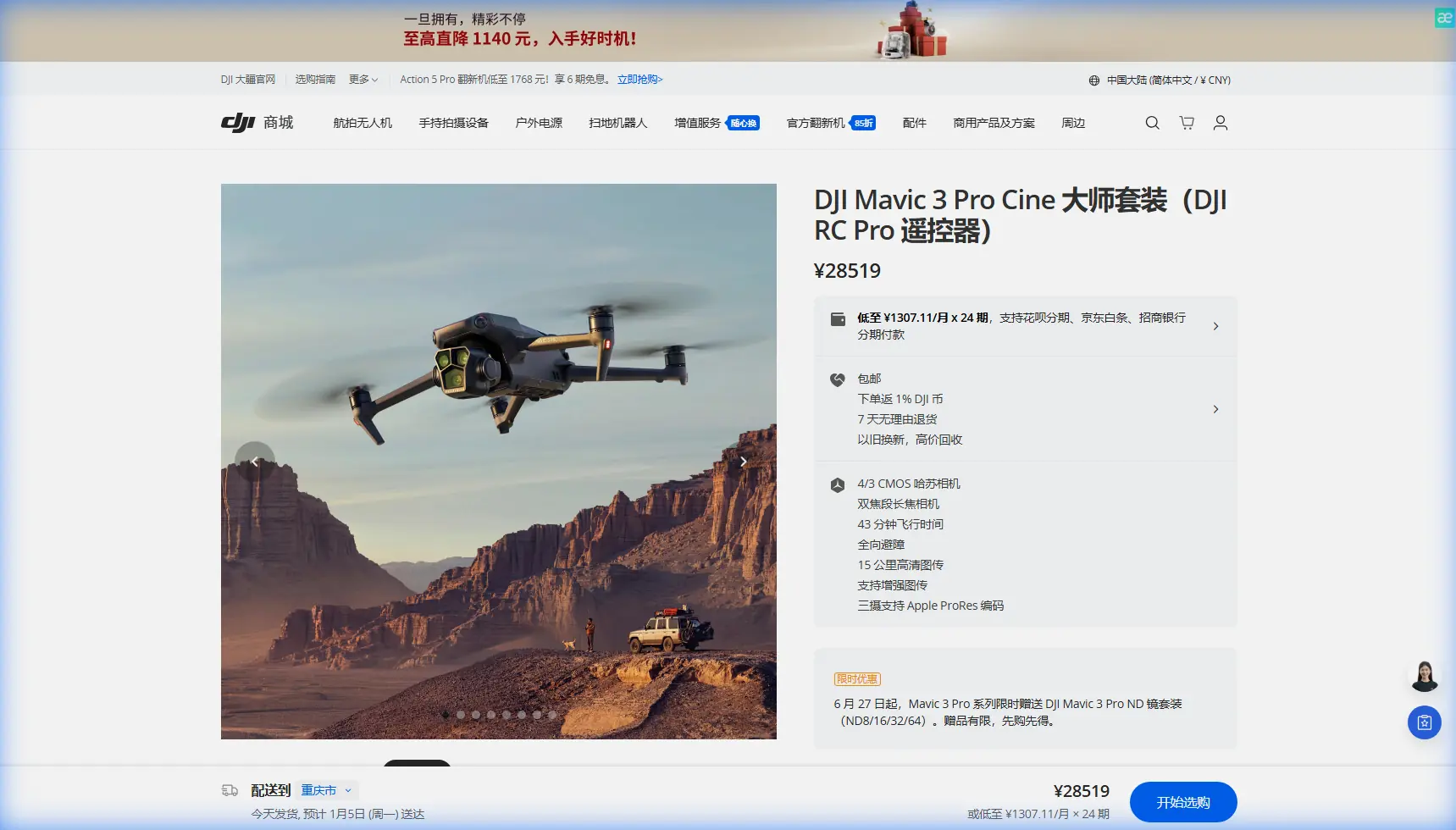
The Mavic 3 Pro's three-camera array changes how you approach forest storytelling. Each lens serves a distinct narrative purpose.
The Hasselblad Main Camera (24mm equivalent)
Use this for establishing shots that capture the scale of urban forests against city skylines. The 20MP sensor resolves individual leaves at distances up to 200 meters, creating footage that holds up on cinema screens.
The Medium Telephoto (70mm equivalent)
This lens excels at isolating specific trees, wildlife, or architectural elements that border urban forests. The compression effect makes distant city buildings appear closer to the forest edge, emphasizing the urban-nature contrast.
The Telephoto Camera (166mm equivalent)
Wildlife documentation becomes possible without disturbing animals. I've captured great blue herons, red-tailed hawks, and urban deer from 300+ meters away with footage sharp enough for broadcast use.
| Camera | Focal Length | Best Forest Use | Sensor Resolution |
|---|---|---|---|
| Hasselblad Main | 24mm equiv. | Wide canopy establishing shots | 20MP |
| Medium Tele | 70mm equiv. | Tree isolation, mid-range details | 12MP |
| Telephoto | 166mm equiv. | Wildlife, distant subjects | 12MP |
ActiveTrack 5.0: Following Subjects Through Dense Coverage
Subject tracking in forests tests any drone's capabilities. Branches, shifting light, and visual clutter constantly threaten to break the tracking lock.
ActiveTrack 5.0 on the Mavic 3 Pro uses machine learning algorithms that predict subject movement even during brief occlusions. During a recent shoot tracking a mountain biker through a Seattle urban forest trail, the system maintained lock through seven separate moments where trees completely blocked the subject.
Set your tracking mode to Spotlight when subjects move unpredictably. This keeps the camera locked while you manually control the drone's position, giving you creative freedom without losing your subject.
For smoother results:
- Enable APAS 5.0 (Advanced Pilot Assistance Systems) alongside ActiveTrack
- Set obstacle avoidance to Bypass rather than Brake
- Reduce maximum tracking speed to 8 m/s in dense areas
- Use the medium telephoto lens for tighter subject framing
When Weather Changes Everything: A Real-World Scenario
Halfway through filming autumn colors in Chicago's North Park Village Nature Center, a weather system moved in faster than forecasted. Within twelve minutes, conditions shifted from partly cloudy to heavy overcast with 15 mph gusting winds.
The Mavic 3 Pro's response impressed me. Obstacle avoidance sensors increased their scanning frequency automatically, and the drone's wind resistance up to 12 m/s kept footage stable despite gusts.
I switched from D-Log to HLG (Hybrid Log-Gamma) as light levels dropped. This profile requires less exposure compensation and delivers broadcast-ready footage without extensive grading—essential when weather forces you to work quickly.
The 46-minute maximum flight time proved invaluable. Rather than rushing to land and swap batteries, I repositioned to capture the dramatic light shift as storm clouds created natural spotlighting through canopy gaps.
Pro Tip: When weather shifts mid-flight, resist the urge to immediately land. Dramatic lighting often occurs in the 15-20 minutes before and after weather changes. Keep flying if conditions remain within the drone's operational limits.
Hyperlapse Techniques for Forest Storytelling
Urban forests transform throughout the day in ways that Hyperlapse captures beautifully. The Mavic 3 Pro offers four Hyperlapse modes, each suited to different forest narratives.
Free Mode works best for complex flight paths weaving between trees. Program waypoints that create depth by moving past foreground branches while keeping distant subjects centered.
Circle Mode creates compelling sequences around individual landmark trees. Set your radius to at least 15 meters to maintain safe obstacle clearance while the drone orbits.
For sunrise or sunset sequences, use Waypoint Mode with intervals of 3-5 seconds between captures. A two-hour real-time shoot compresses into 20-30 seconds of footage showing light transformation across the forest canopy.
QuickShots automate complex maneuvers that would require extensive practice to execute manually:
- Dronie: Reveals forest scale by pulling back and up simultaneously
- Rocket: Vertical ascent through canopy gaps creates dramatic reveals
- Helix: Combines orbit and ascent for dynamic tree portraits
- Boomerang: Oval flight path works in small clearings
Common Mistakes to Avoid
Flying too close to the canopy edge. Maintain at least 5 meters of clearance from the highest branches. Thermal updrafts near sun-warmed canopies create unpredictable turbulence that can push your drone into obstacles.
Ignoring magnetic interference warnings. Urban forests often contain buried utilities, old foundations, or metal debris that affect compass accuracy. If you receive interference warnings, land immediately and recalibrate in a different location.
Relying solely on automatic exposure. Forest lighting changes faster than auto-exposure algorithms can compensate. Lock your exposure manually based on your primary subject, whether that's sunlit canopy or shadowed understory.
Neglecting ND filters. Even in shaded forests, midday light often requires ND8 or ND16 filters to maintain proper shutter speed for cinematic motion blur. The Mavic 3 Pro's fast aperture makes this especially important.
Forgetting to check propeller condition. Forest debris, pollen, and sap accumulate on propellers faster than in open environments. Inspect and clean props between every battery swap.
Frequently Asked Questions
Can the Mavic 3 Pro maintain GPS lock under heavy tree canopy?
The Mavic 3 Pro uses a combination of GPS, GLONASS, and visual positioning to maintain stability under canopy. In my testing, the drone held position accurately with as few as 6 satellites when visual positioning sensors had clear ground visibility. Expect reduced precision in areas with both heavy canopy and dark, featureless ground cover.
What's the minimum clearing size needed for safe takeoff and landing in forests?
Plan for a clearing at least 3 meters in diameter for the Mavic 3 Pro. The drone's wingspan of 347mm (folded) requires this minimum space, but I recommend 5 meters to account for wind gusts and operator error. Use the precision landing feature, which remembers your takeoff point and guides the drone back to within 10 centimeters of that location.
How does obstacle avoidance perform in low-light forest conditions?
The omnidirectional obstacle sensing system functions effectively down to approximately 300 lux—equivalent to a heavily overcast day or deep forest shade. Below this threshold, forward and backward sensors using wide-angle cameras continue working, but side sensors become less reliable. Enable maximum sensitivity in the DJI Fly app when filming during golden hour or in dense shade.
Bringing Your Urban Forest Vision to Life
Urban forest cinematography rewards patience and preparation. The Mavic 3 Pro provides tools that previous drone generations simply couldn't offer—triple-camera flexibility, extended flight times, and intelligent obstacle avoidance that lets you focus on creativity rather than collision anxiety.
Start with simple establishing shots before attempting complex tracking sequences. Build your confidence navigating tight spaces at low speeds before pushing the drone's capabilities. Every urban forest has unique characteristics that reveal themselves only through repeated visits across different seasons and weather conditions.
The footage you capture tells stories about the intersection of nature and urban development—narratives that grow more relevant as cities worldwide recognize the value of preserving these green spaces.
Ready for your own Mavic 3 Pro? Contact our team for expert consultation.