
Mavic 3 Pro Filming Guide: Master Complex Terrain Shots
Mavic 3 Pro Filming Guide: Master Complex Terrain Shots
META: Learn professional techniques for filming fields in complex terrain with the Mavic 3 Pro. Expert tips on obstacle avoidance, D-Log settings, and ActiveTrack mastery.
TL;DR
- Triple-camera system enables seamless focal length transitions from 24mm to 166mm without landing
- APAS 5.0 obstacle avoidance with omnidirectional sensing lets you focus on composition, not collision anxiety
- D-Log color profile captures 12.8 stops of dynamic range for professional-grade field footage
- 46-minute flight time provides extended shooting windows for complex terrain mapping and cinematic sequences
Last summer, I nearly crashed my previous drone into a hidden irrigation pivot while filming wheat fields at golden hour. The sun was blinding, the terrain deceptive, and my obstacle sensors simply weren't up to the task. That experience cost me a propeller, three hours of footage, and a significant blow to my confidence.
The Mavic 3 Pro changed everything about how I approach complex agricultural terrain. This guide breaks down the exact techniques I now use to capture stunning field footage safely and efficiently—even in the most challenging environments.
Understanding the Mavic 3 Pro's Triple-Camera Advantage
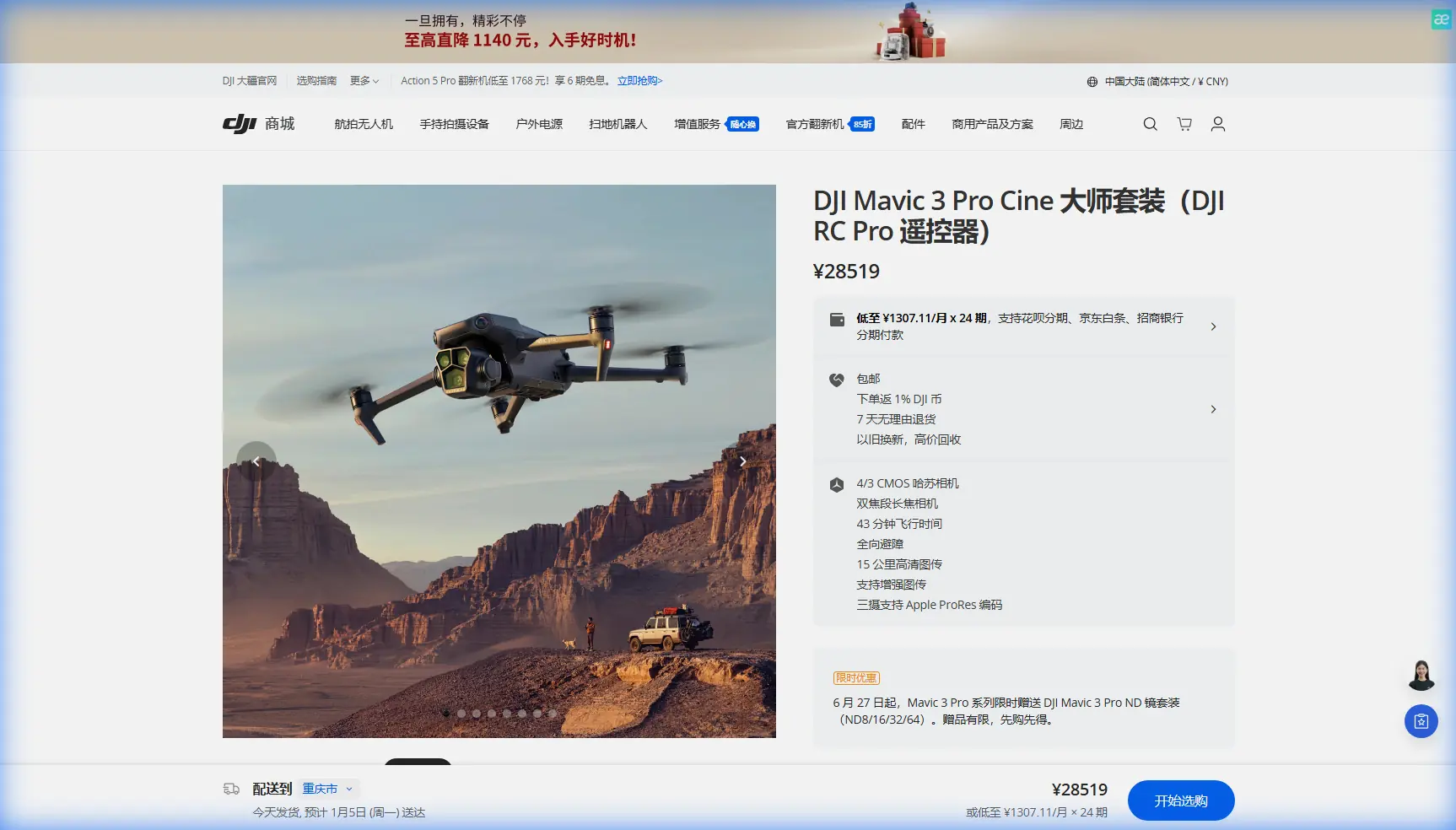
The Mavic 3 Pro isn't just an incremental upgrade. Its three-camera Hasselblad imaging system fundamentally transforms field documentation workflows.
Camera Specifications That Matter for Terrain Work
The primary camera features a 4/3 CMOS sensor with 24mm equivalent focal length. This wide perspective captures expansive field layouts while maintaining edge-to-edge sharpness.
The medium tele camera offers 70mm equivalent focal length on a 1/1.3-inch sensor. I use this constantly for isolating specific crop sections or equipment without repositioning the aircraft.
The tele camera pushes to 166mm equivalent on a 1/2-inch sensor. This reach proves invaluable for inspecting distant tree lines, identifying pest damage, or capturing wildlife without disturbance.
Expert Insight: Switch between cameras mid-flight rather than flying closer. Each repositioning burns battery and increases collision risk in complex terrain. The 70mm lens alone has saved me countless approach maneuvers.
Configuring Obstacle Avoidance for Field Work
The Mavic 3 Pro's APAS 5.0 system uses omnidirectional obstacle sensing across eight directions. However, default settings aren't optimized for agricultural environments.
Recommended Obstacle Avoidance Settings
Navigate to Safety settings and configure these parameters:
- Obstacle Avoidance Behavior: Set to "Bypass" rather than "Brake" for fluid movement around unexpected obstacles
- Downward Vision Positioning: Enable for accurate altitude holds over uneven terrain
- Return-to-Home Altitude: Set 15-20 meters above your tallest obstacle (silos, trees, power lines)
- Maximum Flight Altitude: Configure based on local regulations and terrain ceiling
Terrain-Specific Considerations
Rolling hills create blind spots for forward-facing sensors. When filming undulating fields, maintain minimum 8-meter altitude above the highest visible point.
Crop height changes throughout seasons. Spring wheat at 30cm becomes summer wheat at 120cm. Adjust your minimum altitude monthly during growing season.
Power lines remain the greatest threat. They're thin, often invisible against sky backgrounds, and sensors struggle to detect them at speed. I manually mark known power line locations in my flight planning app before every session.
Mastering D-Log for Maximum Post-Production Flexibility
Flat color profiles intimidate many photographers transitioning from stills. D-Log on the Mavic 3 Pro captures 12.8 stops of dynamic range—essential for high-contrast field scenes.
D-Log Configuration Steps
- Enter camera settings and select Color Mode
- Choose D-Log M for balanced highlight/shadow retention
- Set ISO to 100-200 for cleanest files
- Enable Histogram overlay to monitor exposure
- Overexpose by 0.5-1 stop to protect shadow detail
When to Use D-Log vs. Standard Profiles
| Scenario | Recommended Profile | Reason |
|---|---|---|
| Golden hour field sweeps | D-Log M | Preserves highlight gradients in sky |
| Midday documentation | HLG | Faster turnaround, acceptable dynamic range |
| Overcast conditions | Normal | Flat lighting needs contrast boost |
| Mixed sun/shadow terrain | D-Log M | Recovers shadow detail in tree lines |
| Client preview footage | Normal | Immediately viewable without grading |
Pro Tip: Create a custom LUT specifically for your regional crop colors. Generic LUTs often shift wheat tones toward orange and corn toward lime green. Spend an hour building a correction LUT once, and apply it to every project.
ActiveTrack 5.0 for Dynamic Field Sequences
Subject tracking transforms static field documentation into compelling visual narratives. The Mavic 3 Pro's ActiveTrack 5.0 handles moving agricultural equipment with remarkable precision.
Tracking Configuration for Farm Equipment
Large machinery like combines and tractors track reliably. Draw your selection box around the cab section rather than the entire vehicle—this prevents the system from losing lock when implements change position.
For tracking vehicles moving through standing crops, enable Spotlight mode rather than full ActiveTrack. This maintains framing without autonomous flight path adjustments that might conflict with terrain obstacles.
Speed and Distance Parameters
- Tracking distance: Maintain 15-25 meters for combines, 8-12 meters for tractors
- Maximum tracking speed: The Mavic 3 Pro handles up to 28 mph in tracking mode
- Altitude offset: Position 5-8 meters above tracked subject for optimal composition
QuickShots and Hyperlapse Applications
Automated flight modes produce consistent, repeatable results. I use these extensively for client deliverables requiring specific aesthetic standards.
Most Effective QuickShots for Field Work
Dronie: Reveals field scale dramatically. Start tight on a specific crop feature, end with full-field context. Works best with 40-60 meter final distance.
Circle: Showcases center-pivot irrigation systems perfectly. Set radius to match equipment reach for satisfying geometric compositions.
Helix: Combines ascent with orbit for dynamic equipment reveals. Position subject slightly off-center for more engaging results.
Hyperlapse for Seasonal Documentation
The Waypoint Hyperlapse mode enables identical flight paths across multiple sessions. I've used this to create stunning seasonal progression videos showing fields from planting through harvest.
Configure 2-second intervals for cloud movement and 5-second intervals for shadow progression. Process at 30fps for smooth playback.
Technical Comparison: Mavic 3 Pro vs. Previous Generation
| Specification | Mavic 3 Pro | Mavic 2 Pro | Improvement |
|---|---|---|---|
| Sensor Size (Primary) | 4/3 inch | 1 inch | 77% larger |
| Camera Count | 3 | 1 | Triple versatility |
| Max Flight Time | 46 minutes | 31 minutes | 48% longer |
| Obstacle Sensing | Omnidirectional | 6-direction | Full coverage |
| Video Resolution | 5.1K/50fps | 4K/30fps | Higher detail |
| Dynamic Range | 12.8 stops | 11 stops | Better highlights |
| Transmission Range | 15km | 8km | 87% extended |
Common Mistakes to Avoid
Ignoring wind patterns around terrain features. Hills and tree lines create turbulence. The Mavic 3 Pro handles 12 m/s winds, but localized gusts near obstacles can exceed this. Monitor the wind indicator constantly.
Filming directly into sun without ND filters. The Hasselblad sensor's dynamic range is impressive but not unlimited. Pack ND8, ND16, and ND32 filters for every field session.
Trusting obstacle avoidance completely. Thin wires, transparent surfaces, and fast-moving objects can evade detection. Maintain visual line of sight and manual override readiness.
Neglecting battery temperature. Cold morning shoots reduce capacity by 10-20%. Warm batteries in your vehicle before flight, and plan shorter missions in temperatures below 10°C.
Over-relying on zoom cameras for primary footage. The 70mm and 166mm cameras have smaller sensors with reduced low-light performance. Use them for detail work, not hero shots.
Frequently Asked Questions
How does the Mavic 3 Pro handle GPS accuracy over large fields?
The Mavic 3 Pro uses GPS, GLONASS, and Galileo satellite systems simultaneously. In open field environments, expect positioning accuracy within 0.5 meters horizontal and 1.5 meters vertical. This precision enables reliable waypoint missions and consistent Hyperlapse paths across multiple sessions.
Can ActiveTrack follow equipment through standing crops?
ActiveTrack maintains lock on equipment moving through crops up to cab height. When crops obscure the tracked subject entirely, the system switches to predictive tracking for approximately 3 seconds before requiring reacquisition. For tall corn or sunflower fields, use Spotlight mode with manual flight control instead.
What memory card speed is required for 5.1K D-Log recording?
The Mavic 3 Pro requires minimum V30 rated cards for standard recording and V60 or faster for 5.1K ProRes footage. I recommend 256GB V60 cards as the optimal balance between capacity and write speed. Always format cards in-camera before critical shoots.
Complex terrain field filming demands equipment that matches the challenge. The Mavic 3 Pro's combination of intelligent obstacle avoidance, extended flight time, and triple-camera flexibility has fundamentally improved my agricultural documentation work.
Ready for your own Mavic 3 Pro? Contact our team for expert consultation.