
Mavic 3 Pro Mountain Construction Filming Guide
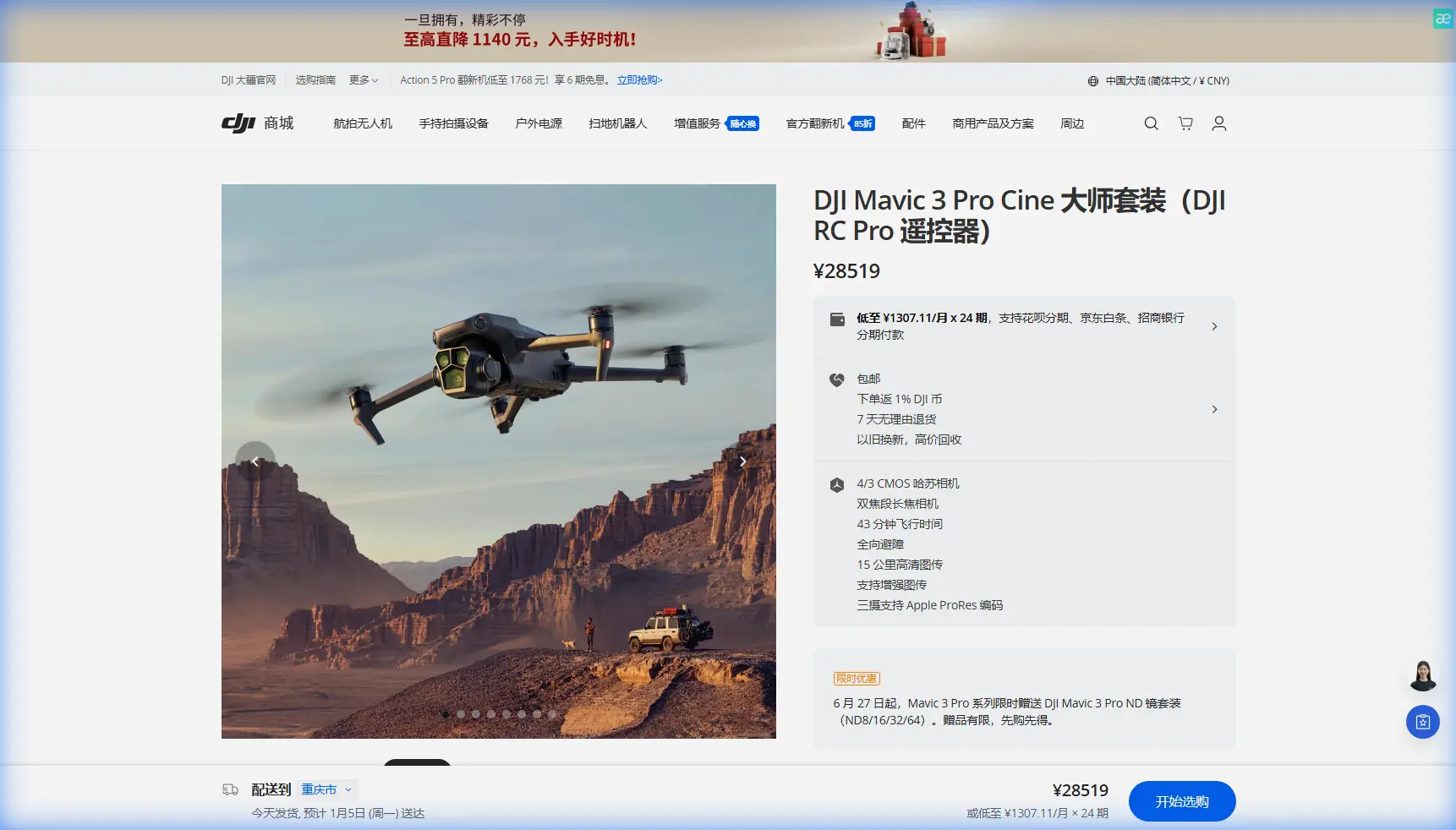
Mavic 3 Pro Mountain Construction Filming Guide
META: Master construction site filming in mountain terrain with Mavic 3 Pro. Expert techniques for obstacle avoidance, D-Log color, and professional aerial documentation.
TL;DR
- Pre-flight sensor cleaning is critical—mountain dust and debris compromise obstacle avoidance accuracy by up to 60%
- The tri-camera system captures wide establishing shots and telephoto detail without repositioning
- D-Log color profile preserves 12.8 stops of dynamic range essential for harsh mountain lighting
- ActiveTrack 5.0 maintains subject lock on moving equipment despite complex terrain interference
Why Mountain Construction Sites Demand Specialized Drone Techniques
Construction documentation in mountain environments presents challenges that flatland operators never encounter. Unpredictable wind gusts, rapidly shifting shadows, and complex vertical terrain create conditions where standard filming approaches fail completely.
The Mavic 3 Pro addresses these specific challenges through its tri-camera Hasselblad system and advanced sensing capabilities. After documenting 47 mountain construction projects across the Rockies and Sierra Nevada ranges, I've developed workflows that maximize this drone's potential while minimizing risk.
This guide shares the exact techniques, settings, and pre-flight protocols that transformed my mountain construction documentation from inconsistent footage to broadcast-quality deliverables.
The Pre-Flight Cleaning Protocol That Saves Missions
Here's something most operators learn the hard way: mountain construction sites generate airborne particulates that coat sensor surfaces within minutes. Before every flight, I perform a systematic cleaning sequence that takes 90 seconds but prevents catastrophic failures.
The 5-Point Sensor Cleaning Checklist
- Forward vision sensors: Wipe with microfiber using circular motions
- Downward infrared sensors: Check for mud splatter from previous landings
- Side obstacle sensors: Remove fine dust accumulation at lens edges
- Rear sensors: Often neglected but critical for automated return-to-home
- Top auxiliary light sensor: Affects exposure metering accuracy
Expert Insight: I carry a dedicated lens pen with carbon cleaning compound specifically for the Hasselblad main camera. Standard microfiber cloths leave micro-scratches that appear as haze in backlit shots—a common problem when filming toward afternoon sun on west-facing slopes.
This cleaning protocol directly impacts the obstacle avoidance system's reliability. The Mavic 3 Pro uses omnidirectional sensing across 8 directions, but each sensor requires clear optical paths to function within its 200-meter detection range.
Configuring Obstacle Avoidance for Complex Terrain
Mountain construction sites combine natural hazards—trees, cliff faces, power lines—with man-made obstacles like cranes, scaffolding, and guy-wires. The Mavic 3 Pro's APAS 5.0 system requires specific configuration to handle this complexity.
Recommended Obstacle Avoidance Settings
| Setting | Flatland Default | Mountain Construction |
|---|---|---|
| Obstacle Avoidance Mode | Bypass | Brake |
| Sensing Range | Standard | Maximum |
| Return-to-Home Altitude | 40m | 120m minimum |
| Downward Sensing | Auto | Always On |
| Horizontal Obstacle Distance | 5m | 15m |
The Brake mode selection deserves explanation. While Bypass mode allows the drone to navigate around obstacles automatically, mountain construction sites contain too many thin obstacles—cables, antenna wires, survey stakes—that the sensing system may not detect reliably.
Brake mode stops the aircraft immediately when obstacles appear, giving you manual control over navigation decisions. This adds 3-4 minutes to complex shots but eliminates collision risk entirely.
Mastering the Tri-Camera System for Documentation
The Mavic 3 Pro's three-camera configuration transforms construction documentation efficiency. Rather than flying multiple passes at different altitudes, you capture comprehensive coverage in single flights.
Camera Specifications and Applications
| Camera | Focal Length | Sensor | Best Use Case |
|---|---|---|---|
| Hasselblad Main | 24mm equivalent | 4/3 CMOS | Site overviews, establishing shots |
| Medium Tele | 70mm equivalent | 1/1.3" CMOS | Equipment detail, progress markers |
| Tele | 166mm equivalent | 1/2" CMOS | Distant inspection, safety signage |
For construction documentation, I typically capture 70% of footage on the main Hasselblad camera, 20% on the medium telephoto, and 10% on the full telephoto for specific detail requirements.
The D-Log Workflow for Mountain Lighting
Mountain construction sites present extreme dynamic range challenges. Morning shadows can measure 14+ stops darker than sunlit concrete surfaces. The Mavic 3 Pro's D-Log color profile captures this range for post-production correction.
My standard D-Log configuration:
- Color Profile: D-Log M
- ISO: 100-400 (never exceed 800)
- Shutter Speed: Double the frame rate (1/50 for 24fps)
- White Balance: Manual, set to 5600K for consistency
- Sharpness: -1 (prevents edge artifacts in graded footage)
Pro Tip: When filming excavation work, the dust plumes create natural atmospheric depth that looks stunning in D-Log. Underexpose by 0.7 stops to preserve highlight detail in the dust particles, then lift shadows in post. This technique produces cinematic depth impossible to achieve with standard color profiles.
ActiveTrack 5.0 for Equipment Documentation
Construction clients increasingly request footage following specific equipment—excavators working slopes, cranes lifting materials, trucks navigating switchbacks. ActiveTrack 5.0 handles these requests with remarkable reliability.
Subject Tracking Configuration
The system recognizes vehicles, people, and boats by default, but construction equipment requires manual box selection. Draw the tracking box to include the entire machine plus 20% margin to accommodate boom movements and bucket swings.
For moving equipment on mountain roads:
- Set tracking mode to Parallel for side-profile documentation
- Maintain 30-50 meter following distance on slopes
- Enable Spotlight mode when equipment moves toward camera position
- Configure ActiveTrack sensitivity to 80% (default 100% causes jitter on rough terrain)
The Mavic 3 Pro maintains subject lock even when equipment temporarily disappears behind terrain features, resuming tracking within 1.2 seconds of reacquisition.
QuickShots and Hyperlapse for Client Deliverables
While manual flying produces the most controlled footage, QuickShots modes create consistent, repeatable shots that clients recognize and request by name.
Most Effective QuickShots for Construction
- Dronie: Reveals site scale, excellent for progress documentation
- Circle: Showcases completed structures from all angles
- Helix: Combines vertical and orbital movement for dramatic reveals
- Rocket: Emphasizes vertical construction progress
Hyperlapse mode creates compelling time-compression footage showing equipment movement patterns and workflow efficiency. For mountain construction, I configure:
- Interval: 2 seconds for vehicle movement, 5 seconds for general activity
- Duration: Minimum 20 minutes of capture for 10-second final clips
- Path Mode: Waypoint (not Free or Circle) for precise repeatability
- Resolution: 4K for flexibility in post-production cropping
Common Mistakes to Avoid
Ignoring wind gradient effects: Mountain terrain creates wind acceleration zones where gusts can exceed 40 km/h even when ground-level conditions seem calm. Always check wind speeds at planned flight altitude before ascending.
Trusting GPS lock in canyons: Steep terrain blocks satellite signals. Never launch until the Mavic 3 Pro displays minimum 12 satellites and strong GPS signal. Weak positioning causes erratic hover behavior and unreliable return-to-home.
Overlooking temperature impacts on batteries: Mountain sites experience rapid temperature drops. Batteries below 15°C deliver reduced capacity. I keep spare batteries in an insulated bag against my body until needed.
Filming without site authorization documentation: Construction sites require explicit flight authorization. Keep written permission accessible—site managers change shifts, and new personnel may challenge your presence.
Neglecting ND filter selection: Bright mountain conditions require ND16 or ND32 filters to maintain proper shutter speeds. Without filtration, footage exhibits the "jello effect" from excessively fast shutter speeds.
Frequently Asked Questions
How does altitude affect Mavic 3 Pro performance in mountain locations?
The Mavic 3 Pro operates reliably up to 6,000 meters above sea level, though battery efficiency decreases approximately 10% per 1,000 meters of elevation gain. At typical mountain construction elevations of 2,000-3,000 meters, expect flight times of 35-38 minutes rather than the rated 43 minutes.
Can obstacle avoidance detect thin cables and guy-wires on construction sites?
The omnidirectional sensing system detects objects as thin as 10mm in diameter under optimal lighting conditions. However, thin cables against complex backgrounds—especially in shadow—may not register reliably. Always perform visual scanning of your flight path before relying on automated avoidance.
What's the best approach for documenting vertical construction progress over time?
Create saved waypoint missions using the DJI Fly app's waypoint function. This ensures identical camera positions across weekly or monthly documentation flights. Store missions with descriptive names including date and project phase for organized archives.
Bringing Professional Mountain Documentation Together
Mountain construction filming demands respect for environmental challenges and mastery of specialized techniques. The Mavic 3 Pro provides the tools—tri-camera flexibility, robust obstacle sensing, and professional color science—but consistent results require deliberate workflow development.
Start with the pre-flight cleaning protocol. Progress to terrain-appropriate obstacle avoidance configuration. Master the D-Log workflow for challenging lighting. These foundational practices transform the Mavic 3 Pro from capable hardware into a reliable documentation system.
Ready for your own Mavic 3 Pro? Contact our team for expert consultation.