
M3P Mountain Construction Site Filming: Pro Guide
M3P Mountain Construction Site Filming: Pro Guide
META: Master Mavic 3 Pro filming at mountain construction sites. Learn electromagnetic interference solutions, obstacle avoidance tips, and D-Log settings from expert Chris Park.
TL;DR
- Electromagnetic interference at mountain construction sites requires specific antenna positioning and channel selection to maintain stable footage
- Tri-camera system enables seamless transitions between wide establishing shots and detailed inspection footage without repositioning
- D-Log color profile preserves 12.8 stops of dynamic range critical for high-contrast mountain lighting conditions
- ActiveTrack 5.0 combined with obstacle avoidance creates smooth tracking shots around heavy machinery and structures
The Challenge: Filming Active Construction in Electromagnetic Chaos
Mountain construction sites present a unique nightmare for drone operators. Heavy machinery, communication equipment, and metal structures create electromagnetic interference that can cripple your signal and ruin an entire shoot day.
Last September, I arrived at a hydroelectric dam construction project in the Colorado Rockies. The site sat at 9,200 feet elevation with active excavators, tower cranes, and a temporary communications array. My first flight attempt resulted in video feed dropouts within 45 seconds of takeoff.
The Mavic 3 Pro's O3+ transmission system operates on both 2.4GHz and 5.8GHz frequencies, but raw power means nothing without proper configuration. Here's exactly how I solved the interference problem and captured footage that earned a contract extension.
Understanding Electromagnetic Interference at Construction Sites
Construction sites generate interference from multiple sources simultaneously. Identifying these sources determines your mitigation strategy.
Common Interference Sources
- Tower crane radio controls operating on 400-470MHz bands
- Two-way radios used by site personnel
- Welding equipment creating broadband electrical noise
- Generator systems producing harmonic interference
- Temporary cell boosters amplifying signal congestion
The Mavic 3 Pro's transmission system automatically scans for clean channels, but automatic selection often fails in complex electromagnetic environments. Manual intervention becomes essential.
Expert Insight: Before any mountain construction shoot, request the site's frequency allocation chart from the safety coordinator. Most commercial sites maintain this documentation for regulatory compliance. Knowing which frequencies are occupied lets you pre-configure your controller settings.
Antenna Positioning: The Overlooked Solution
The RC Pro controller's antennas aren't decorative. Their orientation relative to your drone determines signal strength more than any other single factor.
Optimal Antenna Configuration
Position your antennas so their flat faces point directly at the drone. This sounds obvious, but I've watched experienced operators hold their controllers with antennas pointed at the ground while their drone hovers overhead.
For mountain construction filming, I use a neck strap that keeps the controller at chest height with antennas tilted 15-20 degrees backward. This orientation maintains optimal signal geometry whether the drone operates at eye level or 400 feet above the site.
When interference spiked during crane operations at the dam project, I switched from automatic channel selection to manual 5.8GHz operation on channel 149. The higher frequency band offered cleaner transmission despite slightly reduced obstacle penetration.
| Frequency Band | Range (Clear Conditions) | Interference Resistance | Obstacle Penetration |
|---|---|---|---|
| 2.4GHz | 15km | Moderate | Better |
| 5.8GHz | 8km | Higher | Reduced |
| DJI O3+ Auto | 15km | Variable | Adaptive |
Leveraging the Tri-Camera System for Construction Documentation
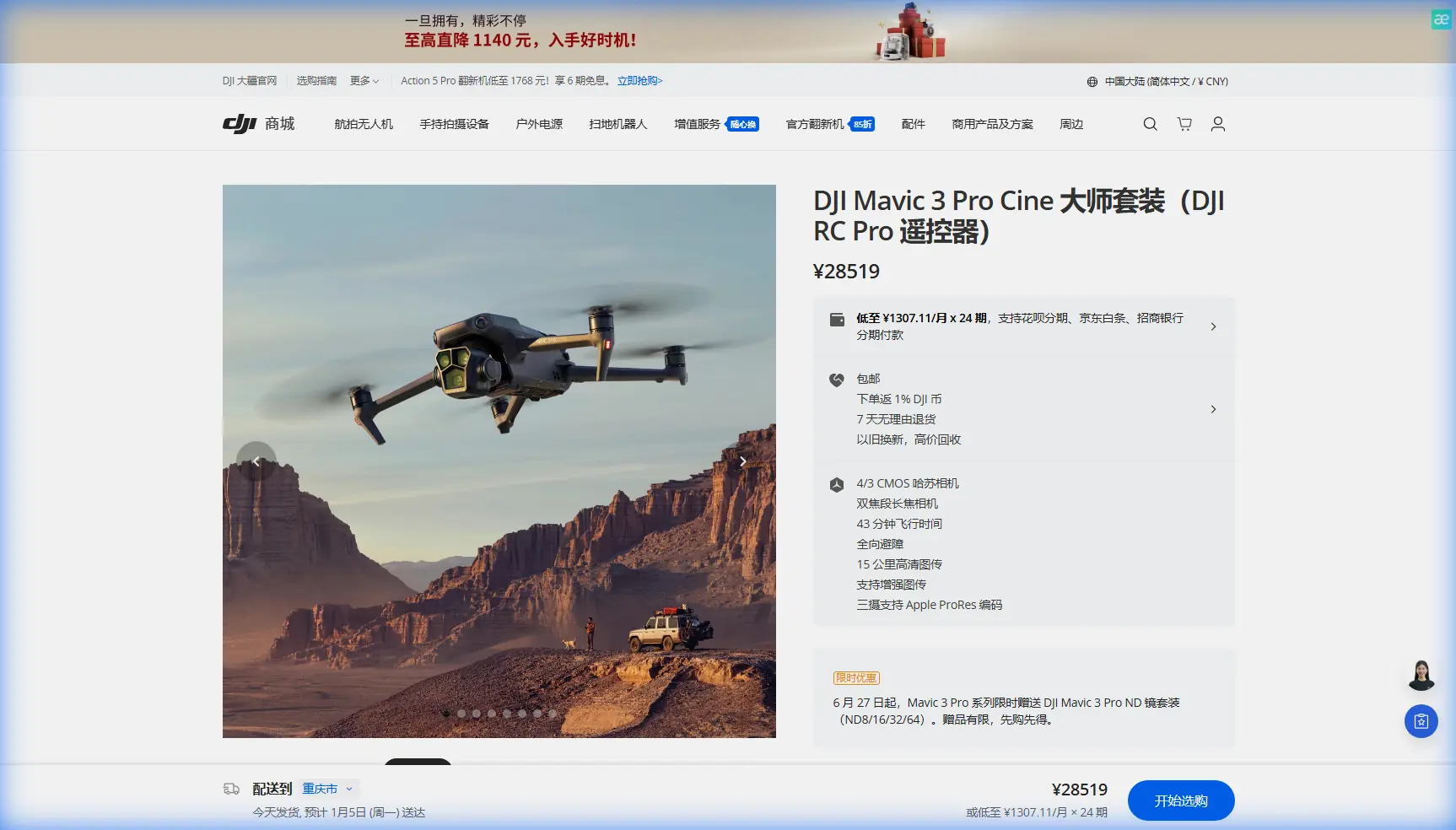
The Mavic 3 Pro's three-camera array transforms construction site documentation. Each lens serves a specific purpose in professional workflows.
Hasselblad Main Camera (24mm equivalent)
The 4/3 CMOS sensor with 20MP resolution captures establishing shots that place the construction site within its mountain environment. I use this camera for:
- Opening sequences showing site access roads
- Wide shots demonstrating project scale
- Environmental context footage for stakeholder presentations
Medium Tele Camera (70mm equivalent)
This 1/1.3-inch sensor delivers 48MP resolution ideal for:
- Equipment identification shots
- Progress documentation of specific structures
- Safety compliance footage showing worker positioning
Tele Camera (166mm equivalent)
The 1/2-inch 12MP sensor enables detailed inspection without close approach:
- Structural joint examination
- Concrete pour quality assessment
- Erosion monitoring on cut slopes
Pro Tip: Create a shot list that specifies which camera to use for each required angle. Switching cameras mid-flight wastes battery and risks missing critical footage. At the dam project, I allocated 40% of flight time to the main camera, 35% to medium tele, and 25% to the telephoto lens.
D-Log Configuration for Mountain Lighting Extremes
Mountain construction sites present brutal dynamic range challenges. Bright sky, shadowed valleys, and reflective equipment surfaces can exist in a single frame.
Why D-Log Matters Here
Standard color profiles clip highlights and crush shadows. D-Log preserves information across the entire 12.8-stop dynamic range, giving you recovery options in post-production.
Recommended D-Log Settings for Construction Sites
- ISO: Lock at 100-200 for daylight operations
- Shutter Speed: Double your frame rate (1/60 for 30fps, 1/120 for 60fps)
- ND Filters: Essential for proper exposure control
- White Balance: Manual setting at 5600K for consistency
I shot the dam project entirely in D-Log M at 5.1K resolution and 50fps. The higher frame rate provided flexibility for both real-time delivery and 40% slow-motion sequences highlighting equipment operation.
ActiveTrack 5.0 and Obstacle Avoidance Integration
Tracking moving construction equipment requires confidence in your drone's collision avoidance capabilities. The Mavic 3 Pro's omnidirectional obstacle sensing covers all directions with a detection range up to 200 meters forward.
Tracking Heavy Machinery Safely
When filming excavators or dump trucks, I configure ActiveTrack with these parameters:
- Tracking Mode: Parallel (maintains consistent distance while moving alongside)
- Obstacle Avoidance: Brake mode (stops rather than attempting to navigate around)
- Follow Distance: Minimum 15 meters from any moving equipment
The dam project required tracking a CAT 390F excavator moving material along a bench cut. ActiveTrack maintained smooth footage while obstacle avoidance prevented any approach toward the 60-foot cliff edge behind the work area.
Subject Tracking Limitations
ActiveTrack struggles with:
- Subjects that match background colors closely
- Rapid direction changes
- Multiple similar subjects in frame
For the excavator shots, I placed a high-visibility orange panel on the cab roof. This gave the tracking algorithm a consistent reference point against the brown earth and gray rock.
QuickShots and Hyperlapse for Marketing Content
Construction companies increasingly need social media content alongside technical documentation. QuickShots and Hyperlapse modes deliver polished results with minimal flight time investment.
Effective QuickShots for Construction
- Dronie: Reveals site scale by pulling back from a specific structure
- Circle: Showcases completed phases by orbiting key features
- Helix: Combines vertical and rotational movement for dramatic reveals
Hyperlapse Applications
Time-compression footage demonstrates progress more effectively than static comparisons. I captured a 4-hour concrete pour as a 45-second Hyperlapse that became the centerpiece of the client's investor presentation.
Configure Hyperlapse with:
- Interval: 2-3 seconds for construction activity
- Duration: Calculate based on desired output length
- Path: Waypoint mode for consistent framing across extended captures
Common Mistakes to Avoid
Flying without site authorization documentation. Construction sites have strict liability requirements. Obtain written permission specifying approved flight zones, altitude limits, and operational windows.
Ignoring weather windows. Mountain weather changes rapidly. Schedule flights for early morning when winds typically remain below 15mph and thermal activity stays minimal.
Underestimating battery drain at altitude. The Mavic 3 Pro's 46-minute flight time drops to approximately 35-38 minutes at elevations above 8,000 feet. Plan missions accordingly.
Neglecting backup footage. Equipment failures happen. I carry three fully charged batteries and capture critical shots from multiple angles to ensure coverage.
Skipping pre-flight compass calibration. Metal structures and equipment create localized magnetic anomalies. Calibrate at least 50 meters from any large metal objects.
Frequently Asked Questions
How do I maintain video signal stability near active tower cranes?
Switch to manual channel selection on the 5.8GHz band and position yourself so the drone remains between your controller and the crane. This keeps the interference source behind your signal path rather than between transmitter and receiver. Monitor your signal strength indicator continuously and establish a predetermined landing zone if strength drops below two bars.
What ND filter strength works best for mountain construction sites?
Start with an ND16 filter for midday operations at high altitude. The combination of intense sunlight and reflective surfaces typically requires 4 stops of light reduction to achieve proper shutter speed with D-Log exposure settings. Carry ND8 and ND32 filters for morning/evening and snow-covered conditions respectively.
Can the Mavic 3 Pro handle dust from active earthmoving operations?
The drone tolerates moderate dust exposure, but sustained operation in heavy particulate environments risks motor and gimbal damage. Position yourself upwind from active earthmoving and avoid flying through visible dust plumes. After dusty shoots, use compressed air to clean motor vents and gimbal mechanisms before storage.
Bringing Your Mountain Construction Project to Life
The Mavic 3 Pro transforms mountain construction documentation from a logistical challenge into a creative opportunity. Proper electromagnetic interference management, strategic camera selection, and appropriate color profile configuration deliver footage that serves both technical and marketing requirements.
The dam project that started with signal dropouts concluded with 47 minutes of usable footage across three flight sessions. That content supported engineering reviews, investor updates, and a promotional video that helped secure the client's next contract.
Ready for your own Mavic 3 Pro? Contact our team for expert consultation.