
How to Film Stunning Urban Coastlines with Mavic 3 Pro
How to Film Stunning Urban Coastlines with Mavic 3 Pro
META: Master urban coastline filming with the Mavic 3 Pro. Learn optimal altitudes, camera settings, and pro techniques for cinematic coastal footage.
TL;DR
- Optimal flight altitude for urban coastlines: 60-120 meters balances cityscape context with coastal detail
- The Mavic 3 Pro's triple-camera system lets you switch focal lengths mid-flight without sacrificing 5.1K resolution
- D-Log color profile captures 12.8 stops of dynamic range, essential for high-contrast sunrise and sunset coastal shoots
- ActiveTrack 5.0 maintains subject lock on boats, surfers, and vehicles along coastal roads despite complex urban backgrounds
Why Urban Coastlines Demand the Mavic 3 Pro's Capabilities
Urban coastline filming presents a unique technical challenge that separates amateur footage from professional productions. You're balancing reflective water surfaces, shadowed cityscapes, moving subjects, and complex airspace—all within a single frame.
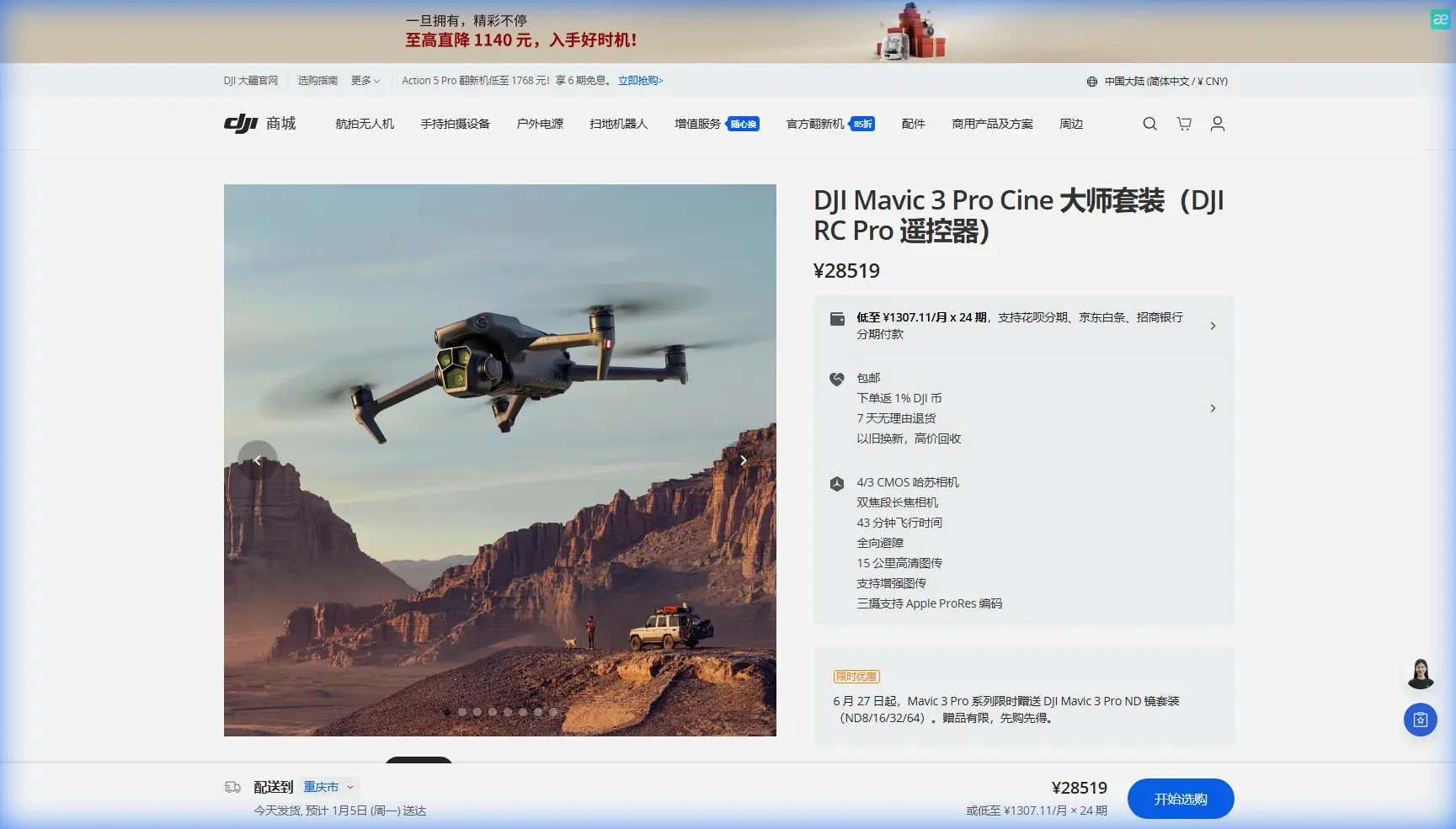
The Mavic 3 Pro addresses these challenges through its Hasselblad triple-camera system, featuring a 4/3 CMOS sensor on the main camera alongside 70mm and 166mm telephoto options. This combination eliminates the need for multiple drones or lens changes during critical golden hour windows.
Expert Insight: When filming urban coastlines, I maintain 80 meters altitude as my default starting point. This height keeps you above most building interference while remaining low enough to capture intimate coastal details. Adjust upward to 120 meters when you need to establish the full cityscape-meets-ocean panorama.
Essential Pre-Flight Planning for Coastal Urban Environments
Airspace and Regulatory Considerations
Urban coastal zones often overlap multiple airspace restrictions. Before launching, verify:
- Controlled airspace boundaries near coastal airports and heliports
- Temporary flight restrictions for maritime events or port operations
- Local ordinances regarding drone flights over beaches and public spaces
- Maximum altitude limits which typically cap at 120 meters AGL in most jurisdictions
The Mavic 3 Pro's integrated ADS-B receiver provides real-time alerts for manned aircraft, adding a critical safety layer in busy coastal corridors.
Weather Assessment for Coastal Conditions
Coastal environments introduce weather variables that inland pilots rarely encounter:
- Sea breezes typically develop mid-morning and can reach 15-25 km/h by afternoon
- Salt spray at lower altitudes can affect sensor clarity
- Fog banks roll in unpredictably, especially during temperature transitions
- Thermal updrafts from sun-heated buildings create turbulence near structures
The Mavic 3 Pro handles winds up to 12 m/s in standard mode, but I recommend limiting coastal flights to conditions under 8 m/s for smooth cinematic footage.
Camera Configuration for Maximum Coastal Impact
Sensor and Resolution Settings
The Mavic 3 Pro's main camera delivers 5.1K/50fps or 4K/120fps recording, but urban coastline work benefits from specific configurations:
- Resolution: 5.1K for maximum detail and post-production flexibility
- Frame rate: 24fps or 25fps for cinematic motion blur; 50fps for subtle slow-motion options
- Codec: H.265 for efficient storage; Apple ProRes 422 HQ for professional workflows
- Bit rate: Maximum available (200Mbps in H.265)
D-Log Configuration for High Dynamic Range Scenes
Urban coastlines present extreme dynamic range challenges. Bright sky reflections on water can measure 8+ stops brighter than shadowed building facades.
D-Log captures the Mavic 3 Pro's full 12.8 stops of dynamic range, preserving detail in both highlights and shadows. Configure your settings:
- Color profile: D-Log
- ISO: 100-400 for daylight; avoid exceeding 800
- Shutter speed: Double your frame rate (1/50 for 24fps)
- ND filters: Essential for maintaining proper shutter speed in bright conditions
Pro Tip: For sunrise and sunset coastal shoots, I use a variable ND filter (ND8-ND64) to adapt quickly as light conditions change during the critical 20-minute golden hour window.
Flight Techniques for Cinematic Coastal Footage
The Reveal Shot: Building Anticipation
The reveal shot remains the most powerful technique for urban coastline content. Start with the camera facing the city, then slowly rotate while pulling back to unveil the coastline.
Execute this with the Mavic 3 Pro by:
- Position the drone 40-60 meters above a prominent building
- Point the gimbal toward urban structures at -30 degrees
- Initiate a slow backward flight at 3-4 m/s
- Simultaneously rotate the aircraft 90-180 degrees
- Gradually tilt the gimbal to -15 degrees as the coast enters frame
The Mavic 3 Pro's three-axis mechanical gimbal with ±0.007° control accuracy ensures butter-smooth rotation throughout this complex maneuver.
Hyperlapse Along Coastal Roads
Urban coastlines often feature iconic coastal roads perfect for Hyperlapse sequences. The Mavic 3 Pro offers four Hyperlapse modes:
- Free: Maximum creative control for experienced pilots
- Circle: Orbits a fixed point while capturing time-lapse
- Course Lock: Maintains heading while you control position
- Waypoint: Automated path following for repeatable results
For coastal road sequences, Waypoint Hyperlapse produces the most professional results. Set 5-8 waypoints along the road's curve, configure a 2-second interval, and let the drone execute a perfectly smooth path.
Subject Tracking with ActiveTrack 5.0
Moving subjects—boats, surfers, cyclists on coastal paths—add dynamic energy to urban coastline footage. ActiveTrack 5.0 leverages the Mavic 3 Pro's omnidirectional obstacle sensing to maintain subject lock while navigating complex environments.
The system excels at:
- Tracking boats against reflective water backgrounds
- Following vehicles along winding coastal roads
- Maintaining lock on surfers despite wave interference
- Tracking runners or cyclists on beachfront paths
Technical Comparison: Mavic 3 Pro vs. Alternatives for Coastal Work
| Feature | Mavic 3 Pro | Mavic 3 Classic | Air 3 |
|---|---|---|---|
| Sensor Size | 4/3 CMOS | 4/3 CMOS | 1/1.3-inch |
| Camera Options | Triple (24/70/166mm) | Single (24mm) | Dual (24/70mm) |
| Max Resolution | 5.1K/50fps | 5.1K/50fps | 4K/60fps |
| Dynamic Range | 12.8 stops | 12.8 stops | 13.5 stops |
| Max Flight Time | 43 minutes | 46 minutes | 46 minutes |
| Obstacle Sensing | Omnidirectional | Omnidirectional | Omnidirectional |
| Wind Resistance | 12 m/s | 12 m/s | 12 m/s |
| Weight | 958g | 895g | 720g |
The Mavic 3 Pro's triple-camera advantage proves decisive for coastal work. Switching from wide establishing shots to telephoto details without landing saves critical time during fleeting light conditions.
QuickShots for Efficient B-Roll Capture
When time constraints limit manual flying, QuickShots automate professional-grade movements:
- Dronie: Flies backward and upward while keeping subject centered
- Helix: Ascending spiral around a point of interest
- Rocket: Straight vertical ascent with downward-facing camera
- Circle: Constant-radius orbit around subject
- Boomerang: Elliptical path around subject
For urban coastlines, Helix around a lighthouse or pier structure creates compelling transitional footage. Circle mode around a prominent coastal building establishes location context efficiently.
Common Mistakes to Avoid
Flying too low over water: Salt spray affects sensors below 30 meters. Maintain safe altitude and clean your drone immediately after coastal flights.
Ignoring the 180-degree shutter rule: Bright coastal conditions tempt pilots to increase shutter speed. Use ND filters instead to maintain cinematic motion blur.
Overusing the telephoto lens: The 166mm lens compresses perspective beautifully but requires extremely stable conditions. Wind gusts amplify at this focal length.
Neglecting battery temperature: Ocean breezes cool batteries faster than expected. Pre-warm batteries and monitor temperature warnings closely.
Shooting only during golden hour: Overcast midday conditions eliminate harsh shadows and reduce dynamic range challenges, producing excellent results for certain styles.
Forgetting return-to-home altitude: Urban environments require RTH altitude set above the tallest nearby structure. Verify this before every coastal urban flight.
Frequently Asked Questions
What ND filter strength works best for urban coastline filming?
For bright midday conditions, start with ND32 and adjust based on your target shutter speed. Golden hour typically requires ND8 or ND16. Overcast conditions may need only ND4 or no filter. The goal is maintaining shutter speed at double your frame rate—1/50 for 24fps footage.
How do I prevent the Mavic 3 Pro from losing GPS signal near tall coastal buildings?
Urban canyons can block GPS satellites. Before flying, ensure you have 12+ satellites locked and wait for a strong home point registration. Enable Visual Positioning System as backup, and avoid flying in narrow gaps between buildings where signal reflection causes positioning errors.
Can I fly the Mavic 3 Pro safely over ocean water?
The Mavic 3 Pro's downward vision sensors struggle over featureless water, potentially causing altitude instability. Maintain minimum 30 meters altitude over water, keep the coastline in frame for visual reference, and never fly beyond comfortable visual line of sight. The omnidirectional obstacle avoidance system cannot detect water surfaces.
Bringing Your Urban Coastline Vision to Life
Urban coastline filming with the Mavic 3 Pro rewards preparation and technical understanding. The combination of Hasselblad color science, triple-camera flexibility, and robust obstacle avoidance creates a platform capable of truly professional coastal content.
Master the 80-meter default altitude, commit to D-Log for dynamic range preservation, and practice the reveal shot until it becomes instinctive. Your urban coastline footage will stand apart from the countless drone clips flooding social media.
The coastline where city meets sea offers endless creative possibilities. With the Mavic 3 Pro configured correctly and these techniques in your toolkit, you're equipped to capture footage that resonates with viewers and clients alike.
Written by Chris Park, Creator
Ready for your own Mavic 3 Pro? Contact our team for expert consultation.