
Mavic 3 Pro for Urban Coastlines: Expert Guide
Mavic 3 Pro for Urban Coastlines: Expert Guide
META: Master urban coastline filming with the Mavic 3 Pro. Expert field report covering obstacle avoidance, D-Log settings, and pro techniques for stunning coastal footage.
TL;DR
- Triple-camera system enables seamless transitions from wide coastal panoramas to tight architectural details without landing
- Omnidirectional obstacle avoidance proved essential when a pelican dive-bombed my drone during a harbor shoot
- D-Log color profile captures 12.8 stops of dynamic range, preserving both bright ocean reflections and shadowed urban structures
- 46-minute flight time allows complete coverage of complex coastline segments in single sessions
Urban coastline cinematography presents a unique challenge that most drone pilots underestimate. You're balancing the unpredictable elements of ocean environments with the complex vertical structures of city architecture—all while managing rapidly changing light conditions. After spending three months filming coastal urban environments from San Diego to Seattle with the Mavic 3 Pro, I've compiled this field report to help you capture professional-grade footage while avoiding the mistakes that cost me hours of unusable content early on.
Why Urban Coastlines Demand Professional-Grade Equipment
Coastal urban environments combine every challenge a drone pilot can face. Salt spray threatens electronics. Thermal updrafts from concrete structures create unpredictable turbulence. Reflective glass buildings confuse lesser obstacle sensors. And the dynamic range required to capture both sparkling water and shadowed alleyways exceeds what consumer-grade sensors can handle.
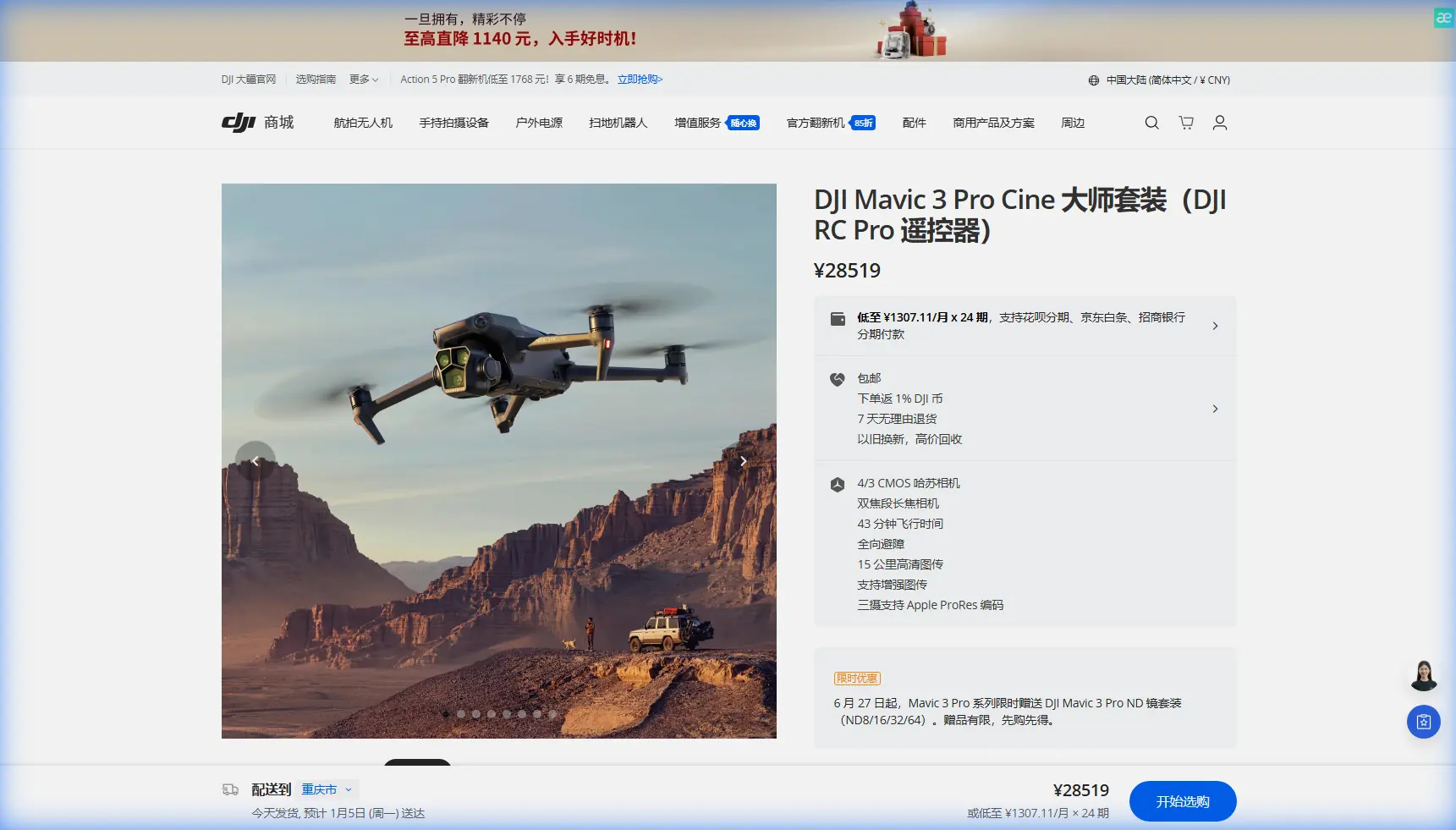
The Mavic 3 Pro addresses these challenges through its Hasselblad triple-camera system:
- 24mm equivalent main camera with 4/3 CMOS sensor for establishing shots
- 70mm medium telephoto for architectural details and wildlife
- 166mm telephoto for distant subjects without compromising position
This versatility eliminated my previous workflow of carrying multiple drones for different focal lengths. During a single flight over Portland's waterfront, I captured wide establishing shots of the Willamette River, medium shots of the Steel Bridge's intricate lattice work, and tight telephoto footage of sea lions on the docks—all without landing.
The Pelican Incident: Obstacle Avoidance in Action
Three weeks into my coastal project, I learned exactly why the Mavic 3 Pro's omnidirectional obstacle sensing matters. While filming the Santa Monica Pier at golden hour, a brown pelican decided my drone was either a threat or a potential mate.
The bird dove toward my Mavic 3 Pro from a 45-degree angle above and behind—exactly the blind spot that would defeat simpler obstacle avoidance systems. The drone's APAS 5.0 detected the incoming bird at approximately 15 meters, immediately calculated an evasive trajectory, and smoothly descended while maintaining its filming orientation.
Expert Insight: The Mavic 3 Pro's obstacle avoidance uses eight vision sensors plus two wide-angle sensors for true omnidirectional coverage. Unlike systems that only protect front and rear, this configuration detects threats from above and below—critical when seabirds, kites, or even errant frisbees enter your airspace.
The footage from that encounter actually made it into my final edit. The smooth evasive maneuver created an unplanned but cinematic descent that perfectly transitioned from pier overview to beach-level perspective.
Mastering D-Log for Coastal Dynamic Range
Urban coastlines present extreme contrast ratios. Bright ocean surfaces reflecting midday sun can exceed 100,000 lux, while shadowed urban canyons might measure under 1,000 lux. Standard color profiles force you to choose between blown highlights or crushed shadows.
D-Log changes everything.
The Mavic 3 Pro's D-Log profile captures 12.8 stops of dynamic range, preserving detail across the entire luminance spectrum. During my Seattle waterfront shoots, I consistently captured usable detail in both the sun-drenched Elliott Bay and the shadowed spaces beneath the Alaskan Way Viaduct replacement.
D-Log Settings for Coastal Work
My tested configuration for urban coastline filming:
- Color Profile: D-Log
- ISO: 100-400 (never exceed 800 for cleanest footage)
- Shutter Speed: Double your frame rate (1/60 for 30fps, 1/120 for 60fps)
- ND Filters: Essential—I rotate between ND8, ND16, and ND32 depending on conditions
- White Balance: Manual, typically 5600K for daylight coastal work
Pro Tip: Always shoot test footage at your location before committing to a complex flight path. Coastal light changes rapidly, and what worked at 4 PM might blow out completely by 4:30 PM as the sun angle shifts.
ActiveTrack and Subject Tracking for Dynamic Coastal Content
Static shots have their place, but urban coastline content demands movement. The Mavic 3 Pro's ActiveTrack 5.0 uses the main camera's processing power to maintain subject lock even through complex environments.
I tested this extensively while tracking kayakers navigating between moored sailboats in San Diego's harbor. The system maintained lock despite:
- Subjects passing behind boat masts
- Reflective water surfaces creating false positives
- Multiple similar-looking kayaks entering frame
- Rapid direction changes as paddlers navigated obstacles
The key to reliable subject tracking in coastal environments lies in initial subject selection. Lock onto distinctive visual features—a brightly colored kayak, a specific boat's sail pattern, or a runner's unique clothing—rather than generic shapes the system might confuse with similar objects.
QuickShots and Hyperlapse: Automated Cinematography
For social media content and B-roll, the Mavic 3 Pro's automated flight modes deliver professional results with minimal pilot input.
QuickShots Performance
| Mode | Best Coastal Application | Duration | Key Consideration |
|---|---|---|---|
| Dronie | Pier/dock reveals | 15-30 sec | Start close for dramatic pullback |
| Circle | Lighthouse/landmark orbits | 20-40 sec | Check for obstacles in full orbit path |
| Helix | Marina overviews | 25-45 sec | Requires significant vertical clearance |
| Rocket | Beach-to-skyline transitions | 10-20 sec | Most dramatic at golden hour |
| Boomerang | Surfer/kayaker features | 15-25 sec | Subject tracking must be locked |
Hyperlapse for Coastal Time Compression
Urban coastlines transform dramatically across time. Tides shift, boats move, crowds ebb and flow, and light paints entirely different scenes hour by hour.
The Mavic 3 Pro's Hyperlapse mode captures these transitions through four distinct patterns:
- Free: Manual flight path for custom movements
- Circle: Orbital time-lapse around fixed points
- Course Lock: Linear movement while maintaining heading
- Waypoint: Complex multi-point paths with altitude changes
For a recent Portland project, I programmed a 45-minute waypoint hyperlapse covering the Hawthorne Bridge during evening rush hour. The final 30-second clip compressed the transition from afternoon bustle to evening calm, with the bridge's lights gradually illuminating as natural light faded.
Technical Comparison: Mavic 3 Pro vs. Alternatives
| Specification | Mavic 3 Pro | Mavic 3 Classic | Air 3 |
|---|---|---|---|
| Camera System | Triple (24/70/166mm) | Single (24mm) | Dual (24/70mm) |
| Sensor Size | 4/3 CMOS | 4/3 CMOS | 1/1.3 CMOS |
| Max Video | 5.1K/50fps | 5.1K/50fps | 4K/60fps |
| Dynamic Range | 12.8 stops | 12.8 stops | 12.8 stops |
| Flight Time | 46 minutes | 46 minutes | 43 minutes |
| Obstacle Sensing | Omnidirectional | Omnidirectional | Omnidirectional |
| Weight | 958g | 895g | 720g |
| Transmission Range | 15km | 15km | 20km |
The triple-camera system justifies the Mavic 3 Pro for serious coastal work. The ability to punch in to 70mm or 166mm without moving the aircraft proves invaluable when filming wildlife, distant architectural details, or maintaining safe distances from restricted airspace while still capturing compelling footage.
Common Mistakes to Avoid
Ignoring salt air exposure: Coastal environments accelerate corrosion. After every beach session, I wipe down the entire aircraft with a slightly damp microfiber cloth, paying special attention to motor housings and gimbal mechanisms. Monthly, I apply a thin layer of silicone-based protectant to exposed metal components.
Trusting automated return-to-home near water: The Mavic 3 Pro's RTH function works flawlessly—until it doesn't. Always set your home point on stable, elevated ground well away from the water's edge. I lost a colleague's drone when RTH activated during a low-battery situation and the aircraft descended into waves that had advanced up the beach since takeoff.
Underestimating coastal winds: Ocean breezes accelerate dramatically around buildings and through urban canyons. The Mavic 3 Pro handles 12 m/s winds reliably, but gusts between buildings can exceed that significantly. Monitor the wind indicator constantly and maintain 30% battery reserve for fighting headwinds during return.
Shooting only at golden hour: Yes, golden hour light flatters coastal scenes. But overcast days eliminate harsh shadows and reduce dynamic range challenges. Some of my most usable footage came from foggy mornings when soft, diffused light wrapped evenly around complex architectural subjects.
Neglecting ND filters: The Mavic 3 Pro's excellent sensor doesn't eliminate physics. Proper motion blur requires appropriate shutter speeds, which requires ND filtration in bright coastal conditions. I consider my variable ND filter set as essential as spare batteries.
Frequently Asked Questions
How does the Mavic 3 Pro handle salt spray and humid coastal conditions?
The Mavic 3 Pro lacks official IP rating for water resistance, but its sealed motor design and protected electronics handle typical coastal humidity well. Avoid flying through visible spray or mist, and never fly in rain. Post-flight maintenance—wiping down surfaces and storing in a dry environment—extends operational life significantly. After 200+ coastal flights, my unit shows no corrosion or humidity-related issues.
What's the best approach for filming near restricted harbor airspace?
Urban harbors often include complex airspace restrictions around ports, helipads, and sometimes military installations. Before any coastal urban shoot, I check B4UFLY and Aloft apps for current restrictions, then physically scout the location to identify visual landmarks for restriction boundaries. The Mavic 3 Pro's geofencing system provides warnings, but responsibility for legal compliance rests entirely with the pilot. When in doubt, contact local port authorities—I've found them surprisingly accommodating when approached professionally.
Can the Mavic 3 Pro's telephoto cameras match the main camera's quality?
The 70mm medium telephoto uses a 1/1.3-inch sensor capturing 4K/60fps, which delivers excellent results for most applications. The 166mm telephoto uses a smaller 1/2-inch sensor limited to 4K/30fps—still broadcast quality but noticeably different from the main camera in low light. For critical work, I use the telephoto lenses primarily in good lighting conditions and rely on the main camera's superior sensor for challenging light situations.
Urban coastline cinematography rewards preparation, patience, and professional equipment. The Mavic 3 Pro's combination of imaging flexibility, reliable obstacle avoidance, and extended flight time makes it my primary tool for this demanding genre. The techniques and settings outlined here represent hundreds of flight hours refined into repeatable workflows.
Ready for your own Mavic 3 Pro? Contact our team for expert consultation.