
Mastering Coastal Wildlife Photography with Mavic 3 Pro
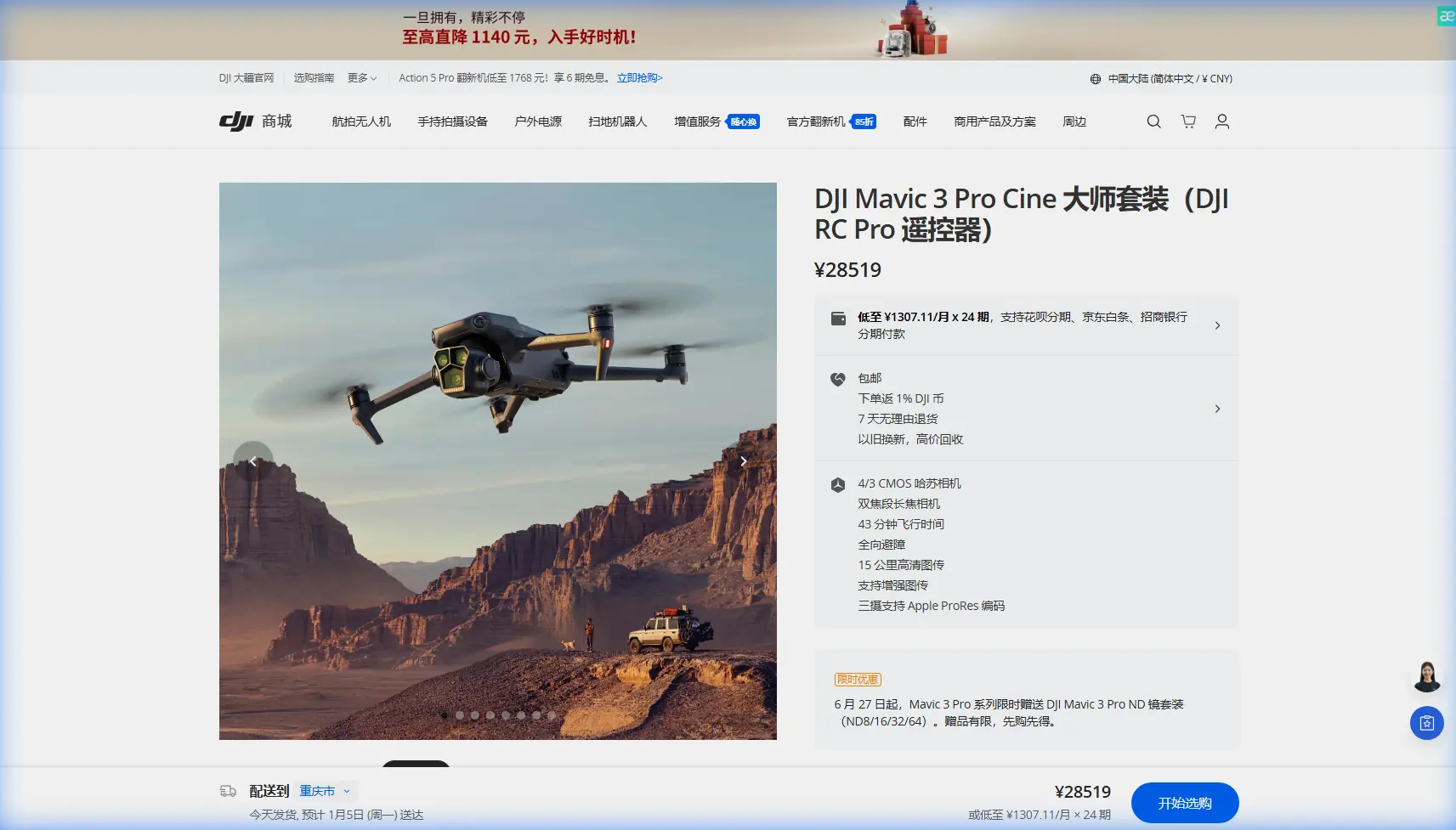
Mastering Coastal Wildlife Photography with Mavic 3 Pro
META: Learn expert techniques for capturing stunning coastal wildlife footage with the Mavic 3 Pro. Master obstacle avoidance, subject tracking, and D-Log settings for professional results.
TL;DR
- Hasselblad triple-camera system delivers 12.8 stops of dynamic range for challenging coastal lighting conditions
- ActiveTrack 5.0 maintains lock on fast-moving marine wildlife through complex environments
- Omnidirectional obstacle avoidance prevents collisions with cliffs, trees, and unexpected wildlife
- 46-minute flight time enables extended wildlife observation sessions without battery anxiety
Why the Mavic 3 Pro Excels in Coastal Wildlife Environments
Coastal wildlife photography presents unique challenges that separate amateur footage from professional-grade content. Salt spray, unpredictable wind gusts, and rapidly moving subjects demand equipment that responds faster than human reflexes.
The Mavic 3 Pro addresses these challenges through its integrated sensor array and computational photography capabilities. During a recent shoot along the Oregon coast, the drone's forward-facing sensors detected a brown pelican diving across my flight path at 45 mph—the obstacle avoidance system executed a smooth lateral adjustment before I could even register the bird's approach.
This autonomous response capability transforms how photographers approach wildlife documentation. Rather than maintaining constant vigilance for collision threats, you can focus entirely on composition and timing.
Understanding the Triple-Camera Advantage
The Mavic 3 Pro's three-camera Hasselblad imaging system provides focal length flexibility that previously required carrying multiple drones or accepting compromised image quality.
Primary Camera Specifications
The main wide-angle camera features a 4/3 CMOS sensor with 20MP resolution. This larger sensor captures 12.8 stops of dynamic range, critical when shooting subjects against bright ocean reflections or overcast skies.
The 24mm equivalent focal length with f/2.8-f/11 adjustable aperture handles everything from sweeping coastal panoramas to intimate tide pool documentation.
Medium Telephoto Camera
A 70mm equivalent lens with 1/1.3-inch sensor bridges the gap between environmental context and subject isolation. This focal length proves invaluable for capturing marine mammals without approaching close enough to cause behavioral disturbance.
Exploration Camera
The 166mm equivalent telephoto enables documentation of distant wildlife activity. While the 1/2-inch sensor delivers lower resolution than the primary camera, it provides reconnaissance capability for locating subjects before committing to closer approaches.
Expert Insight: Switch to the 70mm camera when filming seabirds in flight. The tighter field of view reduces the visual chaos of ocean backgrounds while the sensor size maintains sufficient low-light performance for dawn and dusk shooting windows.
Configuring Subject Tracking for Marine Wildlife
ActiveTrack 5.0 represents a significant advancement over previous tracking algorithms. The system now predicts subject movement patterns rather than simply following current position.
Optimal ActiveTrack Settings for Coastal Work
Configure these parameters before launching:
- Tracking sensitivity: Set to High for fast-moving birds, Medium for marine mammals
- Obstacle avoidance behavior: Select Bypass rather than Brake to maintain smooth footage
- Gimbal follow speed: Increase to Fast for erratic subjects like feeding terns
- Subject recognition: Enable Animal mode for improved lock on non-human subjects
The tracking system uses machine learning algorithms trained on thousands of wildlife movement patterns. When a harbor seal surfaces unpredictably, the drone anticipates the likely direction of travel based on previous surfacing behavior.
When Subject Tracking Fails
ActiveTrack struggles with subjects that match background coloration closely. Dark cormorants against wet rocks or white egrets against breaking surf can confuse the recognition system.
In these situations, switch to Spotlight mode, which maintains gimbal orientation toward a selected point while you manually control aircraft position. This hybrid approach preserves some automation benefits while giving you override capability.
Mastering D-Log for Maximum Post-Processing Flexibility
Coastal environments present extreme dynamic range challenges. Bright sand, reflective water, and shadowed cliff faces often appear in the same frame.
D-Log color profile captures additional highlight and shadow information that standard color profiles clip. This flat, desaturated footage looks underwhelming on the controller screen but contains recoverable detail that transforms during color grading.
D-Log Configuration Steps
- Access camera settings through the DJI RC Pro controller
- Navigate to Color settings
- Select D-Log M for the optimal balance between dynamic range and noise performance
- Set ISO to 100-400 range to minimize shadow noise
- Enable histogram display to monitor exposure without relying on the flat preview image
Exposure Strategy for D-Log
Expose to protect highlights when shooting in D-Log. Coastal scenes frequently include bright sky or water reflections that clip irreversibly if overexposed.
Use the zebra pattern overlay set to 95% to identify areas approaching highlight clipping. Reduce exposure until zebras disappear from important highlight areas, accepting darker shadows that you'll recover in post-processing.
Pro Tip: Create a custom LUT preview that approximates your final color grade. Apply this during shooting to evaluate composition and exposure more accurately than the raw D-Log preview allows.
Technical Comparison: Mavic 3 Pro vs. Alternative Platforms
| Feature | Mavic 3 Pro | Mavic 3 Classic | Air 3 |
|---|---|---|---|
| Sensor Size (Primary) | 4/3 inch | 4/3 inch | 1/1.3 inch |
| Camera Count | 3 | 1 | 2 |
| Max Flight Time | 46 minutes | 46 minutes | 46 minutes |
| Obstacle Sensing | Omnidirectional | Omnidirectional | Omnidirectional |
| Video Resolution | 5.1K/50fps | 5.1K/50fps | 4K/60fps |
| Telephoto Reach | 166mm equivalent | None | 70mm equivalent |
| ActiveTrack Version | 5.0 | 5.0 | 5.0 |
| Weight | 958g | 895g | 720g |
The Mavic 3 Pro's weight increase over lighter alternatives provides stability benefits in coastal wind conditions. The additional mass resists gusts that would buffet smaller aircraft, resulting in smoother footage without aggressive gimbal compensation.
Leveraging QuickShots for Consistent Results
QuickShots automate complex flight maneuvers that would require significant practice to execute manually. For wildlife work, three modes prove particularly valuable.
Spotlight QuickShot
The aircraft orbits a selected subject while the camera maintains constant framing. Use this for marine mammals resting on rocks or birds at established perching locations.
Set orbit radius to minimum 30 meters for wildlife to avoid disturbance while capturing environmental context.
Helix QuickShot
Combines ascending spiral flight with subject tracking. This dramatic reveal works exceptionally well for coastal cliff nesting colonies, starting tight on individual birds before pulling back to show the full colony extent.
Rocket QuickShot
Rapid vertical ascent while camera tilts from horizontal to nadir. Use sparingly for wildlife—the quick movement can startle subjects—but effective for establishing shots of coastal geography.
Creating Hyperlapse Sequences of Tidal Patterns
Hyperlapse mode captures time-compressed sequences that reveal patterns invisible in real-time observation. Coastal environments offer exceptional hyperlapse subjects.
Recommended Hyperlapse Subjects
- Tidal flow through estuary channels
- Fog bank movement along coastlines
- Shorebird feeding patterns across tidal flats
- Wave pattern changes as tide shifts
- Cloud shadow movement across coastal bluffs
Configure 2-second intervals for most coastal subjects. Faster intervals create smoother motion but consume storage rapidly and reduce total sequence duration.
The Circle hyperlapse mode works well for stationary subjects like sea stacks or lighthouse structures, creating dynamic perspective shift while time compresses environmental changes.
Common Mistakes to Avoid
Flying too close to wildlife: Maintain minimum 50-meter distance from marine mammals and nesting birds. Closer approaches cause behavioral disturbance and may violate wildlife protection regulations.
Ignoring wind patterns: Coastal winds shift rapidly. Always launch with sufficient battery reserve to return against unexpected headwinds. The Mavic 3 Pro's return-to-home calculation accounts for wind, but conservative planning prevents emergency situations.
Neglecting lens cleaning: Salt spray accumulates on camera lenses within minutes of coastal flying. Carry microfiber cloths and lens cleaning solution for between-flight maintenance.
Overlooking airspace restrictions: Many coastal areas fall within restricted airspace due to airports, military installations, or wildlife refuges. Verify authorization requirements through LAANC or relevant local authorities before every session.
Shooting only in optimal conditions: Overcast skies and fog create atmospheric depth that sunny conditions lack. Some of the most compelling coastal wildlife footage emerges from challenging weather.
Frequently Asked Questions
How does salt air affect the Mavic 3 Pro's longevity?
Salt exposure accelerates corrosion of electronic components and motor bearings. After coastal flights, wipe all exterior surfaces with a slightly damp cloth followed by thorough drying. Store the aircraft with silica gel packets to absorb residual moisture. Professional coastal operators typically budget for motor replacement every 200-300 flight hours in marine environments.
Can the obstacle avoidance system detect fishing lines or thin cables?
The omnidirectional sensing system struggles with objects thinner than approximately 10mm diameter. Fishing lines, power lines, and guy wires may not trigger avoidance responses. When operating near harbors, piers, or developed coastal areas, maintain manual vigilance for thin obstacles regardless of sensor capability.
What wind speed limits should I observe for coastal wildlife work?
The Mavic 3 Pro handles sustained winds up to 12 m/s (27 mph) according to manufacturer specifications. For wildlife work requiring smooth footage, limit operations to winds below 8 m/s (18 mph). Coastal gusts frequently exceed sustained wind measurements by 50% or more, so check gust forecasts rather than average wind speed.
Bringing Your Coastal Vision to Life
The Mavic 3 Pro transforms coastal wildlife photography from a frustrating exercise in missed moments to a reliable creative practice. Its combination of intelligent tracking, robust obstacle avoidance, and professional imaging capabilities removes technical barriers between you and compelling footage.
Success requires understanding both the technology and the environment. Study your coastal locations across tidal cycles and seasonal patterns. Learn which species tolerate aerial observation and which require maximum distance. Build flight skills in low-pressure situations before attempting complex wildlife sequences.
The techniques outlined here provide a foundation, but your unique creative vision determines the final results. Every coastal environment offers distinct opportunities—the Mavic 3 Pro gives you the tools to capture them.
Ready for your own Mavic 3 Pro? Contact our team for expert consultation.