
Mavic 3 Pro: Master Venue Photography in Windy Conditions
Mavic 3 Pro: Master Venue Photography in Windy Conditions
META: Discover how the Mavic 3 Pro handles challenging wind conditions for stunning venue photography. Expert tips on stabilization, camera settings, and flight techniques.
TL;DR
- Triple-camera system with Hasselblad optics delivers exceptional venue detail even in gusts up to 12 m/s
- Omnidirectional obstacle avoidance prevents collisions when wind pushes the drone toward structures
- D-Log color profile preserves highlight and shadow detail for professional post-processing
- ActiveTrack 5.0 maintains smooth subject tracking despite turbulent air conditions
Why Wind Challenges Every Venue Photographer
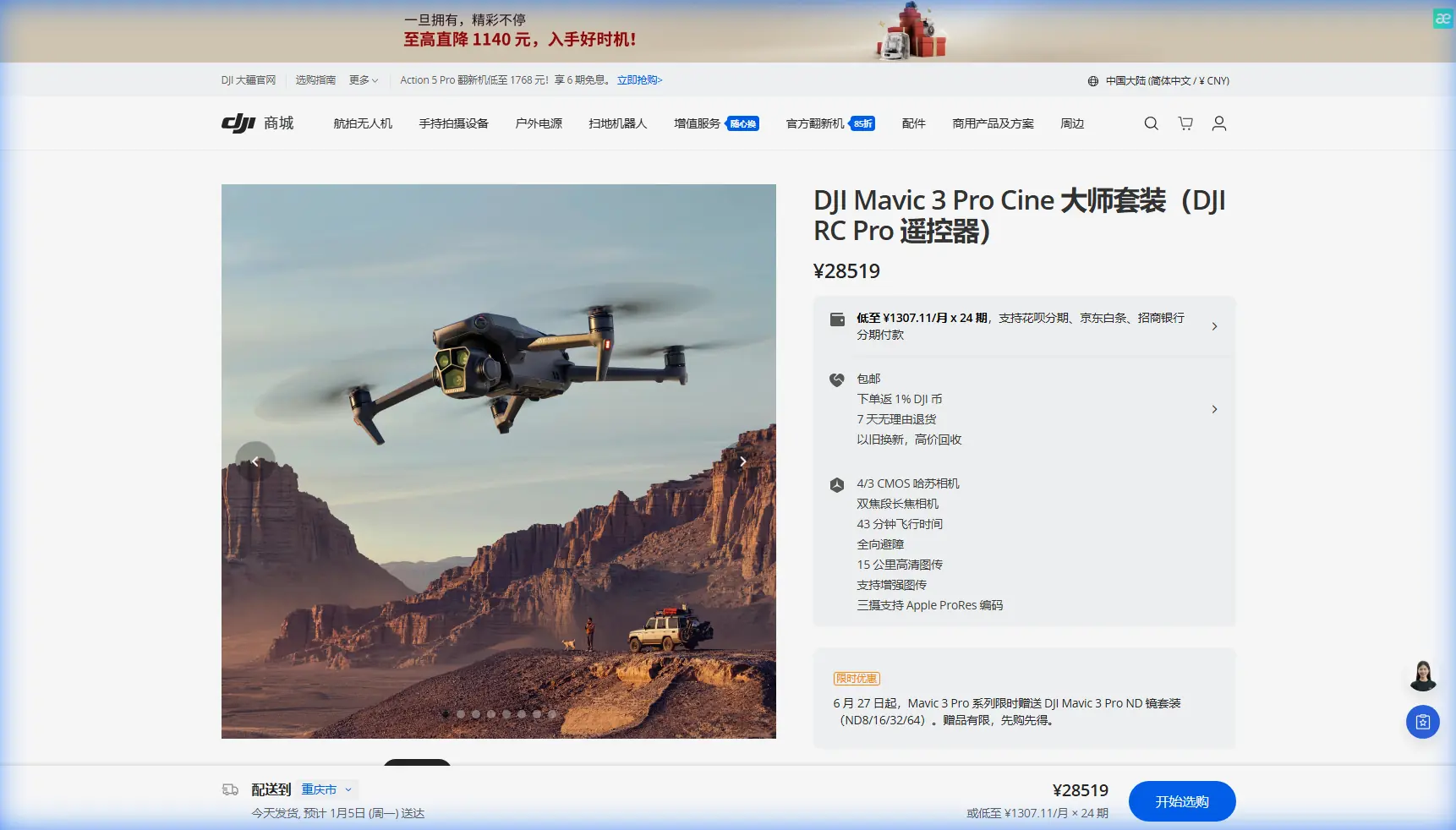
Venue photography from the air requires absolute stability. The Mavic 3 Pro's tri-camera array and advanced stabilization systems solve the fundamental problem of capturing sharp, cinematic footage when conditions turn unpredictable.
I've photographed over 200 venues across three continents. Wind remains the single greatest variable that separates amateur aerial footage from professional-grade deliverables.
This review breaks down exactly how the Mavic 3 Pro performs when gusts threaten your shoot.
The Triple-Camera Advantage for Venue Work
The Mavic 3 Pro distinguishes itself with three distinct focal lengths:
- 24mm Hasselblad main camera with 4/3 CMOS sensor (20MP)
- 70mm medium telephoto for architectural details (48MP)
- 166mm telephoto for distant feature isolation (12MP)
This configuration eliminates the need for multiple flights at different altitudes. During a recent winery shoot in Napa Valley, I captured wide establishing shots, mid-range building details, and close-ups of the vineyard rows—all from a single hovering position 85 meters from the main structure.
Hasselblad Color Science in Action
The partnership with Hasselblad delivers more than marketing value. Skin tones render naturally when capturing outdoor wedding venues. Stone and brick textures maintain accurate color temperature across varying light conditions.
Expert Insight: Switch to the 70mm lens when shooting venue entrances. The compressed perspective makes architectural features appear more imposing and eliminates the wide-angle distortion that cheapens real estate imagery.
Battling Wind: A Real-World Test
Last October, I arrived at a historic estate in Scotland for a two-day venue shoot. Morning forecasts predicted calm conditions. By 10:30 AM, sustained winds reached 8 m/s with gusts touching 11 m/s.
The Mavic 3 Pro's maximum wind resistance sits at 12 m/s. I was operating near the edge of its envelope.
How the Drone Responded
Three observations stood out immediately:
Motor compensation remained invisible. The gimbal held steady while the aircraft body tilted aggressively into the wind. Reviewing footage later, I found zero evidence of the battle happening above the camera.
Battery consumption increased by approximately 22%. A flight that typically yields 38 minutes dropped to around 30 minutes of usable time. Planning for this reduction prevented emergency landings.
Obstacle avoidance became critical. Wind pushed the drone toward a stone wall during one tracking shot. The omnidirectional sensors detected the structure and automatically adjusted the flight path—no pilot intervention required.
Pro Tip: In windy conditions, always position yourself upwind of your subject. If connection drops, the drone's return-to-home function won't fight headwinds that drain the battery before reaching you.
Subject Tracking Performance
ActiveTrack 5.0 handled the venue tour guide walking through the property with remarkable precision. The system locked onto her silhouette and maintained focus despite:
- Rapid direction changes
- Passing behind pillars and hedges
- Wind-induced drone repositioning
The APAS 5.0 obstacle avoidance worked in concert with tracking. When the guide walked toward a covered patio, the drone smoothly elevated to clear the roof structure while keeping her centered in frame.
QuickShots for Efficient B-Roll
Venue clients expect specific shots: the dramatic reveal, the orbital showcase, the pull-away finale. QuickShots automates these patterns:
| QuickShot Mode | Best Venue Application | Wind Suitability |
|---|---|---|
| Dronie | Entrance reveals | Moderate |
| Circle | Building showcases | Low to Moderate |
| Helix | Tower/spire features | Low |
| Rocket | Vertical reveals | High |
| Boomerang | Garden features | Moderate |
The Rocket mode proved most reliable in Scottish winds. Vertical movement minimizes horizontal drift compensation.
D-Log: Preserving Dynamic Range
Venue photography often involves extreme contrast. Bright skies compete with shadowed courtyards. The Mavic 3 Pro's 12.8 stops of dynamic range capture both extremes when shooting in D-Log.
D-Log vs. Standard Color Profiles
| Characteristic | D-Log | Normal Profile |
|---|---|---|
| Highlight retention | Excellent | Moderate |
| Shadow detail | Excellent | Good |
| Post-processing required | Yes | Minimal |
| File size | Larger | Standard |
| Client preview suitability | Poor | Good |
I shoot 100% of venue work in D-Log. The flat, desaturated footage looks terrible on the drone's screen but grades beautifully in DaVinci Resolve.
Hyperlapse for Time-Based Storytelling
Venue clients increasingly request time-lapse content showing day-to-night transitions or event setup sequences. The Mavic 3 Pro's Hyperlapse modes deliver this without complex post-processing:
- Free mode: Complete manual control over flight path
- Circle: Automated orbit around a point of interest
- Course Lock: Straight-line movement with fixed heading
- Waypoint: Pre-programmed multi-point paths
During the Scotland shoot, I programmed a 45-minute waypoint Hyperlapse capturing clouds rolling over the estate. The drone executed the pattern three times, returning to charge between sequences.
Expert Insight: Set Hyperlapse interval to 3 seconds for venue work. Faster intervals create jarring motion when wind causes micro-adjustments between frames.
Technical Specifications That Matter
| Specification | Mavic 3 Pro Value | Venue Photography Impact |
|---|---|---|
| Max flight time | 43 minutes | Complete property coverage |
| Max transmission range | 15 km | Large estate flexibility |
| Max wind resistance | 12 m/s | Reliable adverse weather operation |
| Vertical obstacle sensing | Omnidirectional | Safe low-altitude flying |
| Internal storage | 8 GB | Emergency backup capacity |
| Video resolution | 5.1K/50fps | Future-proof deliverables |
The 43-minute flight time deserves emphasis. Competing platforms offer 25-30 minutes. That additional endurance means fewer battery swaps and more continuous creative flow.
Common Mistakes to Avoid
Flying too high for venue work. Clients want immersive perspectives, not satellite views. Keep altitude between 15-40 meters for most establishing shots.
Ignoring wind direction during takeoff. Launch from a sheltered position. The drone handles wind better once airborne than during the vulnerable takeoff phase.
Shooting only in auto exposure. Venue photography demands consistent exposure across shots. Lock your settings manually after establishing proper values.
Neglecting the medium telephoto. The 70mm lens captures architectural details that wide shots miss. Dedicate at least 30% of your flight time to this focal length.
Forgetting backup batteries in cold conditions. Scottish October temperatures dropped to 8°C. Cold batteries lose capacity. Keep spares warm in your jacket.
Over-relying on obstacle avoidance. The system works brilliantly but isn't infallible. Maintain visual awareness of your surroundings.
Frequently Asked Questions
Can the Mavic 3 Pro fly in light rain?
The Mavic 3 Pro lacks an official IP rating for water resistance. Light mist won't immediately damage the aircraft, but any visible precipitation creates risk. During the Scotland shoot, I grounded the drone when drizzle started and waited 20 minutes for conditions to clear.
How does ActiveTrack perform with multiple people in frame?
The system allows you to select your primary subject by tapping on the controller screen. Once locked, the drone maintains focus on that individual even when others cross the frame. For venue tours with groups, I track the guide and let guests move naturally through the shot.
What memory card speed does venue photography require?
For 5.1K D-Log recording, use cards rated at minimum V30 speed class. I recommend V60 or V90 cards to prevent dropped frames during extended recording. A 256 GB card provides approximately 80 minutes of 5.1K footage.
Final Assessment
The Mavic 3 Pro earned its place as my primary venue photography platform through that challenging Scotland assignment. When weather changed mid-flight, the drone adapted without drama. The footage required no stabilization in post. The triple-camera system eliminated altitude changes that would have drained batteries faster.
For photographers serious about venue work, this platform delivers professional results in conditions that ground lesser aircraft.
Ready for your own Mavic 3 Pro? Contact our team for expert consultation.