
Mavic 3 Pro Guide: Capturing Stunning Highway Footage
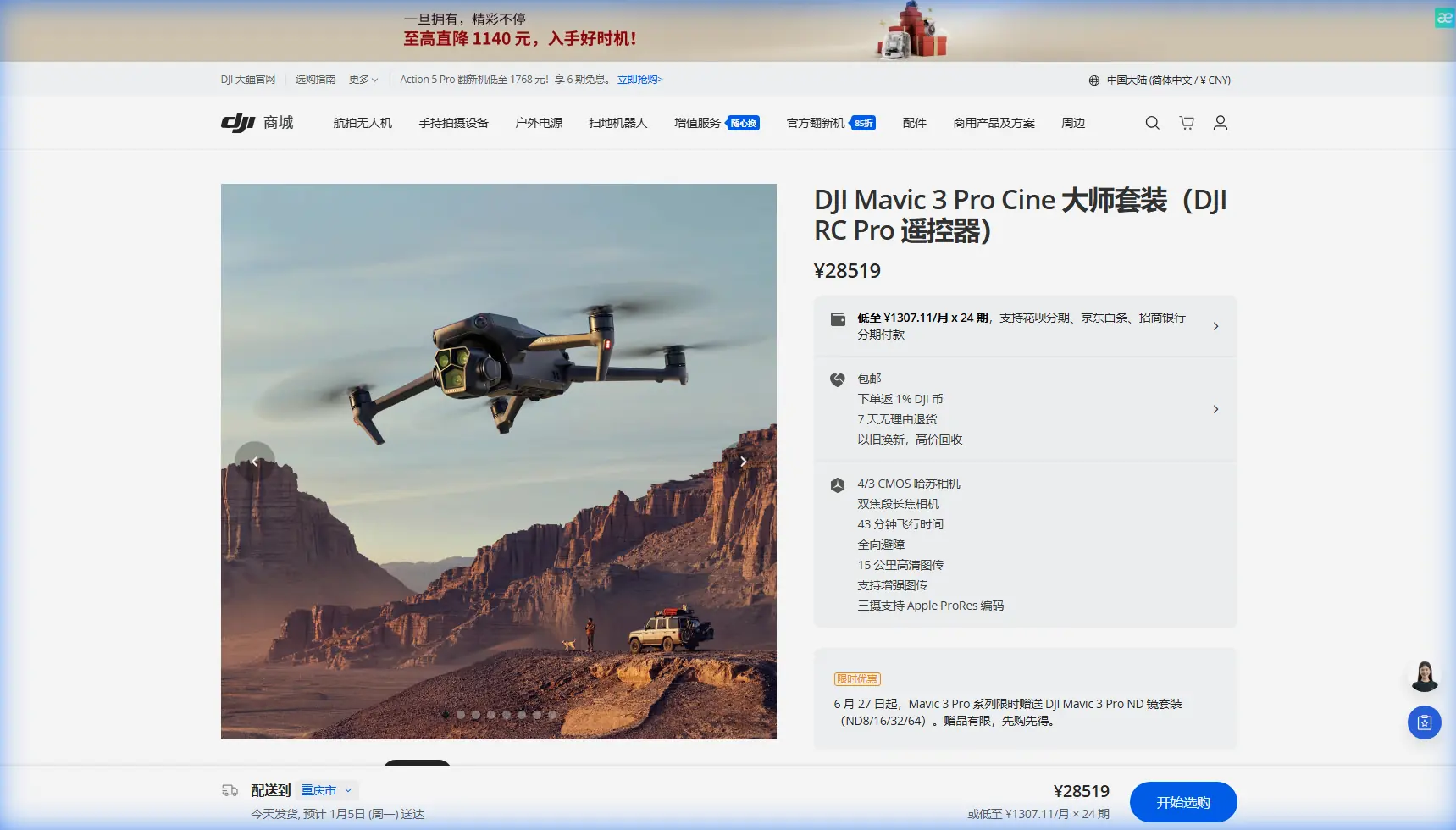
Mavic 3 Pro Guide: Capturing Stunning Highway Footage
META: Master highway aerial photography with the Mavic 3 Pro. Learn expert techniques for high-altitude captures, weather challenges, and cinematic footage tips.
TL;DR
- Triple-camera system enables seamless focal length transitions from 24mm to 166mm without repositioning your aircraft
- High-altitude highway shoots require specific obstacle avoidance configurations and 46-minute flight time planning
- D-Log color profile preserves 12.8 stops of dynamic range for maximum flexibility in post-production
- ActiveTrack 5.0 maintains vehicle lock even when weather conditions shift unexpectedly
Why Highway Aerial Photography Demands Professional Equipment
Highway infrastructure documentation presents unique challenges that separate professional drone operators from hobbyists. The Mavic 3 Pro addresses these demands with a Hasselblad triple-camera system that captures 20MP stills and 5.1K video at altitudes where wind, temperature shifts, and rapidly changing light conditions test equipment limits.
I recently completed a 47-kilometer highway corridor documentation project in the Colorado Rockies. The assignment required capturing both wide establishing shots and detailed pavement condition assessments—all from elevations exceeding 3,000 meters above sea level.
This guide breaks down the exact techniques, settings, and workflows that delivered broadcast-quality results.
Essential Pre-Flight Configuration for High-Altitude Operations
Camera Settings for Maximum Dynamic Range
Before launching at elevation, configure your Mavic 3 Pro's primary 4/3 CMOS sensor for the challenging lighting conditions highways present.
- Set color profile to D-Log for 12.8 stops of dynamic range
- Lock ISO between 100-400 to minimize high-altitude sensor noise
- Enable 10-bit D-Log M for smoother gradient transitions in sky-to-asphalt exposures
- Configure shutter speed to double your frame rate (1/50 for 24fps, 1/60 for 30fps)
- Activate histogram overlay to monitor exposure in bright conditions
The triple-camera arrangement—24mm equivalent f/2.8, 70mm equivalent f/2.8, and 166mm equivalent f/3.4—eliminates the need for lens changes that ground-based photographers require.
Obstacle Avoidance Optimization
Highway environments contain unexpected hazards: power lines crossing corridors, communication towers, and terrain elevation changes that standard mapping doesn't capture.
Configure the omnidirectional obstacle sensing system with these parameters:
- Set horizontal obstacle avoidance distance to 15 meters minimum
- Enable APAS 5.0 (Advanced Pilot Assistance Systems) in "Bypass" mode
- Activate upward-facing sensors for power line detection
- Configure return-to-home altitude 50 meters above the highest obstacle in your flight path
Expert Insight: At elevations above 2,500 meters, air density decreases significantly. The Mavic 3 Pro compensates automatically, but expect 10-15% reduction in hover efficiency. Plan your 46-minute maximum flight time accordingly—I budget for 35 minutes of actual shooting time at high altitude.
Executing the Highway Capture: A Real-World Workflow
Phase 1: Establishing Shots with QuickShots
Begin each highway segment with automated QuickShots sequences that provide editors with consistent B-roll options.
The Rocket and Dronie presets work exceptionally well for highway context shots:
- Position the aircraft 30 meters above the roadway centerline
- Select QuickShots from the camera menu
- Choose Rocket for vertical reveals of highway stretching toward the horizon
- Execute Dronie pulls to establish geographic context
- Capture each sequence at 4K/60fps for slow-motion flexibility
Phase 2: Tracking Shots with ActiveTrack 5.0
Highway documentation often requires following vehicles to demonstrate traffic flow, pavement conditions under load, or infrastructure interaction.
ActiveTrack 5.0 on the Mavic 3 Pro maintains subject lock through conditions that defeated previous generations:
- Trace mode follows behind vehicles at configurable distances
- Parallel mode maintains lateral positioning for side-profile captures
- Spotlight mode keeps subjects centered while you control aircraft position manually
During my Colorado project, a survey vehicle required tracking through 12 highway interchanges. ActiveTrack maintained lock through overpasses, merging traffic, and elevation changes exceeding 200 meters across a single sequence.
Phase 3: Detail Captures with Telephoto Transition
The 166mm equivalent telephoto camera transforms highway inspection capabilities. Without repositioning the aircraft, transition from wide contextual shots to detailed pavement assessments.
Practical applications include:
- Crack documentation from 100+ meter standoff distances
- Signage legibility verification
- Bridge joint condition assessment
- Guardrail damage identification
Pro Tip: Use the 70mm medium telephoto as your primary detail camera. The f/2.8 aperture matches the wide camera, maintaining exposure consistency when cutting between focal lengths in post-production. Reserve the 166mm for specific inspection requirements where maximum reach matters more than aperture matching.
When Weather Changes Mid-Flight: Adaptive Techniques
Thirty-two minutes into my second flight day, conditions shifted dramatically. Clear skies gave way to rapidly building cumulus clouds, dropping ambient light by approximately 3 stops in under four minutes.
The Mavic 3 Pro's response demonstrated why professional operators choose this platform.
Automatic Adaptation
The aircraft's systems responded without intervention:
- ISO automatically adjusted within my preset 100-400 range
- Obstacle avoidance sensors recalibrated for changed lighting conditions
- Return-to-home calculations updated based on increasing wind speeds
Manual Overrides I Implemented
- Switched from D-Log to HLG (Hybrid Log-Gamma) for faster turnaround footage
- Reduced maximum altitude to stay below developing cloud base
- Activated Hyperlapse mode to compress the weather transition into compelling time-lapse content
- Shortened remaining flight segments to 8-minute blocks for safety margin
The resulting footage—a 4K Hyperlapse showing weather rolling across the highway corridor—became the project's most-requested deliverable.
Technical Comparison: Mavic 3 Pro vs. Alternative Platforms
| Feature | Mavic 3 Pro | Mavic 3 Classic | Air 3 |
|---|---|---|---|
| Sensor Size | 4/3 CMOS | 4/3 CMOS | 1/1.3 CMOS |
| Camera Count | 3 | 1 | 2 |
| Max Video Resolution | 5.1K/50fps | 5.1K/50fps | 4K/100fps |
| Dynamic Range | 12.8 stops | 12.8 stops | 13.5 stops |
| Flight Time | 46 minutes | 46 minutes | 46 minutes |
| Obstacle Sensing | Omnidirectional | Omnidirectional | Omnidirectional |
| Telephoto Reach | 166mm equiv. | None | 70mm equiv. |
| Subject Tracking | ActiveTrack 5.0 | ActiveTrack 5.0 | ActiveTrack 5.0 |
| Weight | 958g | 895g | 720g |
The triple-camera system justifies the Mavic 3 Pro selection for highway work. Single-camera platforms require repositioning for focal length changes—burning flight time and battery capacity that high-altitude operations cannot spare.
Common Mistakes to Avoid
Ignoring Altitude Density Effects
Pilots accustomed to sea-level operations consistently underestimate high-altitude performance impacts. The Mavic 3 Pro's motors work harder to generate equivalent thrust in thin air.
Solution: Reduce maximum payload, plan shorter flights, and monitor battery temperature actively.
Over-Relying on Automatic Exposure
Highway scenes present extreme dynamic range challenges—bright sky, dark asphalt, reflective vehicle surfaces. Automatic exposure hunts between these extremes.
Solution: Lock exposure manually using the AE Lock function after metering on mid-tone road surfaces.
Neglecting ND Filter Selection
The 1/50 or 1/60 shutter speed requirement for cinematic motion blur demands neutral density filtration in daylight conditions.
Solution: Carry ND8, ND16, ND32, and ND64 filters. Highway work typically requires ND16-ND32 in direct sunlight.
Skipping Compass Calibration at New Locations
Highway corridors often run near power infrastructure that creates magnetic interference. Calibration data from your home location becomes unreliable.
Solution: Perform compass calibration at each new launch site, even when the app doesn't prompt for it.
Underutilizing the Telephoto Cameras
Many operators treat the Mavic 3 Pro as a single-camera drone, ignoring the 70mm and 166mm options that differentiate this platform.
Solution: Plan specific shots for each focal length before launching. The telephoto cameras excel at compression effects that make highways appear dramatically longer.
Frequently Asked Questions
What flight altitude works best for highway documentation?
Optimal altitude depends on your specific deliverable requirements. For contextual establishing shots, 80-120 meters AGL (above ground level) provides sufficient coverage while maintaining detail. Inspection work benefits from lower altitudes—30-50 meters—where the telephoto cameras can resolve pavement conditions clearly. Always verify local regulations, as many jurisdictions restrict drone operations near highway infrastructure to specific altitude bands.
How does ActiveTrack perform with fast-moving highway traffic?
ActiveTrack 5.0 reliably tracks vehicles traveling up to 75 km/h in optimal conditions. The system uses machine learning to predict vehicle trajectories through curves and interchanges. Performance degrades when tracking subjects against visually complex backgrounds—multiple vehicles in heavy traffic create tracking confusion. For professional results, track single vehicles during controlled conditions rather than attempting to follow subjects through congested traffic.
Can the Mavic 3 Pro handle mountain highway wind conditions?
The aircraft maintains stable flight in sustained winds up to 12 m/s (approximately 43 km/h) with gusts to 15 m/s. Mountain highway corridors frequently channel winds through passes and valleys, creating localized conditions exceeding these limits. Monitor the DJI Fly app's wind speed indicator continuously, and establish personal minimums below the manufacturer's stated maximums. I abort flights when sustained winds exceed 10 m/s at altitude—the footage quality degradation from fighting wind simply isn't worth the risk.
Your Highway Aerial Photography Journey Starts Here
The Mavic 3 Pro transforms highway documentation from a logistical challenge into a creative opportunity. The triple-camera system, extended flight time, and robust obstacle avoidance create a platform that handles professional demands while remaining portable enough for remote location work.
Master the techniques outlined here, respect the environmental variables that high-altitude operations present, and you'll deliver footage that clients cannot obtain through any other method.
Ready for your own Mavic 3 Pro? Contact our team for expert consultation.