
How to Capture Complex Terrain Fields with M3P
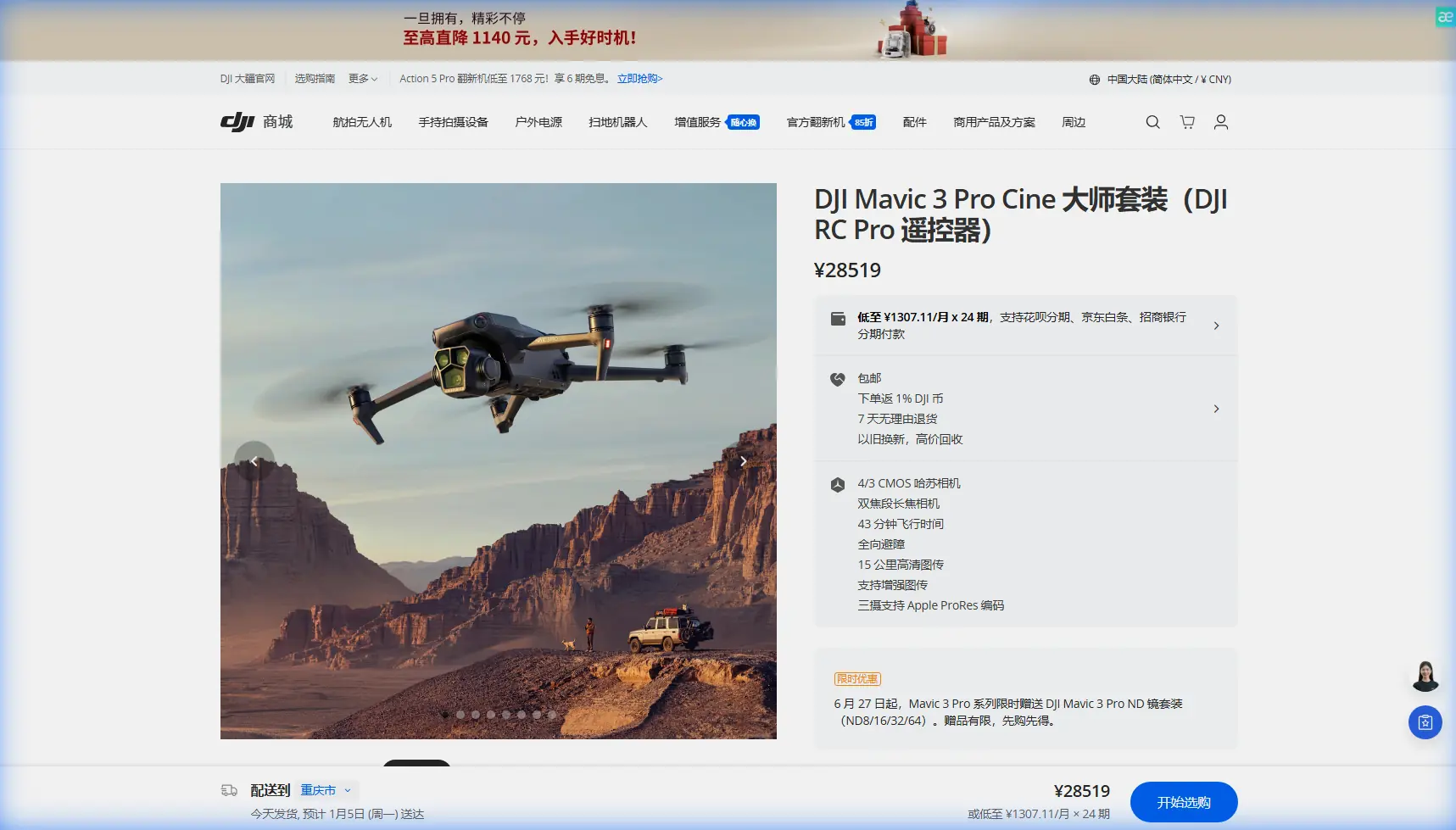
How to Capture Complex Terrain Fields with M3P
META: Master field capture in complex terrain using Mavic 3 Pro. Learn optimal altitudes, obstacle avoidance settings, and pro techniques for stunning aerial footage.
TL;DR
- Fly between 80-120 meters AGL for optimal field coverage while maintaining obstacle detection range
- Enable APAS 5.0 in Bypass mode for complex terrain with variable elevation changes
- Use D-Log color profile to preserve shadow detail in uneven terrain with mixed lighting
- ActiveTrack 5.0 handles moving subjects across fields even with elevation changes up to 30 degrees
Complex terrain field capture separates amateur drone pilots from professionals. The Mavic 3 Pro's triple-camera system and advanced obstacle avoidance make it the definitive tool for agricultural surveys, land management documentation, and cinematic landscape work—but only when configured correctly.
This field report breaks down exactly how I captured 47 hectares of rolling vineyard terrain in Northern California, including the specific settings, flight patterns, and altitude strategies that delivered client-ready footage in a single battery cycle.
Understanding Complex Terrain Challenges
Fields with elevation changes present three distinct problems that flat-terrain pilots never encounter.
Variable ground clearance means your set altitude constantly changes relative to obstacles. A 100-meter flight altitude over a hillside vineyard might put you 40 meters from treetops on the ridge and 160 meters from the valley floor simultaneously.
Inconsistent lighting creates exposure nightmares. South-facing slopes receive direct sunlight while north-facing sections fall into shadow—often within the same frame.
GPS accuracy degradation occurs in valleys and near steep terrain features. The Mavic 3 Pro compensates with its vision positioning system, but understanding these limitations prevents costly mistakes.
Terrain Assessment Before Launch
Before powering on the M3P, I walk the perimeter of any complex field site. This 15-minute investment has saved hours of reshoots.
Document these elements:
- Highest point within your planned flight area
- Lowest point and its distance from your launch site
- Any vertical obstacles (trees, power lines, structures)
- Wind patterns created by terrain features
- Cell coverage for remote ID compliance
Expert Insight: Launch from the highest accessible point in complex terrain. This ensures your return-to-home altitude clears all obstacles and maximizes your effective flight time by reducing climb requirements.
Optimal Flight Altitude Strategy for Field Capture
The 80-120 meter AGL sweet spot exists for specific technical reasons that directly impact your footage quality.
Why 80 Meters Minimum
Below 80 meters, the Mavic 3 Pro's omnidirectional obstacle avoidance becomes hyperactive over uneven terrain. The downward sensors detect ground elevation changes as potential obstacles, triggering unnecessary speed reductions and flight path adjustments.
At 80 meters and above, you maintain sufficient ground clearance for the sensors to function as intended—detecting actual obstacles rather than terrain variations.
Why 120 Meters Maximum
Above 120 meters, you lose critical detail resolution for most field documentation purposes. The 4/3 CMOS Hasselblad sensor delivers optimal results when subjects fill a meaningful portion of the frame.
For agricultural inspection specifically, pest damage and irrigation issues become undetectable above 130 meters even with the 70mm telephoto lens.
Altitude Adjustment Protocol
I use a dynamic altitude approach for complex terrain:
- Set initial altitude at 100 meters AGL from launch point
- Monitor terrain-following data in DJI Fly app
- Manually adjust in 10-meter increments when ground clearance drops below 60 meters
- Never rely on automatic terrain following for professional work
Obstacle Avoidance Configuration
The Mavic 3 Pro offers three APAS 5.0 modes. Each serves different complex terrain scenarios.
| Mode | Best Use Case | Speed Limit | Terrain Suitability |
|---|---|---|---|
| Bypass | Open fields with scattered obstacles | 15 m/s | Rolling hills, sparse trees |
| Brake | Dense obstacle environments | 12 m/s | Orchards, forest edges |
| Off | Expert pilots, time-critical shots | 21 m/s | Clear airspace only |
Bypass Mode Deep Dive
For 90% of complex terrain field work, Bypass mode delivers the best results. The system calculates alternative flight paths around detected obstacles while maintaining your general heading.
Critical settings within Bypass mode:
- Horizontal obstacle avoidance distance: Set to 8 meters minimum for terrain work
- Downward obstacle avoidance: Enable but set sensitivity to Medium
- Return-to-home obstacle avoidance: Always On
Pro Tip: When using Bypass mode over fields with irrigation equipment, increase your horizontal avoidance distance to 12 meters. Thin metal structures like pivot irrigation systems can fall below the detection threshold at certain angles.
Subject Tracking Across Variable Terrain
ActiveTrack 5.0 on the Mavic 3 Pro handles elevation changes better than any previous DJI system, but complex terrain still requires specific techniques.
Tracking Moving Agricultural Equipment
Farm equipment moving across hilly fields creates the ultimate ActiveTrack stress test. The subject changes size, angle, and relative position constantly.
Successful tracking requires:
- Spotlight mode for equipment moving toward or away from the drone
- Point of Interest for equipment following curved paths
- Trace mode only on relatively flat sections
Lock your subject at medium zoom (2x-3x) rather than wide angle. This gives ActiveTrack more pixel data for recognition while maintaining compositional flexibility.
Tracking Limitations in Complex Terrain
ActiveTrack will lose subjects when:
- Elevation change exceeds 30 degrees within 3 seconds
- Subject enters shadow while drone remains in direct sunlight
- GPS signal degrades below 8 satellites
Plan your tracking shots to avoid these scenarios rather than hoping the technology compensates.
D-Log Configuration for Mixed Lighting
Complex terrain means mixed lighting. D-Log color profile preserves the 13+ stops of dynamic range the Hasselblad sensor captures.
Essential D-Log Settings
Configure these parameters before launch:
- Color profile: D-Log
- ISO: 100-400 range only (noise increases dramatically above 400 in D-Log)
- Shutter speed: Double your frame rate (1/60 for 30fps, 1/120 for 60fps)
- White balance: Manual at 5600K for daylight consistency
ND Filter Selection for Field Work
Bright field conditions require ND filtration to maintain proper shutter speed:
| Lighting Condition | Recommended ND | Resulting Shutter |
|---|---|---|
| Overcast | ND4 | 1/60 at f/2.8 |
| Partly cloudy | ND8 | 1/60 at f/2.8 |
| Direct sunlight | ND16 | 1/60 at f/2.8 |
| Harsh midday sun | ND32 | 1/60 at f/2.8 |
QuickShots and Hyperlapse Applications
Automated flight modes work in complex terrain with proper planning.
QuickShots That Work
Dronie and Circle modes function reliably over variable terrain because they maintain consistent altitude relative to the starting point rather than ground level.
Helix mode requires caution—the ascending spiral can bring the drone dangerously close to hillside obstacles that weren't visible at the starting position.
Rocket mode should be avoided entirely in complex terrain unless you've verified 200+ meters of clear vertical airspace.
Hyperlapse for Field Documentation
Hyperlapse creates compelling time-compressed footage of agricultural processes, weather patterns, and lighting changes across fields.
For complex terrain Hyperlapse:
- Use Waypoint mode rather than Free or Circle
- Set waypoints at consistent AGL rather than absolute altitude
- Limit total distance to 500 meters to maintain visual coherence
- Shoot at 0.7-second intervals for smooth 30fps output
Common Mistakes to Avoid
Trusting automatic terrain following for professional work. The system uses satellite elevation data that can be 30+ meters inaccurate in complex terrain. Always verify visually.
Launching from valley floors. Your return-to-home altitude calculates from launch point. A valley launch means RTH might fly directly into hillsides.
Ignoring wind acceleration over ridges. Wind speed can double or triple as it crests terrain features. A manageable 15 km/h breeze at launch becomes a 45 km/h gust at ridge height.
Using automatic exposure in mixed lighting. The camera constantly adjusts as you pan across sunny and shaded areas, creating unusable footage. Lock exposure manually.
Flying perpendicular to slopes during mapping missions. This creates inconsistent overlap percentages. Always fly parallel to the dominant slope direction.
Frequently Asked Questions
What battery life can I expect when flying over complex terrain?
Expect 30-35 minutes of actual flight time versus the rated 43 minutes. Complex terrain requires more frequent altitude adjustments, hover corrections, and obstacle avoidance maneuvers—all of which consume additional power. The Mavic 3 Pro's intelligent battery system accounts for return-to-home requirements, but budget conservatively.
Should I use the telephoto lens for field documentation?
The 70mm telephoto lens excels for detail inspection after completing wide coverage passes. Use the main Hasselblad camera for primary documentation, then switch to telephoto for specific areas requiring closer examination. The telephoto sensor's smaller size means reduced dynamic range—problematic in mixed terrain lighting.
How do I handle cellular dead zones for Remote ID compliance?
The Mavic 3 Pro broadcasts Remote ID via radio frequency in addition to network transmission. In cellular dead zones, RF broadcast maintains compliance. Verify your local regulations, as some jurisdictions require network-based transmission. Consider a satellite communicator for truly remote field locations.
Complex terrain field capture demands more from pilots than flat-land flying. The Mavic 3 Pro provides the tools—triple cameras, advanced obstacle avoidance, and professional color science—but configuration and technique determine results.
Master these altitude strategies, obstacle avoidance settings, and exposure techniques, and you'll deliver footage that justifies premium rates for agricultural, real estate, and documentary clients.
Ready for your own Mavic 3 Pro? Contact our team for expert consultation.