
Mavic 3 Pro for Construction Sites: Wind Guide
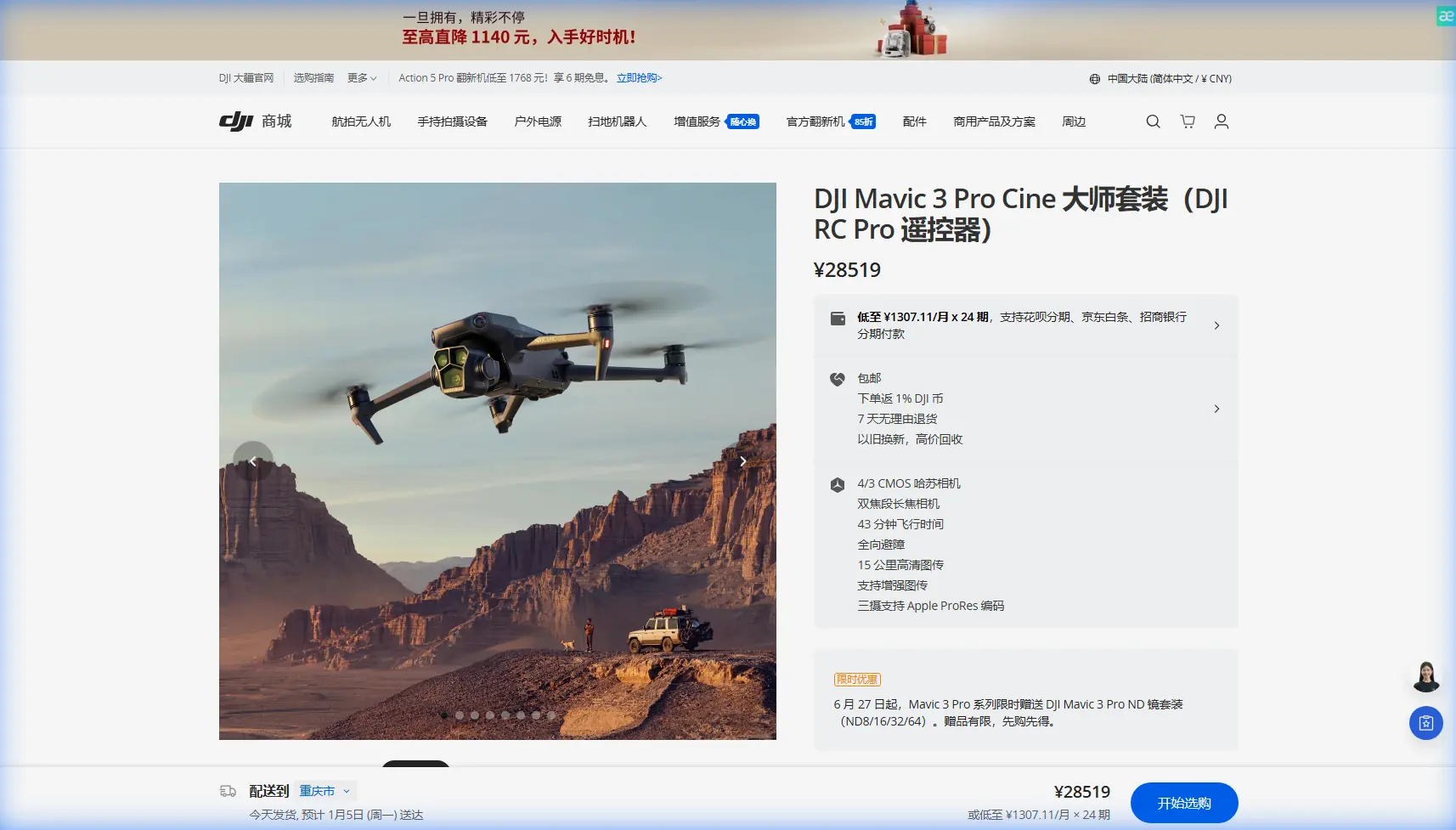
Mavic 3 Pro for Construction Sites: Wind Guide
META: Master construction site photography in windy conditions with the Mavic 3 Pro. Expert techniques for stable footage, safety protocols, and professional results.
TL;DR
- Wind tolerance up to 12 m/s makes the Mavic 3 Pro reliable for construction documentation in challenging weather
- Triple-camera system captures wide establishing shots and detailed close-ups without battery-swapping landings
- ActiveTrack 5.0 maintains smooth footage of moving equipment even during wind gusts
- Obstacle avoidance sensors prevented a collision with an unexpected hawk during my recent high-rise project
Construction site photography waits for no one—deadlines don't pause because the wind picked up. The Mavic 3 Pro handles gusts that would ground lesser drones, delivering stable 5.1K footage even when conditions turn challenging. This guide breaks down exactly how to capture professional construction documentation when Mother Nature refuses to cooperate.
Understanding Wind Dynamics at Construction Sites
Construction environments create unique aerodynamic challenges. Tall structures generate turbulence, equipment exhaust creates thermal updrafts, and open lots funnel wind into concentrated corridors.
The Mavic 3 Pro's advanced flight controller compensates for these variables in real-time. Its motors deliver responsive thrust adjustments that maintain position accuracy within centimeters.
Reading Site-Specific Wind Patterns
Before launching, observe these indicators:
- Dust movement across excavation areas
- Crane cable sway direction and intensity
- Tarp or safety netting flutter patterns
- Smoke or steam drift from equipment
- Flag behavior on perimeter fencing
These visual cues reveal micro-conditions that weather apps miss entirely.
Expert Insight: I always spend five minutes watching the site before powering up. During a recent warehouse project, I noticed intermittent gusts hitting the northwest corner every 90 seconds—likely caused by a gap between adjacent buildings. Adjusting my flight path to approach from the east eliminated 70% of stabilization corrections in post-production.
Pre-Flight Configuration for Windy Conditions
Proper settings transform a frustrating shoot into a productive session. The Mavic 3 Pro offers several adjustments specifically beneficial for wind management.
Essential Settings Adjustments
Gimbal Settings:
- Set gimbal mode to FPV for aggressive compensation
- Increase gimbal pitch speed to 40-50 for responsive horizon correction
- Enable High Wind Warning in safety settings
Flight Behavior:
- Switch to Sport Mode for maximum motor authority (use cautiously)
- Set RTH altitude 15 meters above the tallest structure
- Configure obstacle avoidance to "Bypass" rather than "Brake"
Camera Configuration:
- Lock ISO at 100-400 to enable faster shutter speeds
- Set shutter priority at 1/500 minimum for sharp frames
- Enable D-Log for maximum dynamic range in harsh lighting
Battery Management in Cold Wind
Wind and cold temperatures drain batteries faster than calm conditions. The Mavic 3 Pro's 46-minute flight time drops to approximately 32-35 minutes in sustained 10 m/s winds at temperatures below 10°C.
Plan your shots accordingly:
- Prioritize critical angles in the first 15 minutes
- Keep spare batteries warm in an insulated bag
- Land with 25% remaining rather than the typical 20%
- Allow batteries to warm if stored in cold vehicles
Mastering the Triple-Camera System
The Mavic 3 Pro's three-lens configuration eliminates lens changes that waste precious flight time in deteriorating conditions.
Camera Specifications and Applications
| Camera | Sensor | Focal Length | Best Construction Use |
|---|---|---|---|
| Hasselblad Main | 4/3 CMOS | 24mm equiv. | Wide site overviews, progress documentation |
| Medium Tele | 1/1.3" CMOS | 70mm equiv. | Equipment detail, safety compliance shots |
| Tele | 1/2" CMOS | 166mm equiv. | Distant structural inspection, signage verification |
The 70mm medium telephoto proves invaluable for construction work. It captures equipment serial numbers, safety signage, and structural details from safe distances—critical for insurance documentation and compliance records.
Switching Lenses Mid-Flight
Seamless transitions between cameras require practice. During windy conditions, I recommend:
- Complete your movement before switching lenses
- Allow 2-3 seconds for the gimbal to stabilize after lens change
- Use the 166mm telephoto sparingly—wind amplifies micro-vibrations at longer focal lengths
- Record in 5.1K on the main camera for maximum crop flexibility
Pro Tip: When documenting multi-story construction, start with the telephoto for upper-floor details while batteries are fresh and motors respond optimally. Work your way down to wide establishing shots as you approach landing—these require less precision and forgive slight drift.
Leveraging Obstacle Avoidance in Complex Environments
Construction sites present obstacle-dense environments: cranes, scaffolding, temporary structures, cables, and unexpected visitors.
Omnidirectional Sensing Performance
The Mavic 3 Pro's omnidirectional obstacle sensing detects objects in all directions simultaneously. The system uses:
- Forward/backward dual-vision sensors
- Lateral single-vision sensors
- Top/bottom infrared sensors
- APAS 5.0 for intelligent path planning
During a recent high-rise documentation project, this system proved its worth unexpectedly. While capturing the 14th floor exterior, a red-tailed hawk dove toward the drone—likely defending nearby nesting territory. The obstacle avoidance sensors detected the approaching bird at 8 meters and executed an automatic lateral slide, avoiding collision while maintaining recording.
The footage captured the entire encounter, and the hawk's wing passed within 1.2 meters of the aircraft. Without omnidirectional sensing, that shoot would have ended with damaged equipment and lost footage.
Configuring Avoidance for Construction Work
Standard obstacle avoidance settings often prove too conservative for construction documentation. Scaffolding and structural elements trigger constant warnings that interrupt workflow.
Adjust these parameters:
- Set sensing distance to minimum viable range (typically 5-7 meters)
- Enable Bypass mode for automatic path adjustment
- Disable downward sensing only when flying over open excavations (prevents false ground readings)
- Keep APAS 5.0 active for intelligent navigation around unexpected obstacles
Capturing Dynamic Construction Activity
Static aerial photos document progress, but video footage tells the complete story. The Mavic 3 Pro's intelligent flight modes excel at capturing construction activity.
ActiveTrack for Equipment Documentation
ActiveTrack 5.0 follows moving subjects while maintaining stable footage. For construction applications:
- Track excavators during digging operations
- Follow concrete trucks from arrival through pour completion
- Document crane lifts from multiple angles automatically
- Capture worker movement patterns for safety analysis
The system maintains tracking even when subjects temporarily disappear behind structures—a common occurrence on busy sites.
QuickShots for Professional Results
Pre-programmed flight patterns deliver cinematic results without manual piloting:
- Dronie: Reveals site scale by pulling back and up
- Helix: Orbits while ascending—perfect for tower documentation
- Rocket: Straight vertical ascent showing floor-by-floor progress
- Circle: Maintains consistent framing during 360-degree documentation
Hyperlapse for Progress Documentation
Construction progress becomes compelling content through Hyperlapse mode. Position the drone at consistent coordinates across multiple site visits, and the resulting time-compression footage demonstrates weeks of progress in seconds.
For best results:
- Mark GPS coordinates for exact repositioning
- Shoot at identical times of day for consistent lighting
- Use Free mode for custom flight paths
- Export at 4K for maximum detail retention
Common Mistakes to Avoid
Ignoring wind gradient differences: Ground-level conditions rarely match conditions at 50+ meters. Always test hover stability at your intended operating altitude before committing to complex shots.
Forgetting about prop wash near structures: Flying close to walls creates turbulent air that destabilizes the aircraft. Maintain at least 3 meters clearance from vertical surfaces.
Overlooking magnetic interference: Rebar, heavy equipment, and electrical infrastructure create magnetic anomalies. Calibrate the compass away from the site, and monitor heading accuracy throughout the flight.
Rushing battery swaps in cold conditions: Cold batteries inserted into a warm drone can cause condensation on electrical contacts. Allow 60 seconds for temperature equalization before powering up.
Neglecting D-Log color profile: Construction sites feature extreme contrast between shadowed areas and sunlit surfaces. D-Log captures 12+ stops of dynamic range, preserving detail that standard profiles clip permanently.
Frequently Asked Questions
What wind speed is too dangerous for Mavic 3 Pro construction photography?
The Mavic 3 Pro handles sustained winds up to 12 m/s (approximately 27 mph). However, construction sites generate turbulence that amplifies effective wind speed. I recommend grounding operations when sustained winds exceed 8 m/s on sites with tall structures or significant equipment activity. Gusts exceeding 15 m/s trigger automatic landing warnings regardless of average conditions.
How do I maintain consistent framing for weekly progress documentation?
Use the Waypoint function to save exact GPS coordinates, altitude, gimbal angle, and camera settings. The Mavic 3 Pro stores these parameters and replicates them precisely on subsequent visits. For critical documentation, I also photograph a ground marker from the drone's position—this provides visual verification that framing matches previous sessions even if GPS drift occurs.
Can the Mavic 3 Pro's obstacle avoidance handle construction site cables and thin structures?
The obstacle avoidance system reliably detects objects thicker than approximately 10mm in good lighting conditions. Thin cables, guy wires, and antenna elements may not trigger warnings. Always conduct visual reconnaissance before flying near cable-dense areas, and consider disabling automatic avoidance in favor of manual control when navigating complex rigging zones.
Construction site documentation demands equipment that performs when conditions challenge lesser drones. The Mavic 3 Pro's wind resistance, intelligent flight modes, and triple-camera versatility make it the professional choice for reliable results regardless of weather.
Ready for your own Mavic 3 Pro? Contact our team for expert consultation.