
Mavic 3 Pro Guide: Mastering High-Altitude Site Capture
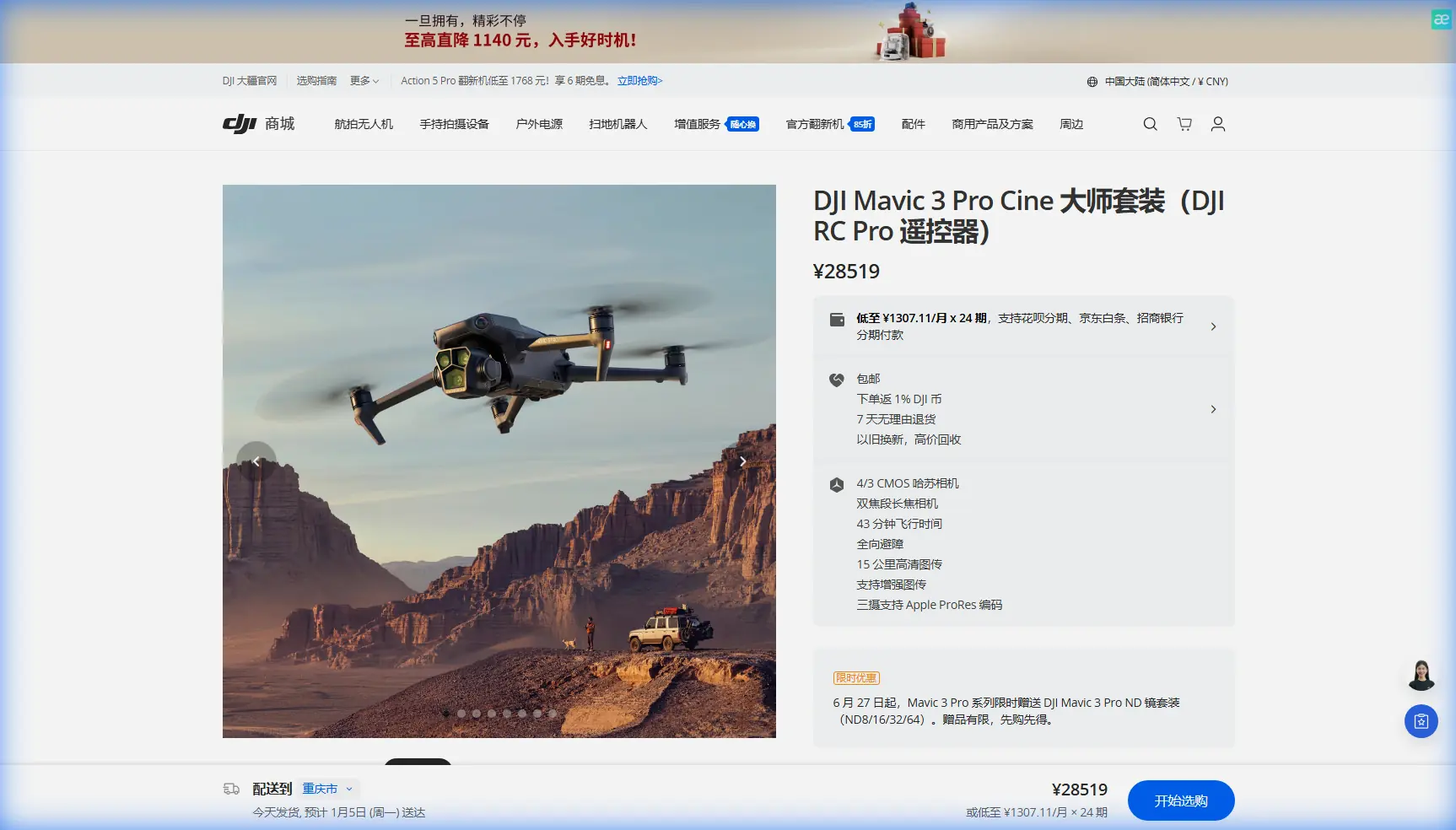
Mavic 3 Pro Guide: Mastering High-Altitude Site Capture
META: Learn how the DJI Mavic 3 Pro excels at high-altitude construction site documentation with expert techniques for obstacle avoidance and cinematic footage.
TL;DR
- Optimal flight altitude of 80-120 meters delivers the best balance between site coverage and detail resolution for construction documentation
- The Mavic 3 Pro's tri-camera system eliminates lens swaps, capturing wide establishing shots and telephoto detail in a single flight
- D-Log color profile preserves critical shadow detail in high-contrast construction environments
- Omnidirectional obstacle avoidance enables confident flying near cranes, scaffolding, and partially completed structures
High-altitude construction documentation presents unique challenges that ground-based photography simply cannot solve. The Mavic 3 Pro addresses these challenges with a tri-camera system, extended flight time, and intelligent flight modes that transform complex site surveys into streamlined workflows.
This guide breaks down the exact techniques, settings, and flight patterns that professional operators use to capture construction sites at elevation—drawing from real-world experience documenting projects ranging from residential developments to commercial high-rises.
Why High-Altitude Construction Capture Demands Specialized Equipment
Construction sites at elevation introduce variables that standard drones struggle to handle. Wind speeds increase dramatically above 60 meters, temperature fluctuations affect battery performance, and the visual complexity of active construction zones creates navigation hazards.
The Mavic 3 Pro was engineered with these conditions in mind. Its 43-minute maximum flight time provides substantial buffer for repositioning and multiple capture passes. The aircraft maintains stable hover even in winds up to 12 m/s, which proves essential when documenting sites exposed to crosswinds at height.
The Tri-Camera Advantage for Site Documentation
Traditional drone workflows require multiple flights or lens changes to capture both wide contextual shots and detailed close-ups. The Mavic 3 Pro eliminates this inefficiency with three distinct focal lengths:
- 24mm equivalent (Hasselblad main camera): Establishes site context and captures full structural layouts
- 70mm equivalent (medium telephoto): Documents specific construction phases and material staging areas
- 166mm equivalent (telephoto): Inspects connection points, identifies potential issues, and captures signage without close approach
This configuration means a single 15-minute flight can accomplish what previously required three separate missions with different aircraft or lens configurations.
Optimal Flight Altitude: The 80-120 Meter Sweet Spot
After documenting dozens of construction projects, one altitude range consistently delivers superior results: 80 to 120 meters AGL (above ground level).
Expert Insight: Flying below 80 meters at active construction sites forces constant repositioning to avoid cranes and temporary structures. Above 120 meters, even the telephoto lens struggles to resolve the detail needed for progress documentation. The 80-120 meter band provides clear sightlines while maintaining resolution sufficient for stakeholder reports.
This altitude range also positions the aircraft above most rotor wash interference from the structure itself. Thermal updrafts from sun-heated concrete and steel can destabilize lower-flying drones, but dissipate significantly by 90 meters.
Altitude Adjustment by Project Phase
Different construction phases benefit from altitude modifications within this range:
| Construction Phase | Recommended Altitude | Primary Camera | Rationale |
|---|---|---|---|
| Foundation/Excavation | 80-90m | 24mm wide | Captures full site boundaries and equipment positioning |
| Structural framing | 100-110m | 70mm medium | Balances structural detail with floor-by-floor context |
| Exterior finishing | 110-120m | 166mm telephoto | Inspects facade work without rotor wash affecting materials |
| Final documentation | 90-100m | All three | Comprehensive coverage for project completion records |
Configuring the Mavic 3 Pro for Construction Environments
Proper camera and flight settings dramatically impact final deliverable quality. Construction sites present high dynamic range scenes—bright sky, reflective materials, deep shadows under scaffolding—that require specific configuration.
D-Log Configuration for Maximum Flexibility
The D-Log color profile captures approximately 12.8 stops of dynamic range, preserving detail in both shadowed foundation areas and sun-lit upper floors. This proves essential when clients need to examine specific areas that weren't the primary focus during capture.
Configure D-Log with these parameters:
- ISO 100-400 (native range for cleanest files)
- Shutter speed double your frame rate (1/60 for 30fps, 1/120 for 60fps)
- ND filters as needed to achieve proper shutter speed in bright conditions
- Manual white balance at 5600K for consistent color across flights
Obstacle Avoidance Configuration
The Mavic 3 Pro's omnidirectional obstacle avoidance uses eight vision sensors and two wide-angle cameras to detect hazards in all directions. For construction environments, configure the system as follows:
- Enable APAS 5.0 (Advanced Pilot Assistance System) for automatic obstacle routing
- Set obstacle avoidance to Bypass mode rather than Brake
- Maintain minimum obstacle distance at 5 meters for construction debris tolerance
- Disable downward sensing only when intentionally flying close to structures for inspection
Pro Tip: Construction cranes present unique challenges because their cables are often too thin for obstacle sensors to detect reliably. Always identify crane cable positions visually before flight and program waypoints that maintain minimum 20-meter horizontal clearance from any cable path.
Intelligent Flight Modes for Efficient Site Coverage
Manual piloting captures excellent footage but consumes significant flight time on repetitive patterns. The Mavic 3 Pro's intelligent flight modes automate common construction documentation tasks.
Hyperlapse for Progress Documentation
Construction progress documentation benefits enormously from Hyperlapse mode, which creates time-compressed video while the aircraft moves through space. Configure Hyperlapse with:
- Circle mode around the structure's center point
- 2-second intervals between captures
- Minimum 50-meter radius to maintain safe clearance
- Full 360-degree rotation for complete coverage
A single Hyperlapse orbit at 100 meters altitude produces a 15-20 second final video that communicates construction progress more effectively than dozens of still images.
ActiveTrack for Equipment Documentation
When documenting specific equipment operation or material delivery sequences, ActiveTrack 5.0 maintains focus on moving subjects while the operator concentrates on composition. The system's subject recognition reliably tracks:
- Excavators and earthmoving equipment
- Delivery vehicles entering and exiting
- Crane loads during lifting operations
- Worker teams (with appropriate permissions)
ActiveTrack maintains subject framing even when obstacles temporarily occlude the target, predicting movement paths and reacquiring lock automatically.
QuickShots for Stakeholder Presentations
QuickShots produce polished, cinematic sequences with single-button activation. For construction documentation, these modes prove most valuable:
- Dronie: Reveals site context by pulling back and up from a specific detail
- Circle: Orbits a structure or equipment piece for 360-degree coverage
- Helix: Combines ascending spiral with outward movement for dramatic reveals
Each QuickShot executes in 15-30 seconds and produces immediately shareable content without post-processing.
Technical Specifications Comparison
| Specification | Mavic 3 Pro | Relevance to Construction Documentation |
|---|---|---|
| Main sensor | 4/3 CMOS, 20MP | Captures fine structural detail |
| Medium tele sensor | 1/1.3" CMOS, 48MP | Balances reach and resolution |
| Telephoto sensor | 1/2" CMOS, 12MP | Inspects distant elements safely |
| Max flight time | 43 minutes | Completes complex sites in single flight |
| Max transmission range | 15km (O3+) | Maintains connection at large sites |
| Obstacle sensing | Omnidirectional | Navigates complex construction environments |
| Wind resistance | 12 m/s | Stable operation at altitude |
| Operating temperature | -10°C to 40°C | Functions in varied site conditions |
Common Mistakes to Avoid
Flying too low for "better detail": Operators often descend below 60 meters seeking sharper images, but this introduces obstacle risks and limits coverage area. The telephoto lens at 100 meters resolves detail equivalent to the wide lens at 30 meters—with far greater safety margins.
Ignoring wind patterns at altitude: Ground-level wind readings don't reflect conditions at flight altitude. Check forecasts for winds at 100-150 meters and plan flights for early morning when thermal activity remains minimal.
Overlooking D-Log calibration: D-Log footage appears flat and desaturated directly from the camera. Operators who skip color grading deliver underwhelming results. Always apply a base correction LUT before client delivery.
Single-pass coverage: Construction sites contain countless details invisible from any single angle. Plan minimum three orbital passes at different altitudes to ensure comprehensive documentation.
Neglecting battery temperature: High-altitude flights in cool conditions can drop battery temperature below optimal range. Pre-warm batteries to 25-30°C before launch for maximum capacity and consistent power delivery.
Frequently Asked Questions
What permits are required for high-altitude construction site documentation?
Requirements vary by jurisdiction, but most commercial construction documentation requires Part 107 certification (in the US) or equivalent. Sites near airports need additional airspace authorization through LAANC or manual approval. Always coordinate with site management and verify no temporary flight restrictions (TFRs) affect the area.
How does the Mavic 3 Pro handle dust and debris common at construction sites?
The aircraft's sealed motor design and recessed sensors provide reasonable protection against airborne particulates. However, avoid flying during active demolition, concrete cutting, or high-wind conditions that lift significant debris. Clean all sensors with compressed air after each construction site flight.
Can the Mavic 3 Pro capture thermal imaging for construction inspection?
The standard Mavic 3 Pro lacks thermal imaging capability. For thermal inspection requirements—identifying insulation gaps, moisture intrusion, or electrical hotspots—consider the Mavic 3 Thermal variant, which integrates a 640×512 thermal sensor alongside the visual cameras.
About the Author: Chris Park specializes in commercial drone operations for construction, infrastructure, and real estate documentation. His work has supported projects ranging from single-family residential builds to multi-phase commercial developments.
Ready for your own Mavic 3 Pro? Contact our team for expert consultation.