
Mavic 3 Pro Guide: Capturing Stunning Coastlines in Wind
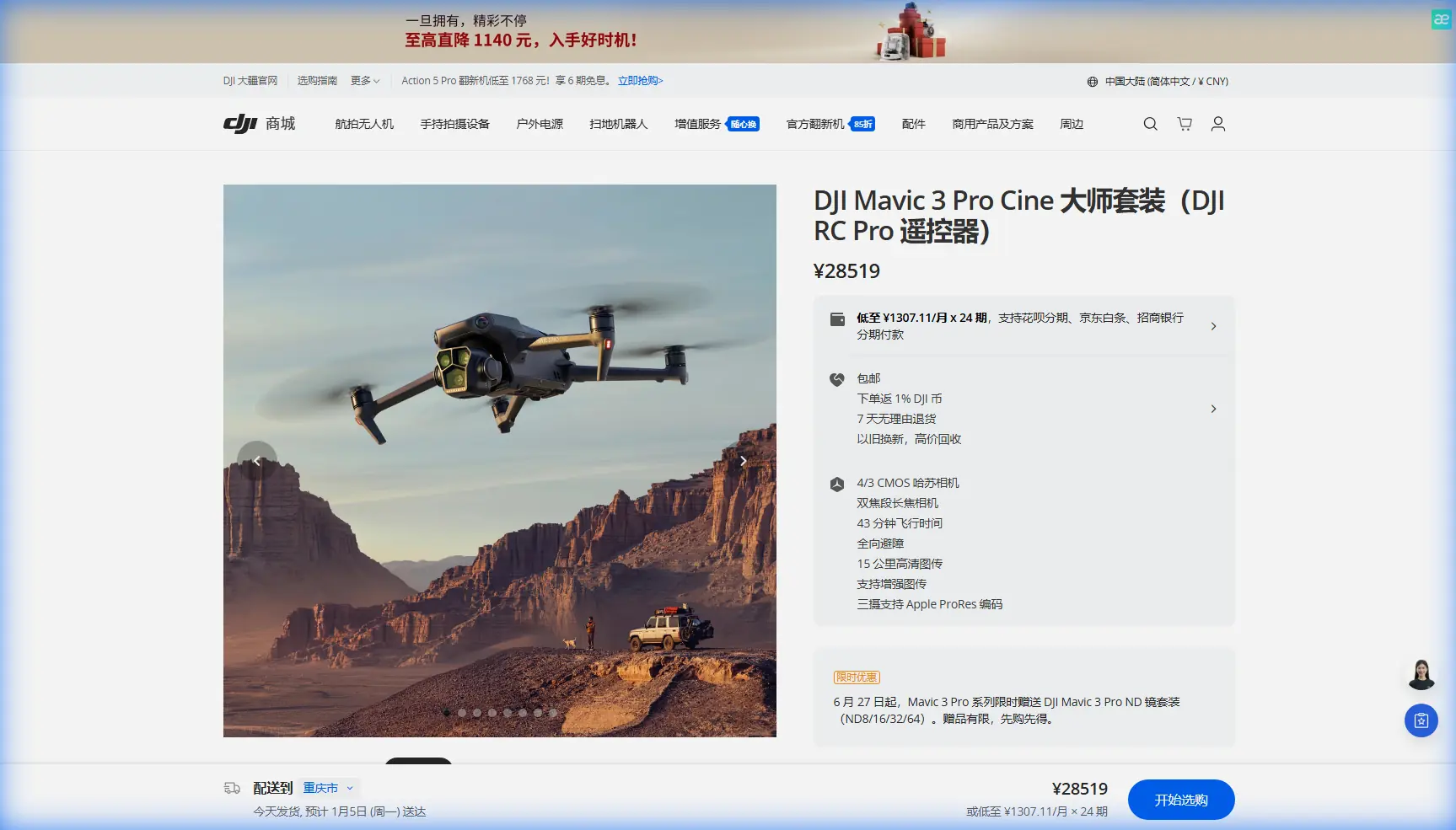
Mavic 3 Pro Guide: Capturing Stunning Coastlines in Wind
META: Master coastal drone photography with the Mavic 3 Pro. Learn wind-resistant techniques, camera settings, and battery tips for breathtaking shoreline footage.
TL;DR
- Triple-camera system enables seamless focal length switching from wide coastal panoramas to tight detail shots without repositioning
- Wind resistance up to 12 m/s keeps footage stable during challenging shoreline gusts
- 46-minute max flight time provides extended shooting windows, but cold coastal air reduces this by 15-20%
- D-Log color profile preserves highlight detail in high-contrast beach scenes for superior post-production flexibility
Coastal environments punish drones that lack wind stability and dynamic range. The Mavic 3 Pro combines a Hasselblad triple-camera system with robust flight characteristics specifically suited for shoreline photography—and after dozens of beach shoots, I've developed a reliable workflow that maximizes both safety and creative output.
This guide breaks down the exact settings, flight patterns, and battery strategies I use when capturing coastlines in challenging wind conditions.
Why the Mavic 3 Pro Excels in Coastal Environments
Shoreline photography presents a unique combination of challenges: unpredictable wind gusts, salt spray, extreme dynamic range between bright skies and shadowed cliffs, and limited safe landing zones. The Mavic 3 Pro addresses each of these with specific hardware advantages.
Wind Resistance and Stability
The aircraft maintains stable hover in winds up to 12 m/s (27 mph), which covers most flyable coastal conditions. The O3+ transmission system sustains reliable video feed at distances up to 15 km, though I rarely fly beyond 1-2 km along coastlines due to visual line-of-sight requirements.
Expert Insight: Wind speed at ground level often differs dramatically from conditions at 50-100 meters altitude. I check the DJI Fly app's real-time wind indicator constantly during coastal flights—gusts can appear suddenly when flying over cliff edges where thermal updrafts occur.
Triple-Camera Versatility
The three-lens system eliminates the need for risky repositioning during shoots:
- 24mm equivalent (4/3 CMOS, 20MP): Wide establishing shots capturing full coastline scope
- 70mm equivalent (1/1.3-inch, 48MP): Mid-range compositions isolating specific features
- 166mm equivalent (1/2-inch, 12MP): Tight details of rock formations, wildlife, or architectural elements
Switching between lenses takes approximately one second with no physical movement required—critical when hovering in gusty conditions.
Pre-Flight Preparation for Coastal Shoots
Battery Management From Field Experience
Here's a lesson learned the hard way: during a winter shoot along the Oregon coast, I launched with batteries that had been sitting in my car overnight. The temperature had dropped to 8°C (46°F), and my first battery—showing 100% charge—triggered a low-battery warning at just 12 minutes of flight time.
Cold coastal air dramatically reduces lithium-polymer battery performance. Now I follow this protocol:
- Warm batteries to 25°C minimum before flight using the DJI charging hub's preheating function
- Keep spare batteries in an insulated bag with hand warmers during cold-weather shoots
- Plan for 30-35 minutes of actual flight time rather than the rated 46 minutes when temperatures drop below 15°C
- Land at 25% battery rather than 20% to maintain power reserves for unexpected wind resistance during return
Obstacle Avoidance Configuration
The Mavic 3 Pro features omnidirectional obstacle sensing with a detection range of 200 meters in optimal conditions. For coastal work, I configure the system as follows:
| Setting | Coastal Configuration | Reasoning |
|---|---|---|
| Obstacle Avoidance | APAS 5.0 (Bypass) | Allows creative flight paths around rock formations |
| Braking Distance | Maximum | Provides extra stopping margin in gusty conditions |
| Return-to-Home Altitude | 120m minimum | Clears coastal cliffs and vegetation |
| Downward Vision | Enabled | Critical for landing on uneven beach surfaces |
Pro Tip: Disable obstacle avoidance only when executing specific planned shots requiring close proximity to structures. Re-enable immediately after—salt spray on sensors can reduce detection accuracy, making the safety margin even more valuable.
Camera Settings for Coastal Dynamic Range
Beach and cliff environments present extreme contrast ratios. Bright sand, reflective water, and shadowed rock faces can span 14+ stops of dynamic range in a single frame.
Recommended Video Settings
- Resolution: 5.1K/50fps or 4K/120fps for slow-motion wave captures
- Color Profile: D-Log for maximum post-production flexibility
- ISO: 100-400 (native range for cleanest footage)
- Shutter Speed: 1/100s at 50fps (double frame rate rule)
- Aperture: f/2.8-f/5.6 on the Hasselblad main camera
- ND Filters: Essential—ND16 for overcast, ND64 for bright midday conditions
Exposure Strategy
I expose for highlights when shooting D-Log, protecting bright sky and water reflections. Shadow detail recovers cleanly in post-production up to approximately 3 stops of lift before noise becomes problematic.
For the 70mm and 166mm telephoto lenses, note that maximum aperture is fixed at f/2.8 and f/3.4 respectively. These lenses lack variable aperture, making ND filter selection even more critical for proper exposure control.
Flight Patterns and Composition Techniques
Subject Tracking for Moving Elements
ActiveTrack 5.0 handles moving subjects like surfers, boats, or wildlife with impressive accuracy. The system uses the main camera for tracking while allowing you to switch display to telephoto lenses—maintaining the track while capturing tighter compositions.
For coastal wildlife:
- Maintain minimum 50-meter distance from marine mammals (legal requirement in most jurisdictions)
- Use the 166mm lens to achieve close-up framing without physical proximity
- Enable Spotlight mode rather than full ActiveTrack to maintain manual flight control while keeping subjects centered
QuickShots and Hyperlapse Applications
Automated flight modes work effectively along coastlines when wind conditions remain stable:
Recommended QuickShots for Coastal Scenes:
- Dronie: Classic pullback reveal from beach features
- Circle: Orbits around sea stacks or lighthouse structures
- Helix: Ascending spiral for dramatic cliff reveals
Hyperlapse Considerations:
- Waypoint mode produces smoothest results along linear coastlines
- Set intervals to 2-3 seconds for cloud movement capture
- Avoid Hyperlapse when wind exceeds 8 m/s—micro-movements between frames create jitter that's difficult to stabilize in post
Technical Comparison: Coastal Photography Capabilities
| Feature | Mavic 3 Pro | Mavic 3 Classic | Air 3 |
|---|---|---|---|
| Sensor Count | 3 | 1 | 2 |
| Main Sensor Size | 4/3-inch | 4/3-inch | 1/1.3-inch |
| Max Flight Time | 46 min | 46 min | 46 min |
| Wind Resistance | 12 m/s | 12 m/s | 12 m/s |
| Obstacle Sensing | Omnidirectional | Omnidirectional | Omnidirectional |
| D-Log Support | Yes | Yes | Yes (D-Log M) |
| Variable Aperture | f/2.8-f/11 | f/2.8-f/11 | Fixed f/1.7 |
| Telephoto Reach | 166mm equiv. | None | 70mm equiv. |
The triple-camera advantage becomes most apparent when conditions prevent repositioning. During one particularly gusty shoot at Big Sur, I captured wide, medium, and tight compositions of the same wave sequence without moving the aircraft—something impossible with single-camera systems.
Common Mistakes to Avoid
Launching from soft sand: Propeller downdraft kicks up sand particles that can damage motors and gimbal mechanisms. Always launch from a hard surface, landing pad, or hand-launch when necessary.
Ignoring salt exposure: Even without direct spray contact, salt-laden coastal air deposits corrosive residue on aircraft surfaces. Wipe down the entire drone with a slightly damp microfiber cloth after every coastal session, paying particular attention to gimbal components and sensor windows.
Flying directly into offshore wind: When wind blows from land toward sea, the aircraft fights headwind during return flight. This dramatically increases battery consumption. Always note wind direction and maintain conservative distance limits when flying with tailwind assistance.
Underestimating wave timing: Rogue waves can reach surprisingly far up beaches. I've watched photographers lose gear to unexpected surges. Position yourself and your landing zone well above the high-tide line, and never turn your back to the ocean during flight operations.
Relying solely on automated modes: QuickShots and Hyperlapse produce consistent results, but they lack the creative decision-making that elevates footage. Use automated modes as starting points, then refine with manual flight for hero shots.
Frequently Asked Questions
How close can I safely fly the Mavic 3 Pro to ocean water?
Maintain a minimum altitude of 10 meters above water surfaces to avoid spray from waves and unexpected swells. The obstacle avoidance system struggles to detect water surfaces accurately, so manual altitude control is essential. Salt water contact with any electronic component typically causes irreversible damage not covered under warranty.
What ND filter strength works best for coastal sunset footage?
Start with ND32 approximately one hour before sunset, transitioning to ND16 as light fades, then ND8 or no filter for the final golden hour moments. The goal is maintaining shutter speed at double your frame rate while keeping ISO at 100-200 for cleanest shadow performance in D-Log.
Can ActiveTrack follow surfers reliably in busy lineups?
ActiveTrack 5.0 performs well with individual subjects but can lose tracking when multiple similar-looking subjects cross paths. For crowded surf sessions, use Spotlight mode instead—this keeps your selected subject centered while you maintain full manual flight control, allowing you to anticipate movements and avoid other surfers in the frame.
Coastal drone photography rewards preparation and patience. The Mavic 3 Pro provides the technical foundation—wind stability, dynamic range, and focal length flexibility—but stunning shoreline footage ultimately comes from understanding how light, weather, and geography interact along the water's edge.
Ready for your own Mavic 3 Pro? Contact our team for expert consultation.